Operation
31
Layering additional performances onto one track
Use this method when you want to add additional mate-
rial while preserving the audio that is already recorded on
the track. As an example, here’s how an external input
source can be layered onto the audio of track 1.
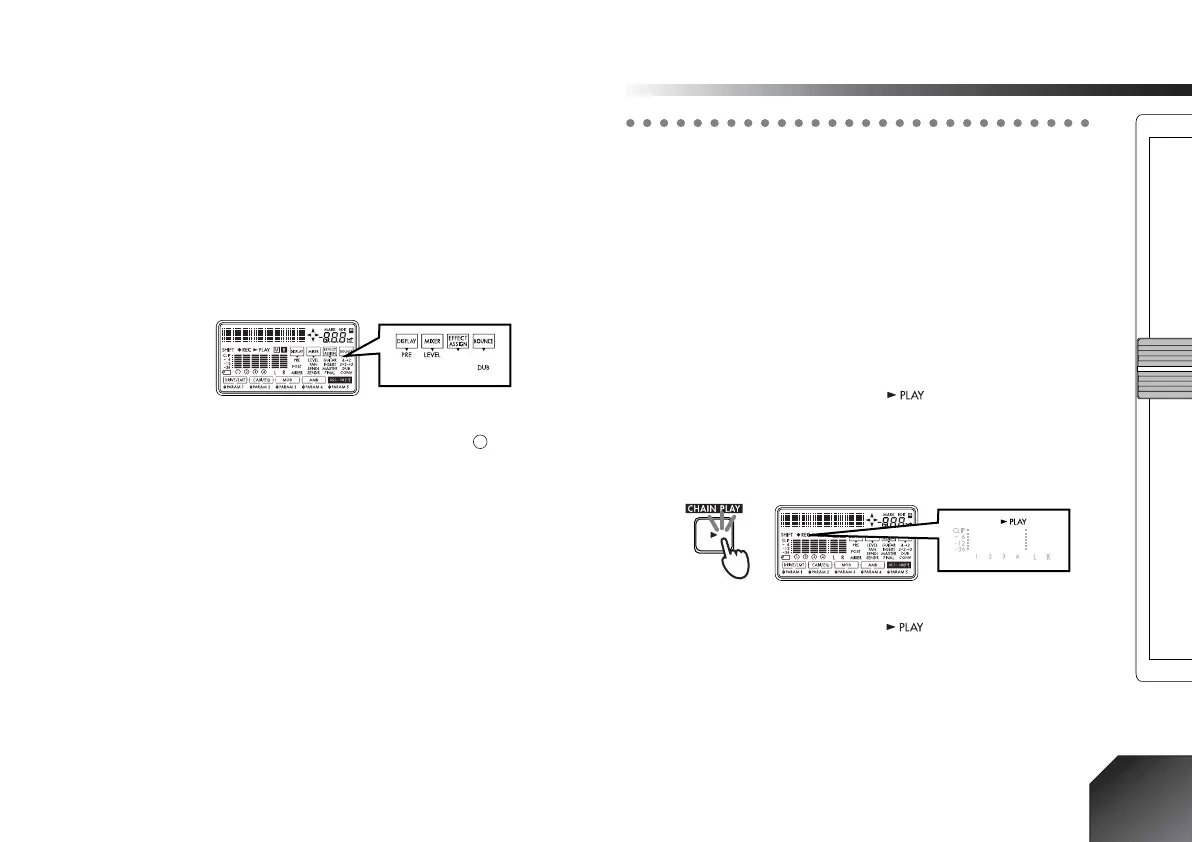
1 Select the bounce mode.
Hold down the [SHIFT] key and press the [LOCATE]
key to switch the “BOUNCE” setting to “DUB” (dub-
bing).
2 Select the track
Press the [REC SELECT] key to assign a “ ” symbol
to the track number of track 1, which you will be
recording.
3 Adjust the recording level on the input device, and
begin recording.
Refer to “1. Recording methods,” steps 1 –9 .
Step 4. Playback
This section explains basic playback on the PXR4, and
how to play back songs consecutively.
1. Playback
1 Select the song that you want to play back, and set
the time location.
For details on how to set the time location, refer to
p.32.
2 Start playback.
Press the [PLAY] key. The “ ” (PLAY) icon will
light.
Use the [TRACK] faders to adjust the volume of track.
Use the [MASTER] fader to adjust the overall volume
of the song.
3 Stop playback.
Press the [STOP] key. The “ ” (PLAY) icon will go
dark.
Double-speed playback
During playback, you can press and hold the [FF] key to
play back at double speed.
During playback, you can press and hold the [REW] key
to play back in reverse at double speed.









 To Next Page