Parameters
61
The processing time until the operation is completed
(“Finish!”) will be longer in proportion to the length of the
specified region (In–Out).
P.3-7 CpyV-Trk: Copy a virtual track
This operation copies all track data of the edit source track
(“SrcTrk”) to the specified virtual track of the edit destina-
tion track (“DestTrk”).
When this operation is executed, the edit destination track
will be overwritten. Verify the contents of the edit destina-
tion track before you execute this operation.
1. SrcTrk................................................ [1, 2, 3, 4, 1-2, 3-4]
Select the edit source track.
2. SrcVTrk.............................................[A, B, C, D, E, F, G, H]
Select the virtual track of the edit source track.
3. DestTrk .............................................. [1, 2, 3, 4, 1-2, 3-4]
Select the edit destination track.
4. DestVTrk...........................................[A, B, C, D, E, F, G, H]
Select the virtual track of the edit destination track.
5. CpyV OK? .......................................................... [Yes, No]
Select “Yes” and press the [CURSOR] right key to execute
the operation.
P.3-8 DelV-Trk: Delete a virtual track
This operation deletes all track data from the edit destina-
tion track (“DestTrk”).
When this operation is executed, the edit destination track
will be overwritten. Verify the contents of the edit destina-
tion track before you execute this operation.
1. DestTrk ...............................................[1, 2, 3, 4, 1-2, 3-4]
Select the edit destination track.
2. DestVTrk...........................................[A, B, C, D, E, F, G, H]
Select the virtual track of the edit destination track.
3. DelV OK? ........................................................... [Yes, No]
Select “Yes” and press the [CURSOR] right key to execute
the operation.
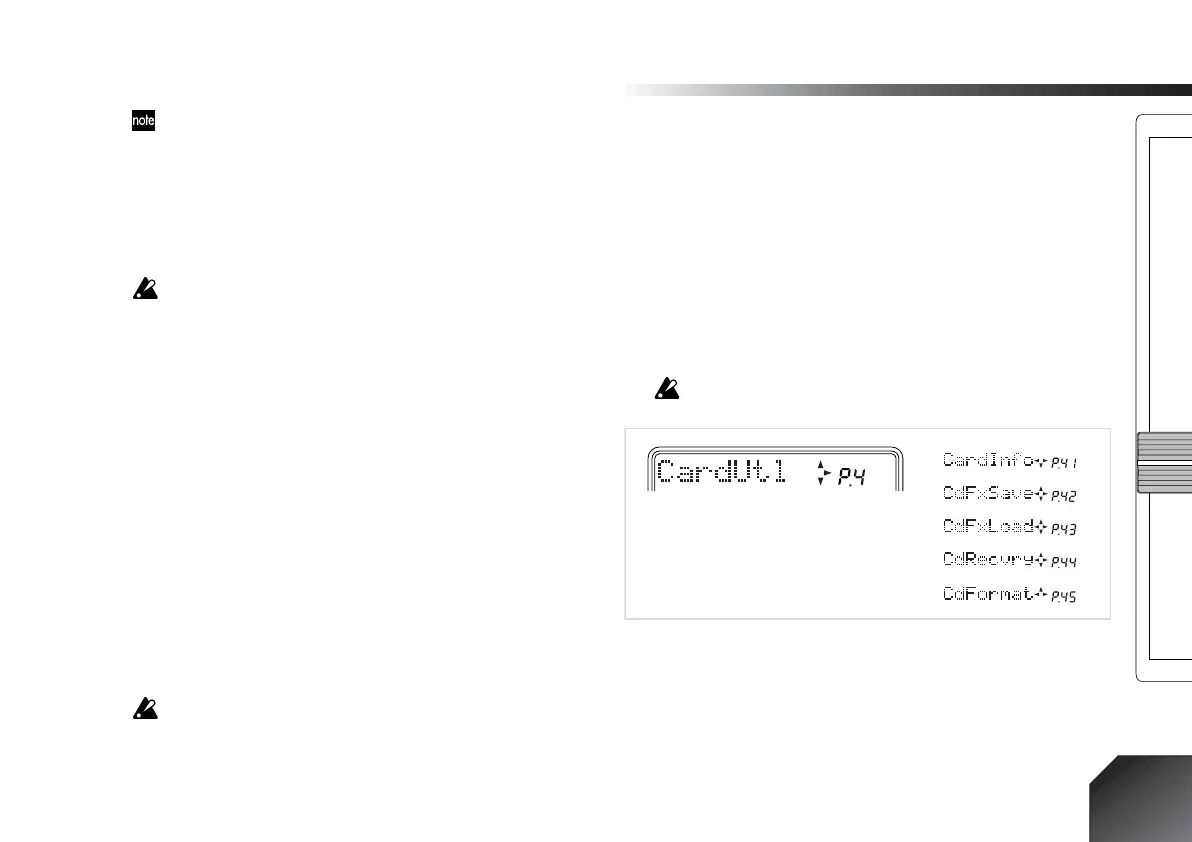
P4. CardUtl (Card-related functions)
These operations let you view information about a card,
and check or format (initialize) it.
All the data on the card will be lost when you execute the
Format operation.
P.4-1 CardInfo (Information): View card information
Here you can view the card type, and the amount of free
area.
1. Card[MB]........................................[4, 8, 16, 32, 64, 128]
This displays the type of card that is currently being used.
The units are Mbytes.
1.
2.
3.
4.
5.






 To Next Page