Shenzhen Anycubic Technology Co., Ltd.
17
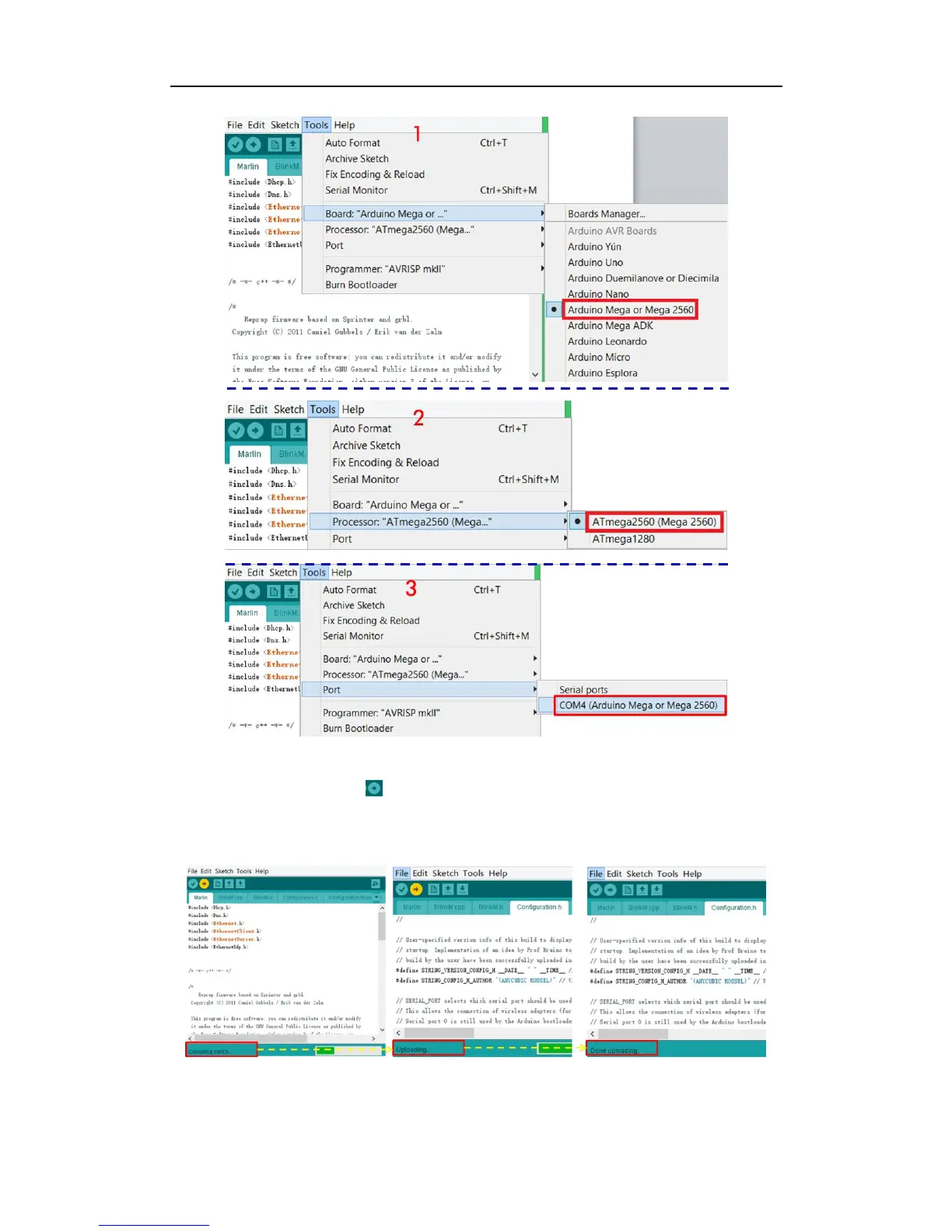
Fig. 35
Lastly, click the upload icon to upload the firmware, as Fig. 36 shows. The uploading
status will show at the bottom as „Compiling sketch‟, „Done Compiling‟, „Uploading‟, and
„Done uploading‟. After that, the LCD starts to display the information as shown in Fig. 37.
Fig. 36



 To Next Page