VS-62H - Defining the VS-62H 6x2 HDMI Matrix Switcher
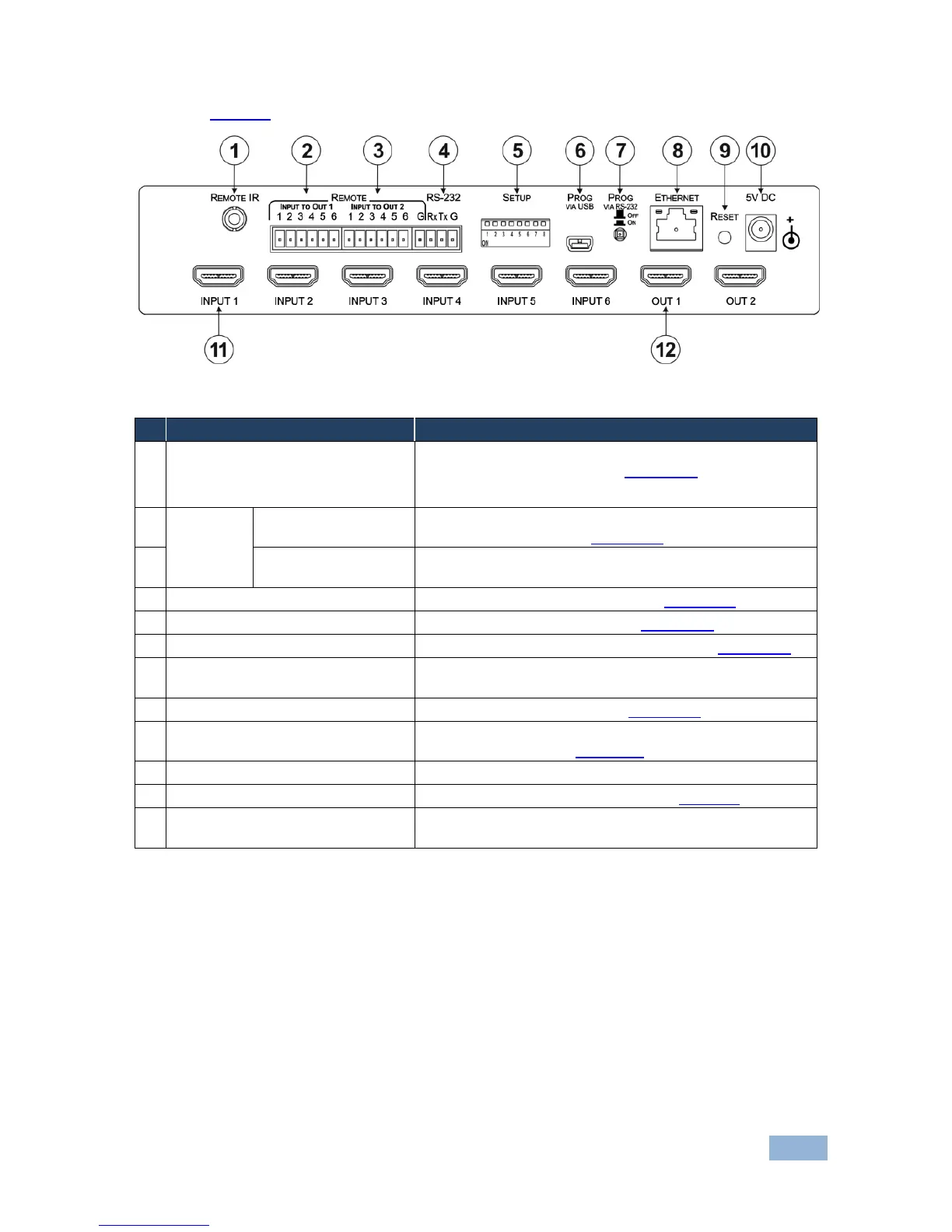
Figure 2 defines the rear panel of the VS-62H.
Figure 2: VS-62H 6x2 HDMI Matrix Switcher Rear Panel
Connect to an external IR receiver for controlling the device
via an IR remote controller (see Section 3.1).
Covered by a cap. The 3.5mm mini jack at the end of the internal IR
connection cable fits into this opening
INPUT To OUT 1
6-pin Terminal Block
Connect to up to six remote, contact-closure input selection
switches for Output 1 (see Section 6.3)
INPUT To OUT 2
7-pin Terminal Block
Connect to up to six remote, contact-closure input selection
switches for Output 2
RS-232 3-pin Terminal Block
Connect to a PC/serial controller (see Section 6.1)
Sets the device configuration (see Section 9.1)
Connect to a PC to upgrade the firmware (see Section 9.3)
PROG VIA RS-232 Upgrade Switch
Depress to upgrade the firmware via the RS-232 port,
release for normal operation
Connect to a PC via a LAN (see Section 6.2)
Press while power-cycling the device to reset to factory
default parameters (see Section 13)
Connect to the power adapter, center pin positive
INPUT 1~6 HDMI Input Connectors
Connect to up to six HDMI sources (see Section 6)
OUT 1 and OUT 2 HDMI Output
Connectors
Connect to up to two HDMI acceptors



 To Next Page