Page | 12
10. Stereo Monitor Placement
There are two basic elements to consider before achieving the best possible performance from your monitors:
a. Room Correction / Treatment - either acoustic, or digital (as ERGO) or a combination of these methods.
b. Optimal Positioning – This covers the placement of all monitors, and subwoofers in the room.
If you attempt any kind of acoustic treatment we recommend you hire a qualified studio acoustician who can identify
and rectify the acoustic shortcomings of your control room. You will hear a lot of talk about standing waves, flutter,
decay time, absorption and reflection, and it may be expensive, but if you run a commercial recording space, consider
it the cost of doing business. If you plan to use ERGO only, without acoustic room treatment this
Section will take you through the procedure of placing your monitors using some common examples.
Where to Start?
Typically, they should be placed so that that the listening position is fully “covered” with all monitors resting on the
same horizontal plane. To test a monitor for its imaging capability, playback a song that includes acoustic
instruments, to fully represent the entire sound spectrum. You can adjust the angle of each monitor by listening for
dead spots. Keep in mind, changing the angle or position of a monitor will change the way that you perceive your
music. So let’s analyze a few examples:
Close / Near-Field
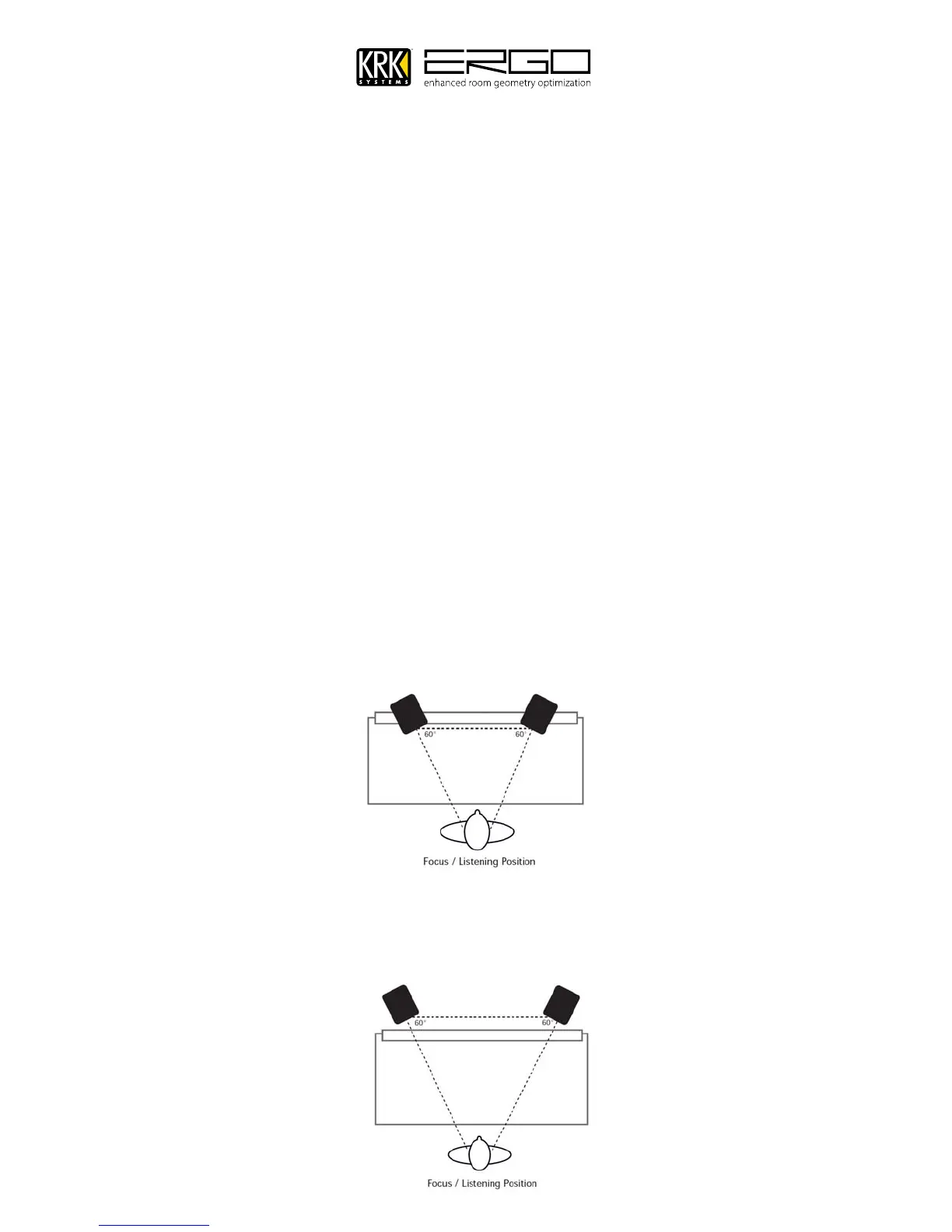
In a control room, the monitors are frequently placed on the meter bridge or in a close-field listening position of a
DAW workstation console. Initial placement starts by measuring out a simple equilateral triangle (all three sides
equal in length) with the apex at the center of the listening position (as shown in Figure 1) as an “overlay” for the
stereo installation. In this configuration, the Left and Right monitors are each placed at a 60º angle equidistant from
the listening position.
Mid-Field / Rear Stands Positioning
This configuration is similar to the close/near-field configuration. It is normally used with larger monitors or when the
monitors are too large or heavy for the meter bridge. This set up has the potential for a larger sweet spot and better
spatial imaging. Make sure that the height of the woofer cone is above the height of the console to avoid reflections
and comb filtering effects.



 To Next Page