4
OPERATION
14
OPTIMASS 6400
www.krohne.com 11/2017 - 4004960802 - AD OPTIMASS 6400 SIL R02 en
Depending on the selected device variable the following parameters are display in verification:
*: Not displayed in Ex i device variant
x: displayed in verification
4.2.6 Confirmation
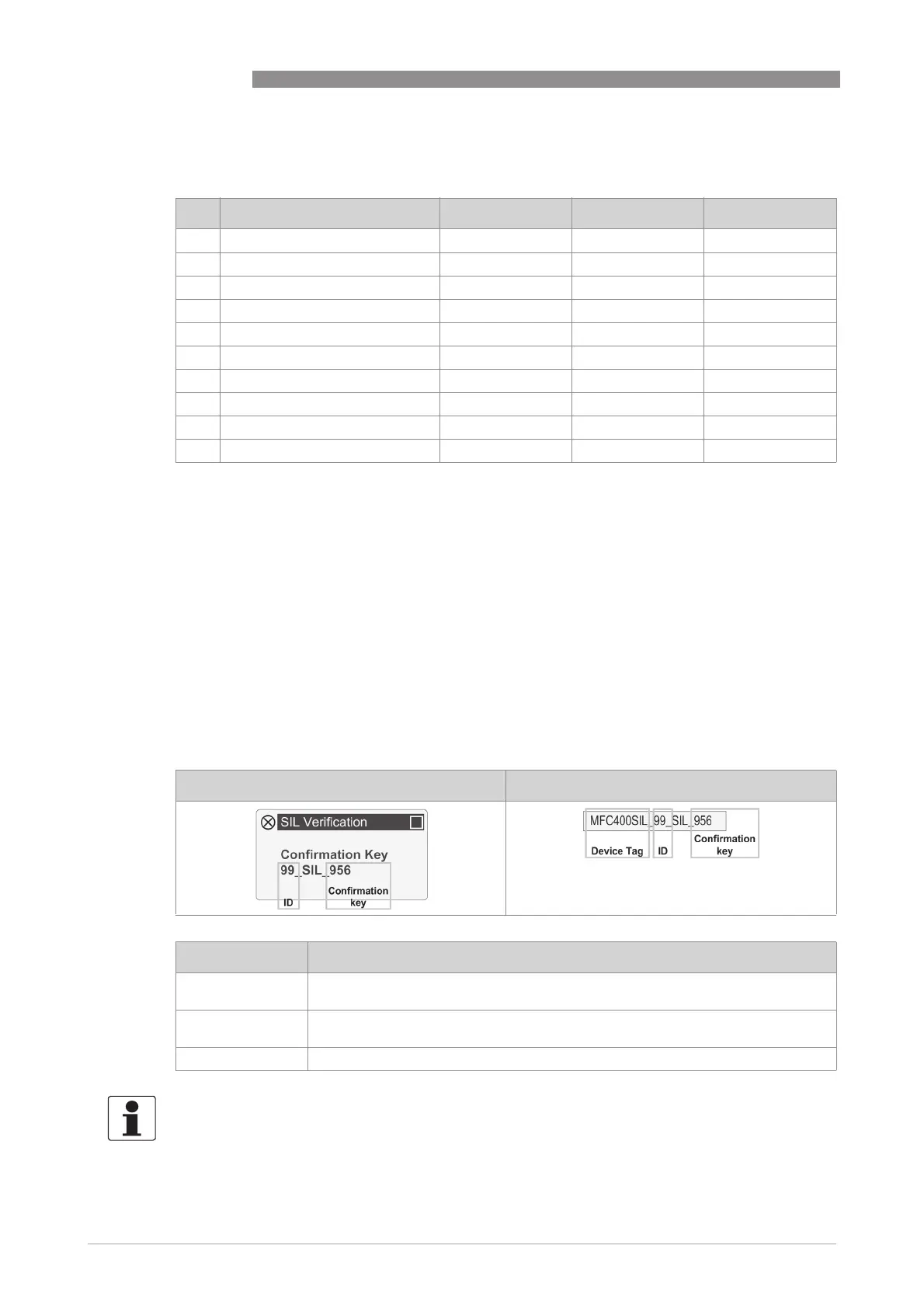
In the last step for the safe parameter verification the device generates a random 3-digit
confirmation key which is displayed as depicted below. By entering this confirmation:
• the safe configuration (only for safe operation) is confirmed
• the desired safety mode (non-SIL or SIL) is confirmed
After confirmation of SIL mode, all safety relevant parameters are write-locked and the device
switches to safe operation state.
ID Parameter Mass flow Volume flow Density
1 Measurement x x x
2 Lower Range x x x
3 Upper Range x x x
4 Alarm Code x x x
5 Low Flow Cutoff (Threshold) x x
6 Low Flow Cutoff (Hysteresis) x x
7 Damping x x x
8 Terminal C Type* x x x
9 Flow Direction x x
10 Zero Calibration x x
Local display HART DD or DTM
Message Description
Timeout occured The safe parameter verification must be completed within 1 hour. Please restart
safe parameter verification.
Wrong Key The entered confirmation key was incorrect. Please restart safe parameter
verification.
Successful Device is in safe operation or non-SIL operation.
INFORMATION!
All safety relevant parameters are locked during safe operation. If not safety relevant
parameters shall be locked please set the operator password ([N2]).




 To Next Page