OPERATION
4
13
OPTIMASS 6400
www.krohne.com11/2017 - 4004960802 - AD OPTIMASS 6400 SIL R02 en
4.2.5 Safe parameter verification
The safe configuration must be verified either via local display or via HART
®
interface in order to
enter the safe operation state:
• Local display: Select menu item C7.3
• HART
®
: Use the device-specific DD or a DTM (only online mode)
During preparation of the safe parameter verification the following messages could be
displayed:
This process can only be started if the configuration is plausible. During verification of the safe
configuration all safety relevant parameters must be reviewed guided by a wizard.
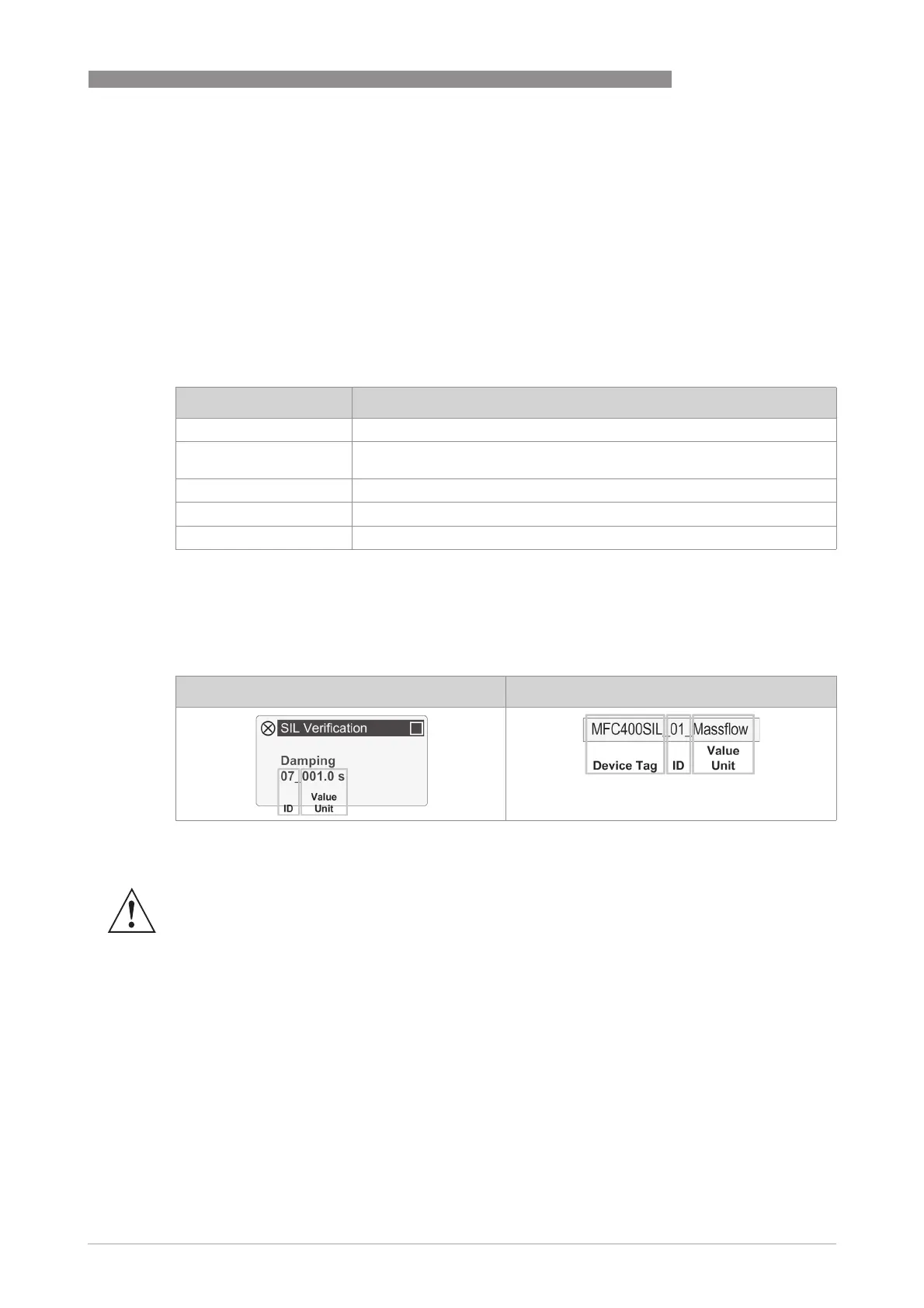
In the verification wizard all safety relevant parameters are displayed in the following format:
The parameter ID is used for identification of the parameter as described in the following table.
Message Description
Checking Parameters… Configuration is checked for plausibility.
Not allowed Device in safe operation or non-SIL operation. Therefore safe parameter
verification is not allowed.
Config. invalid Implausible configuration.
Press Return to Start Configuration checked successfully and verification can start.
Remove Jumper A lock jumper is set. Please remove it!
Local display HART DD or DTM
WARNING!
Check that all parameters listed in the table for the respective safe measurement are shown in
the verification process.
If the verification process is performed via HART
®
make sure that the correct device is
addressed by checking the device tag. Please make sure that the device tag is unique.




 To Next Page