81
Wrapping Sensor
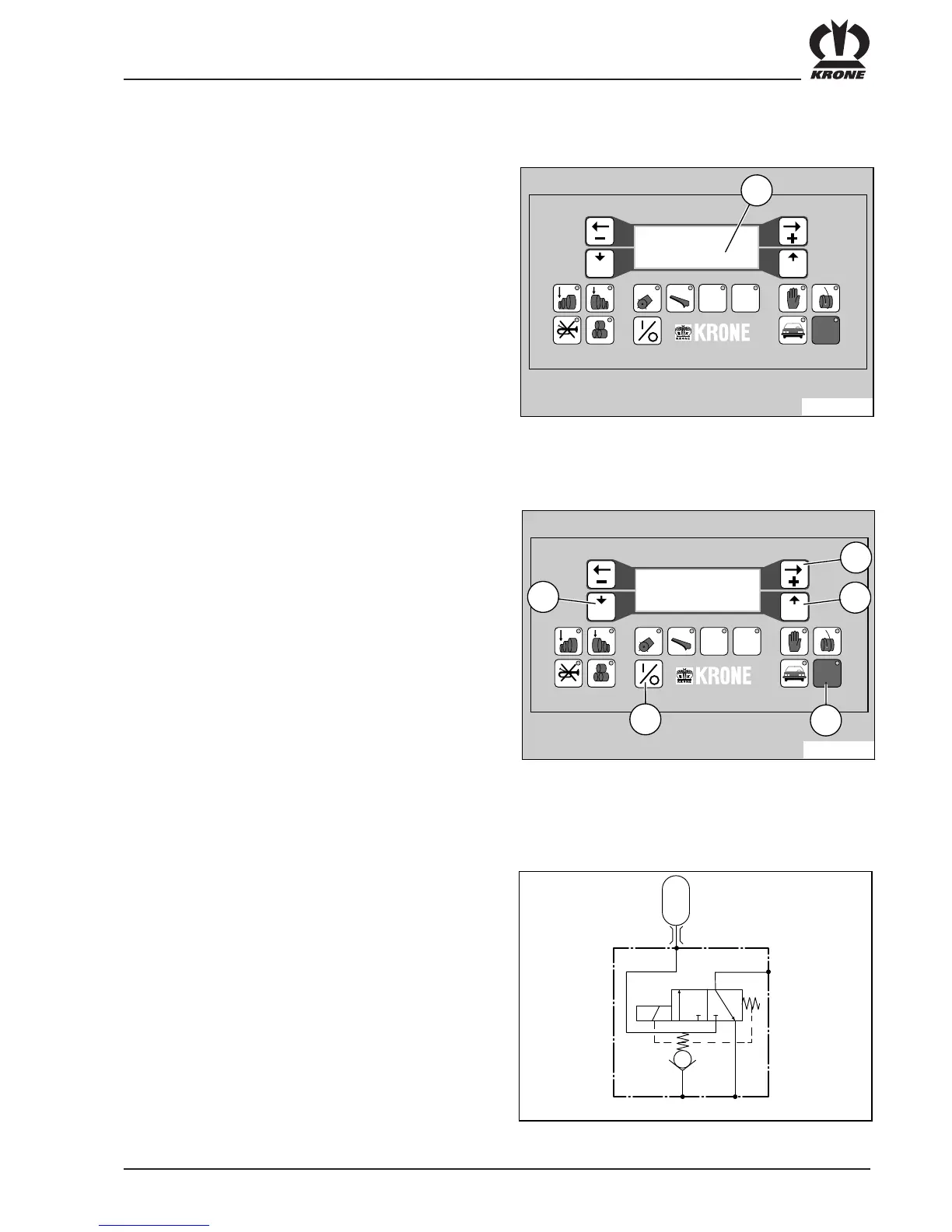
The operation of the wrapping sensor can be checked by
turning the wrapping mechanism. The value (1) in the
display must switch back and forward between 0 and 1
8 times over one revolution of the actuating wheel in the
wrapping mechanism.
12.2.9.3 Language Entry on the the Control and Indicator Box
A = connection for hydraulic starter mechanism
P = feed line
S = hydraulic reservoir
T = pressure-free return flow
12.2.10 Comfort Controls Hydraulic Circuit Diagram
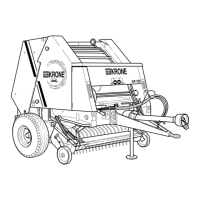
Switch off the control and indicator box at button (4).
Switch the box back on again while holding down the
STOP button. Hold down the STOP button until SEN-
SOR TEST appears in the display. Switch to
LANGUAGE ENTRY with button (1). The language
entered and the desired language are listed in the
display. The desired language is selected by pressing
programme button (5). The new language setting is
stored by pressing the Quit button (2). Switch off the
control and indicator box. On switching on again, the
messages appear in the newly-selected language.



 To Next Page