63
www.kstar.com
64
www.kstar.com
User Manual User Manual
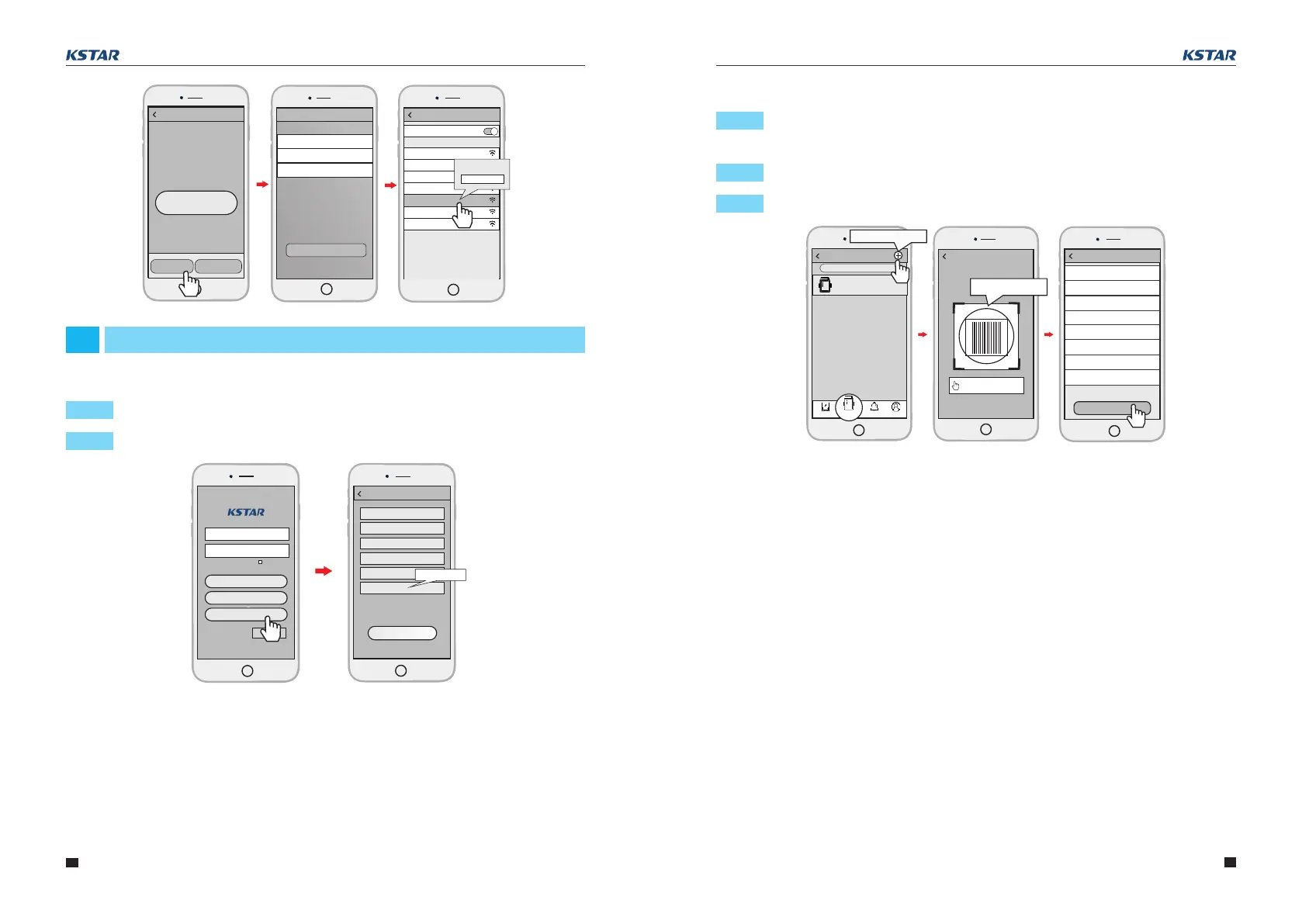
Step 1: Login the account and click the Datalogger button. Tap the “+”button on the
top-right corner of the Datalogger page.
Step 2: Scan the PN on the Wi-Fi PlugII,or input it manually.
Step 3: According to the prompts, type in the information to finish add datalogger.
Input the datalogger PN
Datalogger PN
Add datalogger
新建电站
新建电站
Add datalogger
Device
Datalogger
Alarm
Me
Datalogger List
Datalogger Name
PN:12345667898
Search
Confirm massage
Finish
Design Power(kW)
Enter
Enter
Enter
Enter
Enter
Enter
Enter
Enter
Datalogger Name
Datalogger PN
Installer
Installation Date
Timezone
Country
Location
6.2 Add Datalogger
Register
User Name
Password
Confirm Password
E-mail
Phone Number
PN
Register
Datalogger PN
Keeppassword
Please enter user name
Please enter password
Login
Wi-Fi Config
Register
Demo>
06
Create Account And Add Datalogger
Step 1: Open the APP, tap the Register button to enter this page.
Step 2: According to the prompts, type in the information to create an account.
Setting
Connected
Network Diagnose
Network Setting
WLAN
CHOOSE A NETWORK...
W2015
2018LA
WLAN
Eybond 2.4g
Eybond2015
W0016250020617
Wifi111
Wifi-test
PASSWORD
12345678
Connect
Wi-Fi Datalogger
Network Settings
Password:
Please connect to the wireless router
Confirm password:
Router Name:
6.1 Create Account



 To Next Page