07
SOLARMAN Smart APP
7.1 Registration
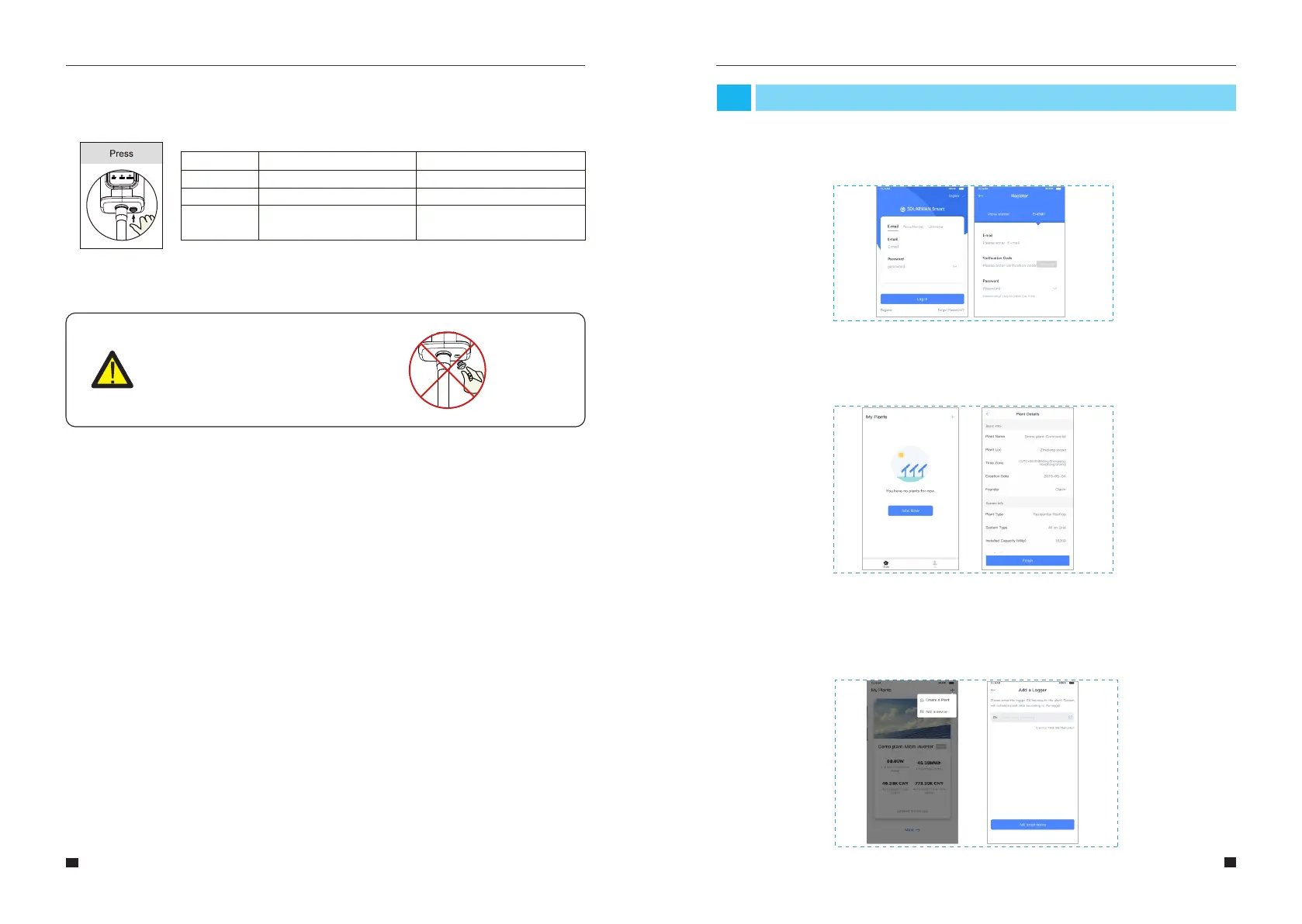
Go to SOLARMAN Smart and register. Click "Register" and create your account here.
7.2 Create a Plant
Click "Add Now" to create your plant.
Please fill in plant basic info and other info here.
7.3 Add a Logger
Method 1: Enter logger SN manually.Method 2: Click the icon in the right and scan to enter
logger SN You can find logger SN in the external packaging or on the logger body.
6.5Usage Methods and Notices for Reset Button
6.5.1 Usage methods and key-press descriptions for reset button
Key-press Status Description Light Status
Short press 1s
Long press 5s
Long press 10s
SMARTLINK rapid networking status.
Rebooting the stick logger.
Resetting the stick logger.
NET light flashes fast for 100ms.
All lights are extinguished immediately.
1.All lights are extinguished after 4s.
2.READY light flashes fast for 100ms.
6.5.2Notice
Do not remove waterproof plug.
Notice
63
64
User Manual User Manual



 To Next Page