17
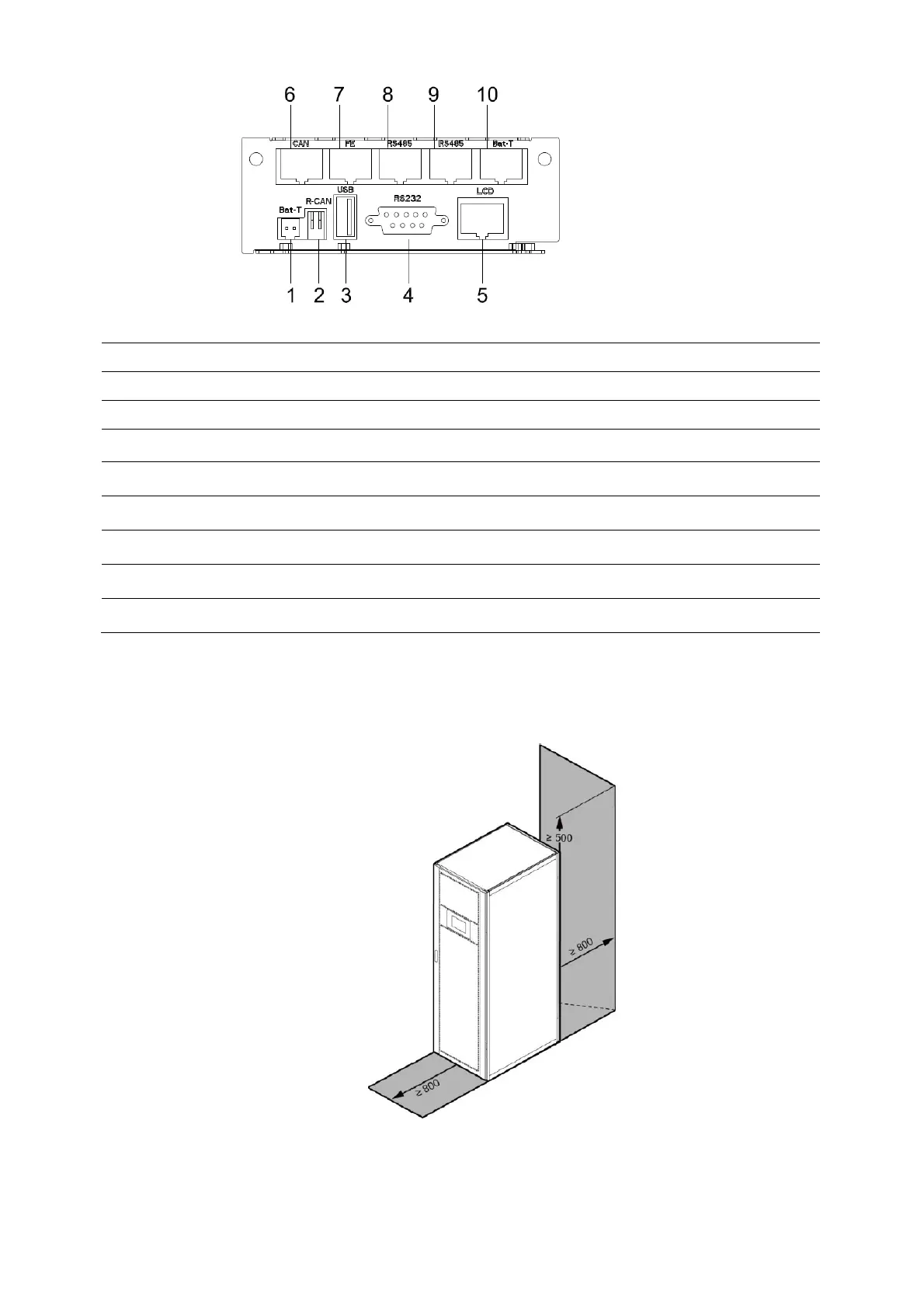
(1) BAT_T : NTC temperature sensor port
(2) R-CAN : CAN communication resistor adjust
(3) USB port : for software updata and history download
(4) RS232 port : for communication
(5) LCD port
(6) CAN port : BMS port
(7) FE : Net port (reserve)
(8) RS485 port: for communication
(9) RS485 port: for communication
(10) BAT_T : battery temperature sensor port (RS485)
3.3 Installation notes
Note: Consider for the convenience of operation and maintenance, the space in front and
back of the cabinet should be left at least 800mm and 800mm respectively when installing the
cabinet.
◆
Please place the UPS in a clean, stable environment, avoid the vibration, dust, humidity,
flammable gas and liquid, corrosive. To avoid from high room temperature, a system of room
extractor fans is recommended to be installed. Optional air filters are available if the UPS operates
in a dusty environment.



 To Next Page