47
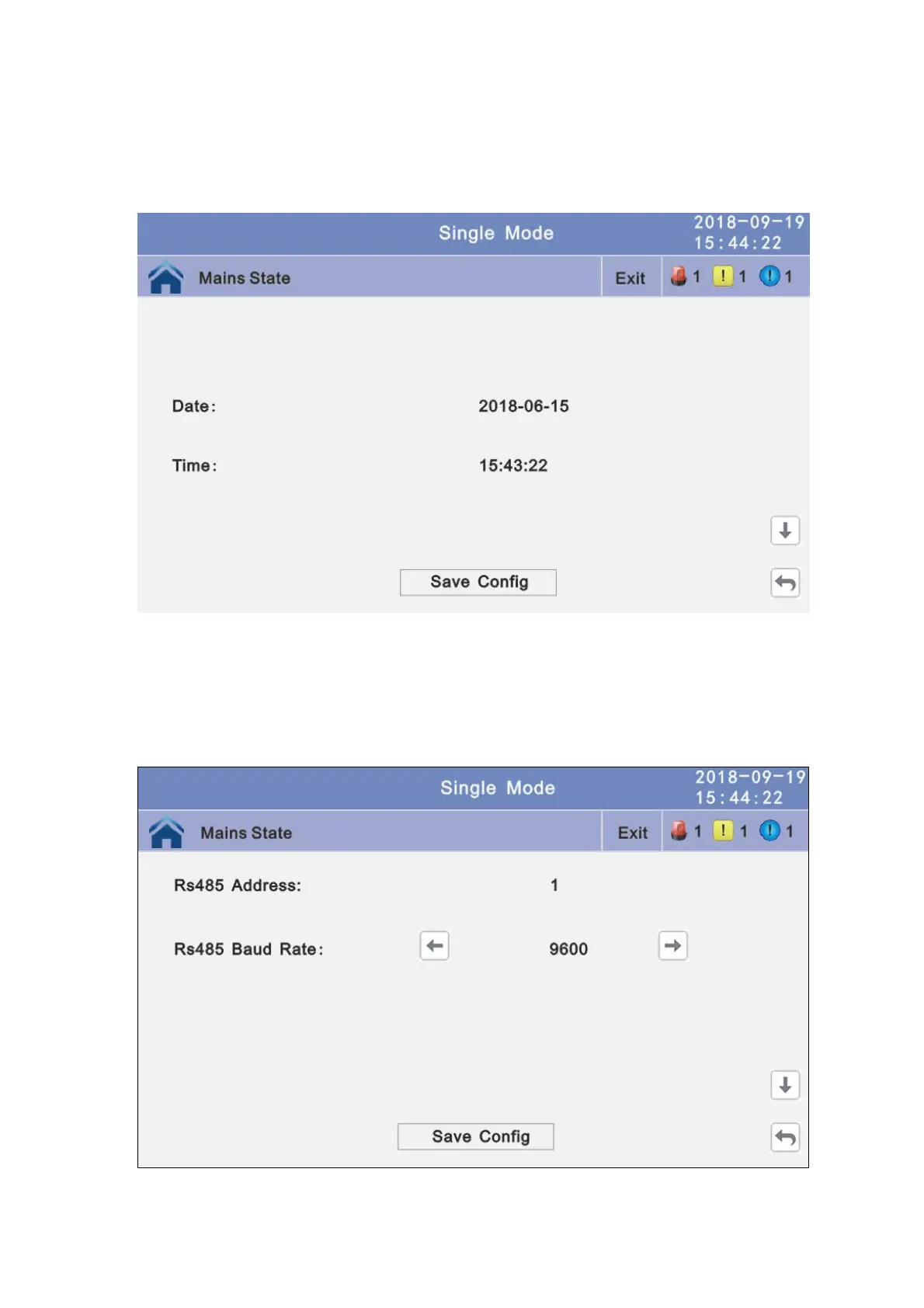
4.3.4.1.4 Date and time setting: Click the text to select other value or input new value
and click save config block to save. Click return to
return to the previous window, click home page to
return to the main page.
Date: current date
Time: current time
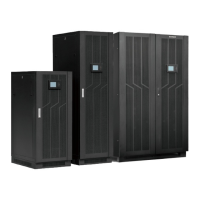
4.3.4.1.5 Communication setting: Click the text to select other value or input new value
and click save config block to save. Click return to
return to the previous window, click home page to
return to the main page.
Rs485 address: UPS communication ID, address range is 1~15, default is 1
Rs485 Baud Rate: baud rate: 2400, 4800, 9600, 14400, 19200, default is 9600
4.3.4.2 Advanced Setting: Click advanced setting, enter by input the correct password.
The user password is “191210”.



 To Next Page