49
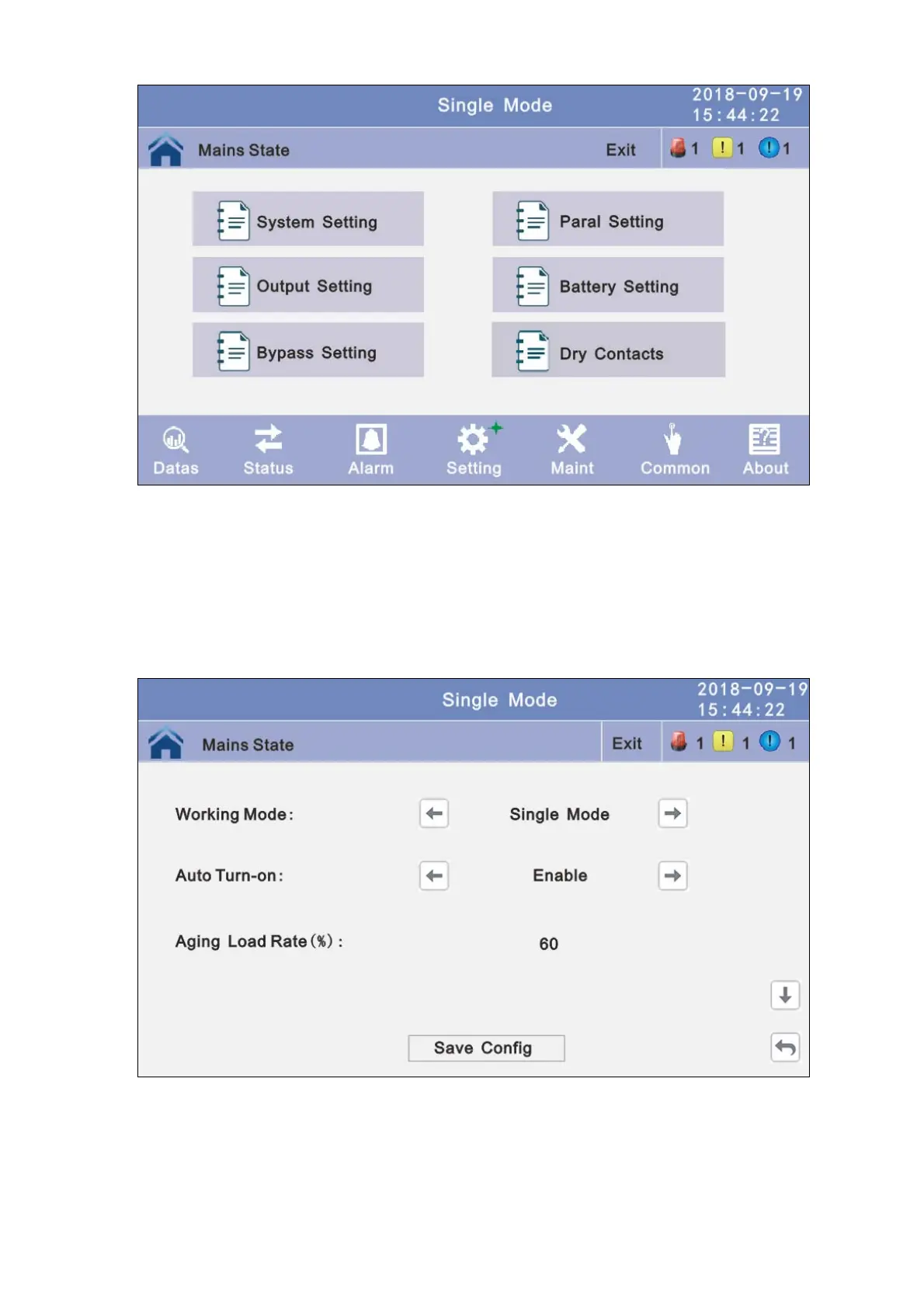
4.3.4.2.1 System setting: Click the text to select other value or input new value and click
save config block to save. Click return to return to the
previous window, click home page to return to the main
page.
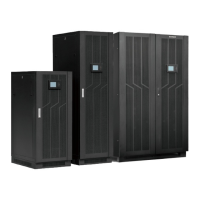
Working Mode: Select the work mode of UPS, work mode:Single mode, Parallel mode,
ECO mode.
Auto Turn-on: Select the UPS start logic, Enable:UPS start inverter output automatic,
Disable: No output.
Aging Load Rate: The value can be 18~100%, default value: 60%
Rreq Conv Mode: Frequency conversion mode, enable: output frequency set 50Hz or
60Hz, input frequency is 60Hz or 50Hz, UPS no alarm not battery
and bypass abnormal. Default is Disbale.
LBS mode: setting value: LBS disable, LBS master, LBS slave. Default is LBS disable.
Temp Sensor Switch: temperature sensor compensation switch, when need to
connectbattery temperature sensor, please chage the value to



 To Next Page