DASH 7
63
7.17.7 Headset (optional)
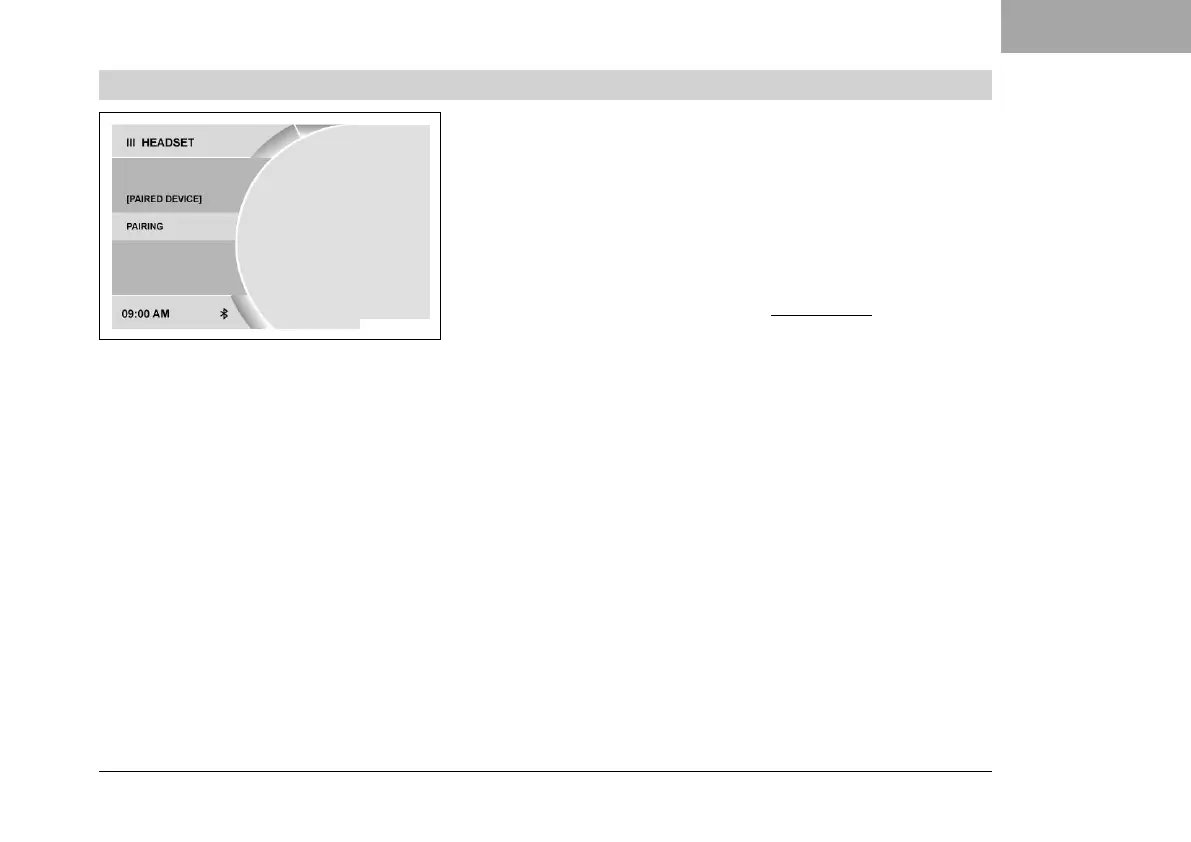
F01960-01
Condition
• The motorcycle is stationary.
• Function KTM MY RIDE (optional) activated.
• Function Bluetooth (optional) activated.
• The Bluetooth
®
function should also be activated in the device
to be paired.
– Press the SET button when the menu is closed.
– Press the UP or DOWN button until KTM MY RIDE is marked.
Press the SET button to open the menu.
– Press the UP or DOWN button until Pairing is marked. Press
the SET button to open the menu.
– Press the UP or DOWN button until Headset is marked. Press
the SET button to open the menu.
– Press the UP or DOWN button until Pairing is marked. Press the
SET button to open the menu.
– The combination instrument starts searching for a suitable
headset. If the search was successful, the name of the head-
set is displayed in the Pairing menu. Press the SET button
to select the device. Press the SET button again to confirm
the Confirm menu item. The pairing of the headset with the
combination instrument has been successfully completed.







 To Next Page