CONTROLS 6
15
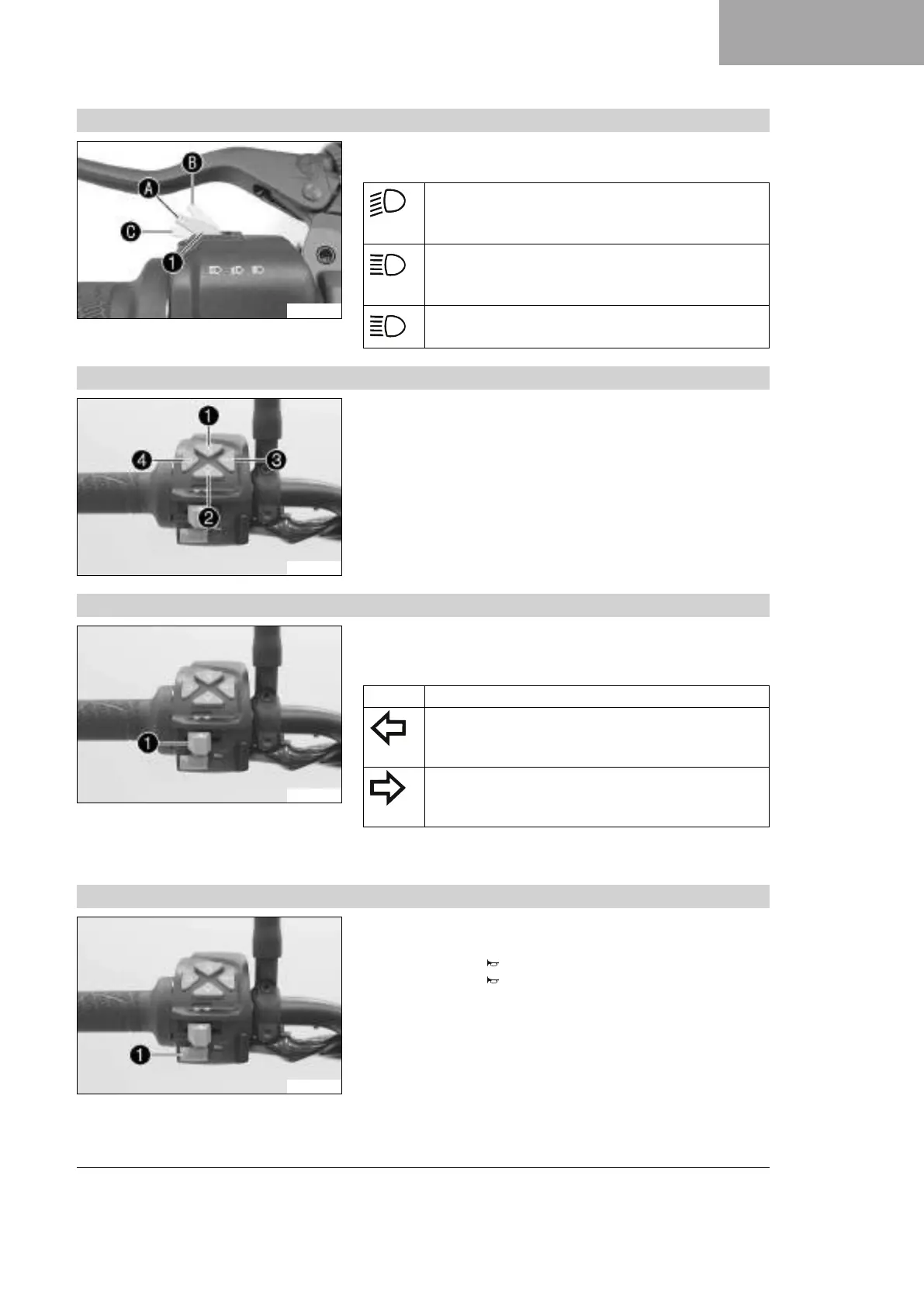
6.4.2 Light switch
V01191-10
Light switch
1
is fitted on the left side of the handlebar.
Possible states
Low beam on – Light switch in position
A
. In this
position, the low beam and the tail light are switched
on.
High beam on – Push the light switch to position
B
.
In this position, the high beam and the tail light are
switched on.
Headlight flasher – Push the light switch into posi-
tion
C
.
6.4.3 Menu buttons
V01192-10
The menu buttons are fitted in the middle of the left combination
switch.
The menu buttons are used to control the display on the combina-
tion instrument.
Button
1
is the UP button.
Button
2
is the DOWN button.
Button
3
is the SET button.
Button
4
is the BACK button.
6.4.4 Turn signal switch
V01192-11
The turn signal switch
1
is fitted on the left side of the handle-
bar.
Possible states
Turn signal off
Left turn signal on – Turn signal switch pressed to
the left. The turn signal switch returns to the center
position after activation.
Right turn signal on – Turn signal switch pressed to
the right. The turn signal switch returns to the center
position after activation.
To switch off the turn signal, press the turn signal switch towards
the switch housing.
6.4.5 Horn button
V01192-12
Horn button
1
is fitted on the left side of the handlebar.
Possible states
• The horn button is in the basic position
• The horn button is pressed – The horn is operated in this
position.









 To Next Page