COMBINATION INSTRUMENT 7
35
Info
Do not open the throttle when setting it.
The drive mode TRACK is ended via Leave Track and
automatically switches to the drive mode STREET. Do
not open the throttle when doing so.
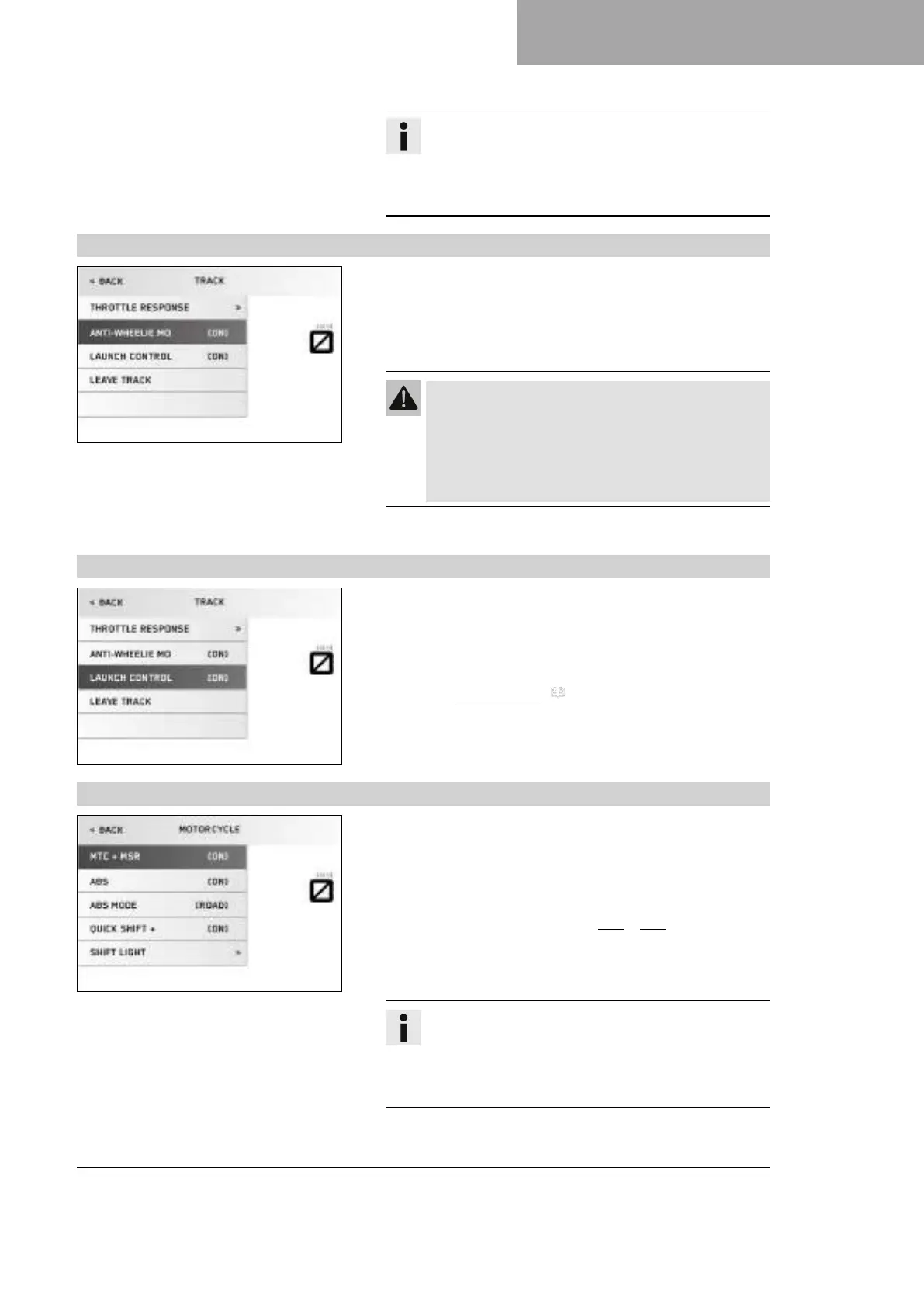
7.13.23 Anti‑wheelie mode
V01142-01
Condition
• The drive mode TRACK is activated.
– Press the SET button when the menu is closed.
– Press the UP or DOWN button until the menu
item Anti‑wheelie mo is marked on the display.
Warning
Danger of accidents When Anti Wheelie Mode is dis-
abled, the motorcycle traction control no longer coun-
teracts the raising of the front wheel.
– Only switch off the Anti Wheelie Mode if you have
the appropriate experience.
– Switch the Anti Wheelie Mode on and off using the SET button.
7.13.24 Launch control
V01143-01
Condition
• The drive mode TRACK is activated.
– Press the SET button when the menu is closed.
– Press the UP or DOWN button until the menu item Launch con-
trol is marked on the display.
– Switch the launch control ( p. 49) on and off using the
SET button.
7.13.25 MTC + MSR
V01130-01
Condition
• ABS ModeSupermoto is not activated.
– Press the SET button when the menu is closed.
– Press the UP or DOWN button until the Motorcycle menu is
marked on the display. Press the SET button to open the menu.
– Press the UP or DOWN button until MTC + MSR is marked on
the display.
– Keep the SET button pressed for 3-5 seconds to switch
MTC + MSR on or off.
Info
Do not open the throttle when switching on or off.
After the ignition is switched on, the motorcycle
traction control and engine traction torque control are
enabled again.











 To Next Page