COMBINATION INSTRUMENT 7
33
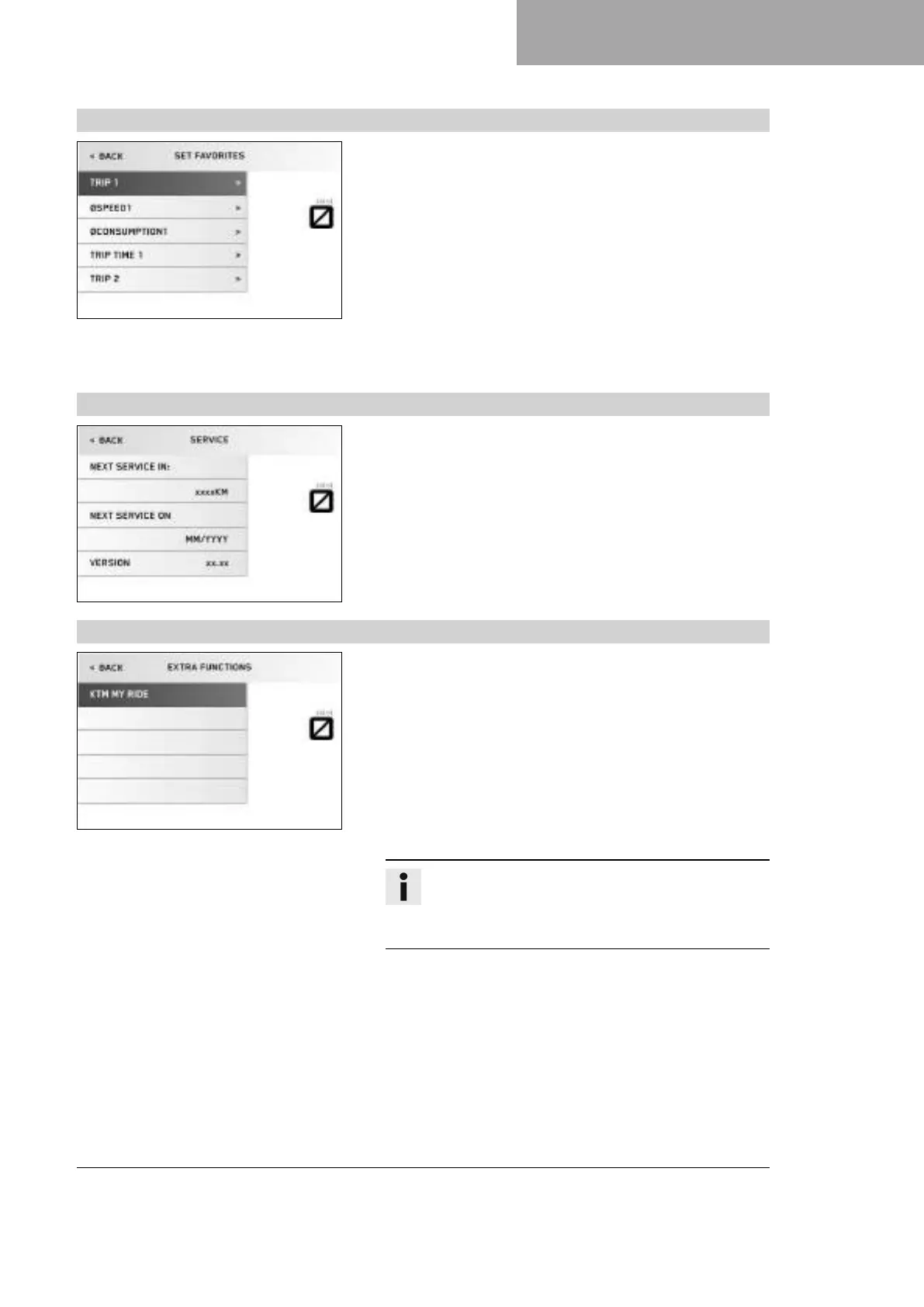
7.13.17 Set Favorites
V01123-01
Condition
• The motorcycle is stationary.
– Press the SET button when the menu is closed.
– Press the UP or DOWN button until the Trips/Data menu is
marked on the display. Press the SET button to open the menu.
– Press the UP or DOWN button until the Settings menu is marked
on the display. Press the SET button to open the menu.
– Press the UP or DOWN button until the Set Favorites menu is
marked on the display. Press the SET button to open the menu.
– Press the UP or DOWN button to select the menu. Press the
SET button to set the menu for quick selection.
The Favorites menu is configured in the Set Favorites menu.
7.13.18 Service
V01125-01
Condition
• The motorcycle is stationary.
– Press the SET button when the menu is closed.
– Press the UP or DOWN button until the Trips/Data menu is
marked on the display. Press the SET button to open the menu.
– Press the UP or DOWN button until the Service menu is marked
on the display. Press the SET button to open the menu.
The Service menu displays when the next service is due and the
software version.
7.13.19 Extra functions
V01126-01
Condition
• The motorcycle is stationary.
• Motorcycle with optional supplementary function.
– Press the SET button when the menu is closed.
– Press the UP or DOWN button until Trips/Data is marked on the
display. Press the SET button to open the menu.
– Press the UP or DOWN button until Extra functions is marked on
the display. Press the SET button to open the menu.
– Use the UP or DOWN button to navigate through the extra func-
tions.
Info
The optional extra functions are listed in Extra functions.
The current KTM PowerParts and the available software
for your vehicle can be found on the KTM website.












 To Next Page