7 COMBINATION INSTRUMENT
34
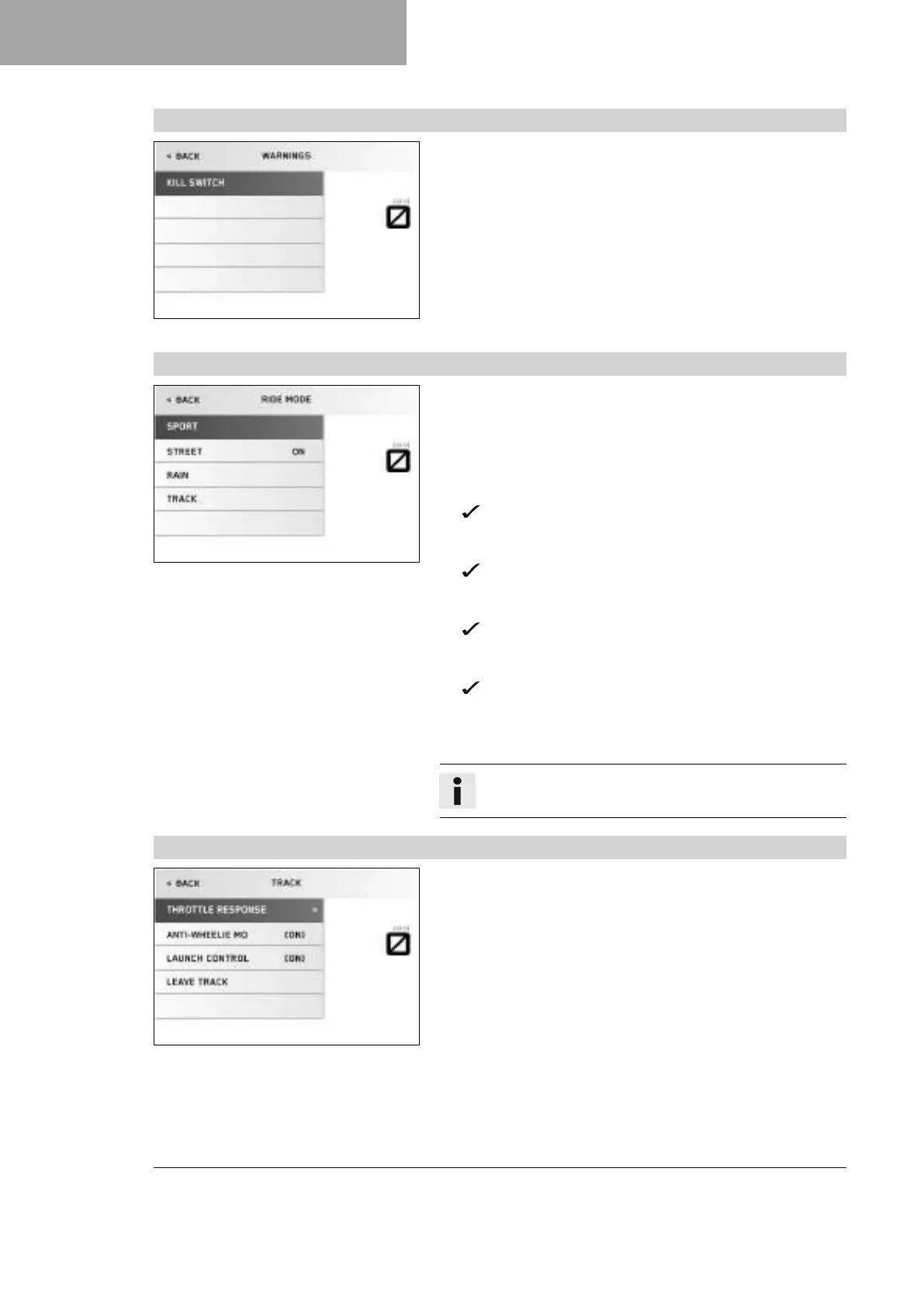
7.13.20 Warnings
V01124-01
Condition
• At least one warning present.
– Press the SET button when the menu is closed.
– Press the UP or DOWN button until the Trips/Data menu is
marked on the display. Press the SET button to open the menu.
– Press the UP or DOWN button until the Warnings menu is
marked on the display. Press the SET button to open the menu.
– Use the UP or DOWN button to navigate through the warnings.
In the Warnings menu, warnings that occurred are displayed and
stored until they are no longer enabled.
7.13.21 Ride Mode
V01127-01
– Press the SET button when the menu is closed.
– Press the UP or DOWN button until the Ride Mode menu is
marked on the display. Press the SET button to open the menu.
– Use the UP or DOWN button to navigate through the menu. The
SET button can be used to select engine and motorcycle trac-
tion control settings that are coordinated with each other.
SPORT – homologated performance with very direct
response; the motorcycle traction control allows greater
slip on the rear wheel.
STREET – homologated performance with balanced
response; the motorcycle traction control allows normal
slip on the rear wheel.
RAIN – reduced homologated performance for better rid-
ability; the motorcycle traction control allows normal slip
on the rear wheel.
TRACK – setting with homologated performance and
extremely direct response. The motorcycle traction control
and the characteristic map of the throttle response can be
individually set.
Info
Do not open the throttle during the selection.
7.13.22 Track
V01128-01
Condition
• The drive mode TRACK is activated.
– Press the SET button when the menu is closed.
– Press the UP or DOWN button until the Ride Mode menu is
marked on the display. Press the SET button to open the menu.
– Use the UP or DOWN button to navigate through the menu.
Use the SET button to adjust the individual settings of the
TRACK PACK.




 To Next Page