11
Transfer le
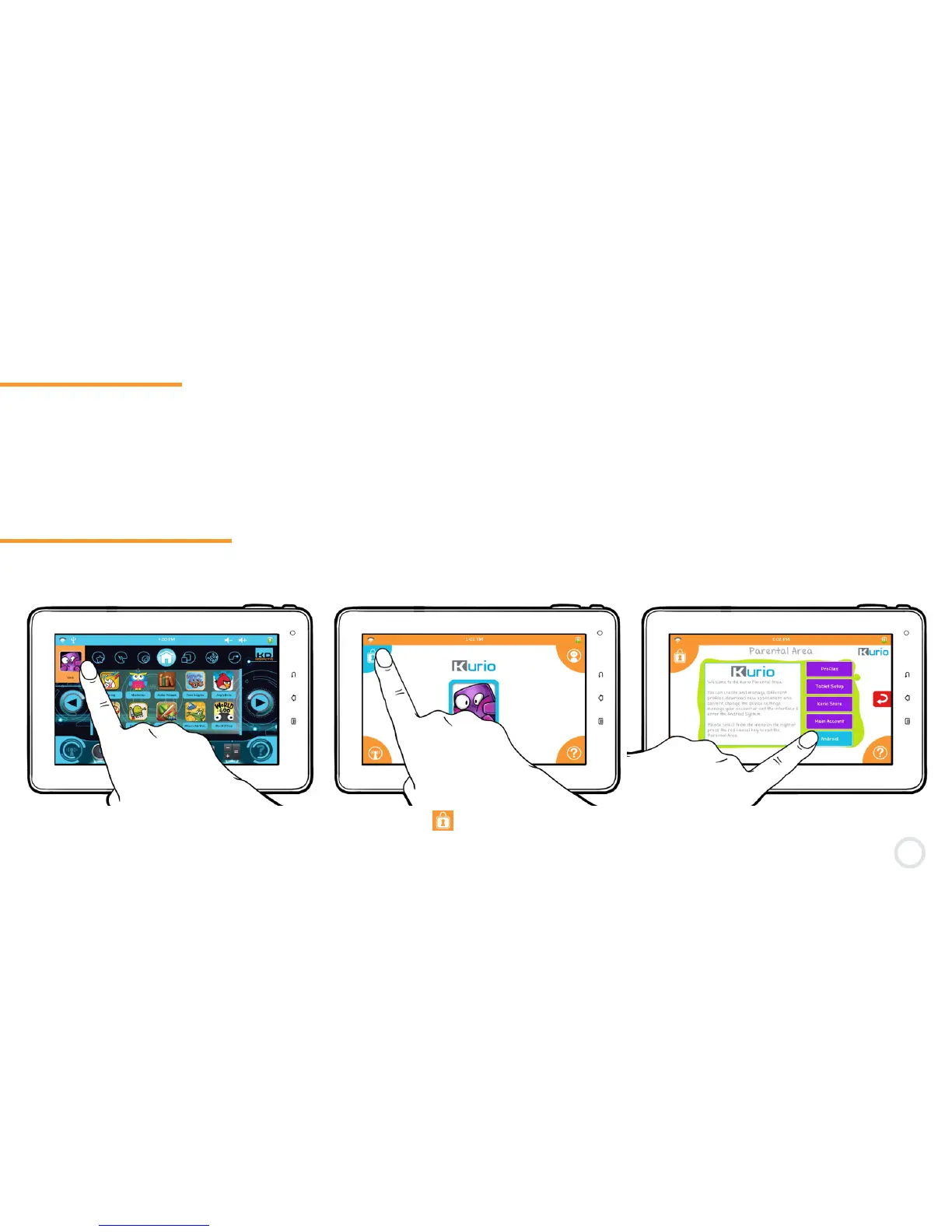
Android Interface
1-11
1-12
It is possible to save files from your external storage device onto the Kurio’s internal storage by using the File
Manager application.
Please note that, by default, the File Manager is not available in the Kurio Interface. You can make it available by
going to the Applications settings in the Parental Area. For more information about Applications, please go to Step 9 in
Chapter 2 (page 30). The File Manager is always available in Android mode.
Your Kurio uses the Android 4.0 operating system. Please follow the below instructions to access the Android
interface.
1- Press the Prole picture. 3- Once in the Parental Area, select
″Android″ and conrm.
2- Press the icon to access the
Parental Area. Enter your password.


 To Next Page