21
Step 6: Create user account
This profile can either be a child or adult profile using the Kurio Interface. If the Kurio will be used by your child,
have fun filling it out together!
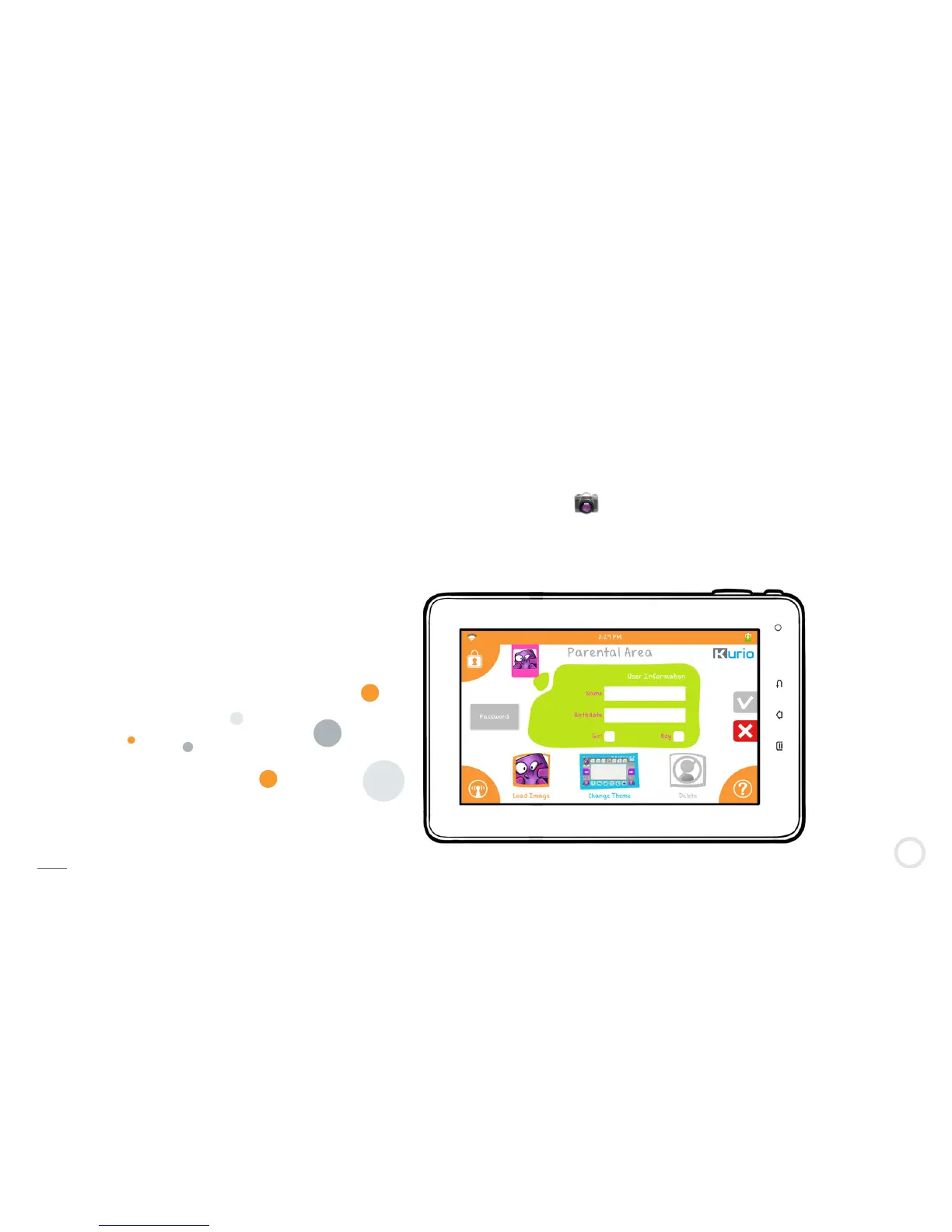
• Enter basic information about the child (name, birth date, gender).
• Select your avatar.
It’s also possible to use pictures from the memory. Press ″+″ and then select your image from your Kurio or
other device (USB Key / External Hard Drive / Micro SD card). The supported image formats are JPEG and PNG.
You can also take a photo and use it as an avatar. Press on the icon.
• Select the theme you want for your Kurio interface.
You can enter a password if you want to secure the profile. Press the Password button, and type in the
profile’s password.
By default, ″No password″ is selected.
Note: These settings may be changed later on at any time.


 To Next Page