17
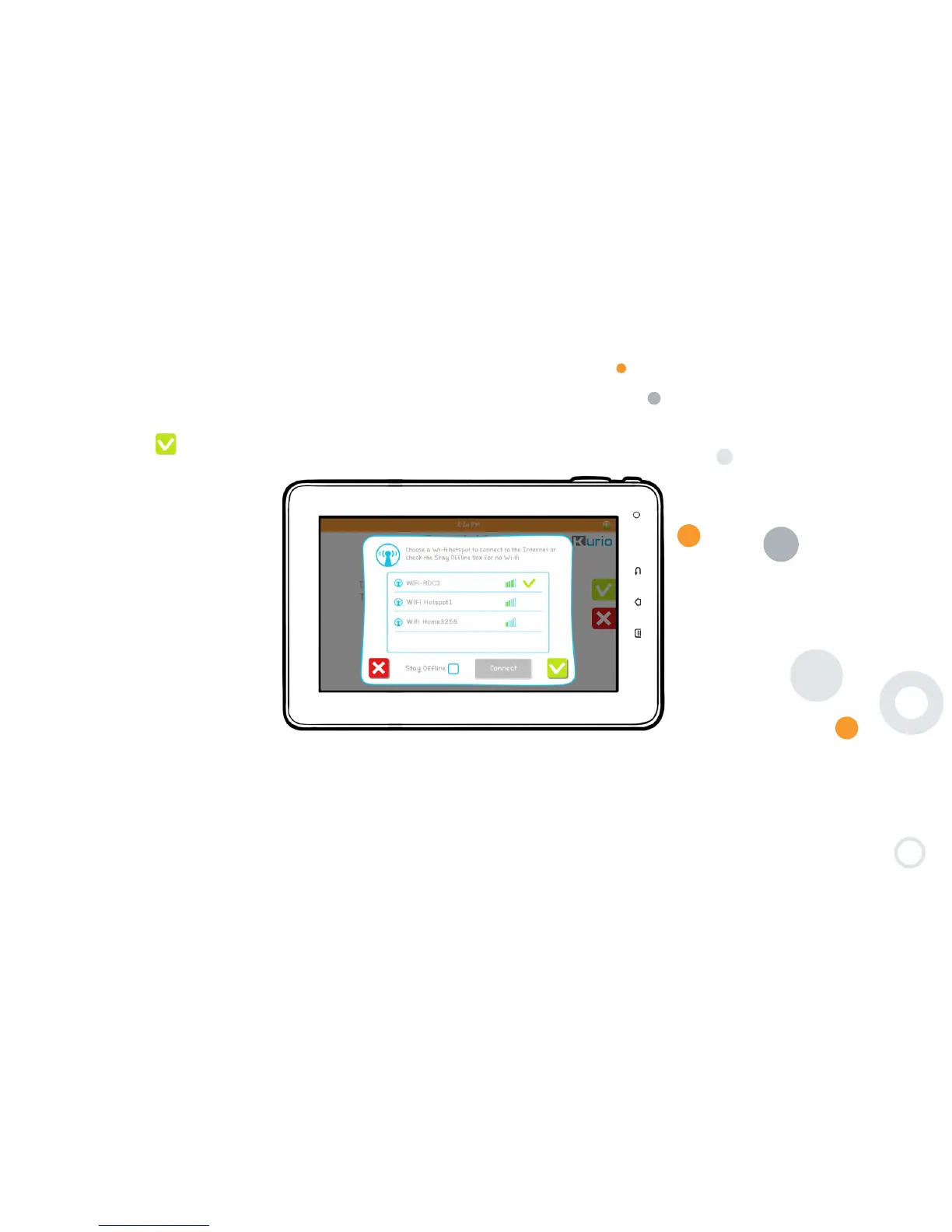
Step 3: Select and Connect to Wi-Fi access:
• Select your hotspot and tap to ″Connect″
• Enter the Wi-Fi key of the selected hotspot
• Press to confirm
Upgrade check: When the Wi-Fi connection is established, the system will automatically check for a software update.
The update will be applied if it is available.


 To Next Page