30
Step 9: Time management
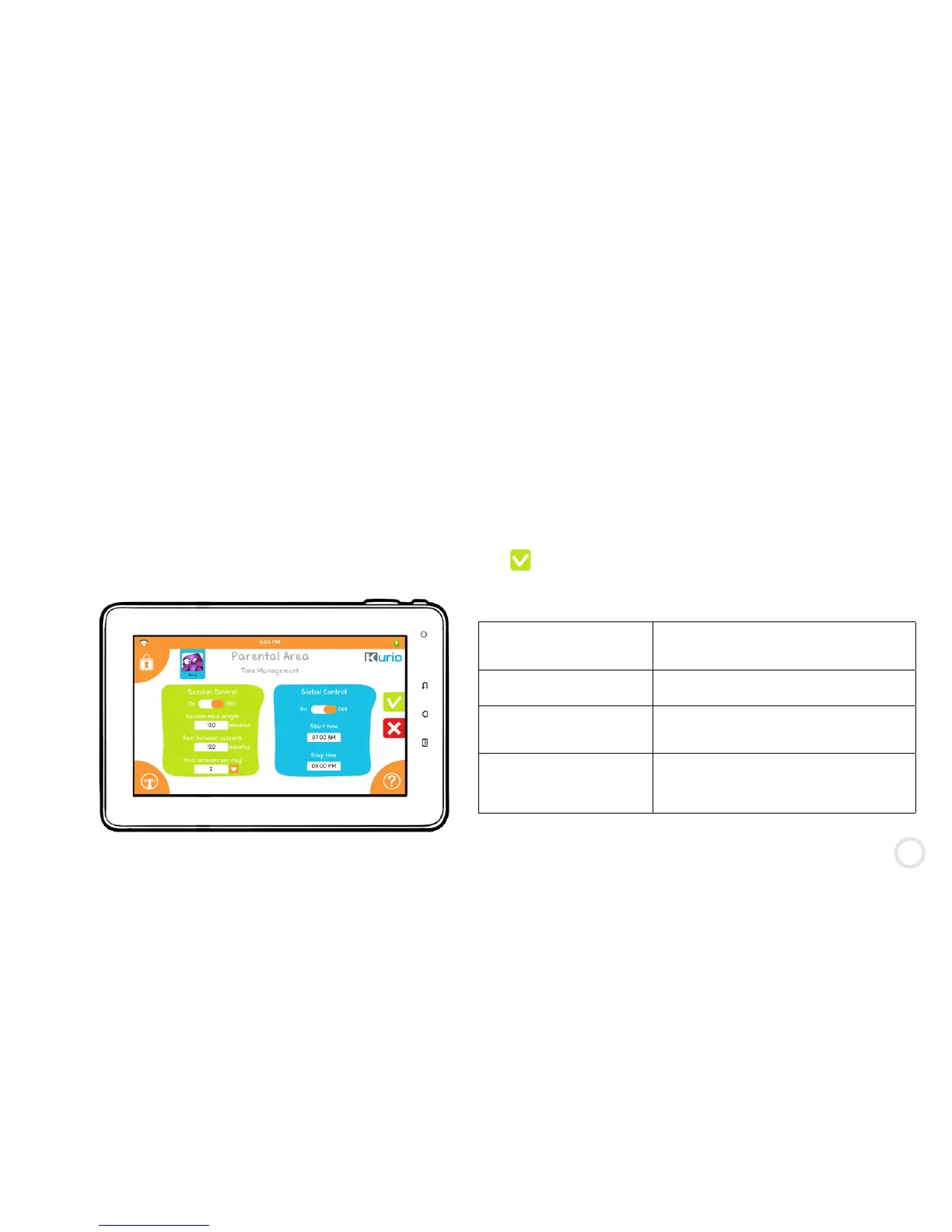
This section allows you to define the time limits you wish to apply to the profile.
Session Control allows you to define the play time per session and the rest time in between sessions, while
Global Control defines a start time and stop time during the day.
The Global control has priority over the session control, meaning that even if there is some remaining playtime
in the current session, the profile will be blocked if the stop limit of the Global control is reached.
By default, both time controls are off. Session Control & Global Control can be activated together, separately,
or not at all. Slide them ON to activate before pressing to confirm your settings.
Session max. length Maximum play time granted to the user
for each session, which can range from
15 to 720 min.
Rest between sessions Resting time between two sessions
once the maximum play time is reached.
Max sessions per day The number of play time sessions
granted per day to the user, which can
be set from 1 to 4.
Start / Stop time Denes start and stop playing times
granted to the user. For example, Global
Control can be used to restrict the user
from playing later at night.


 To Next Page