34
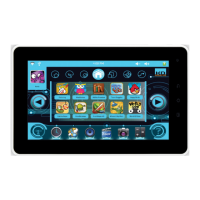
The apps you can see in the list on the left are the ones you have selected in the previous step ″App Management″.
If you want to remove an app from the user’s interface, just select it and press ″Delete″.
Any newly installed application will have to be approved to be used in the user profile. By default, when an
application is installed its status is unchecked (unauthorized).
You can also delete and replace any of the icons located in the shortcuts bar:
• Time & Date / Set alarm
• Web browser
• Music: listen to your music
• Gallery: Edit / Organize / watch your photos and videos
• Camera: Take photos and record videos
• Calculator
Note: These settings may be changed later on at any time.


 To Next Page