39
a
b
c
d
e
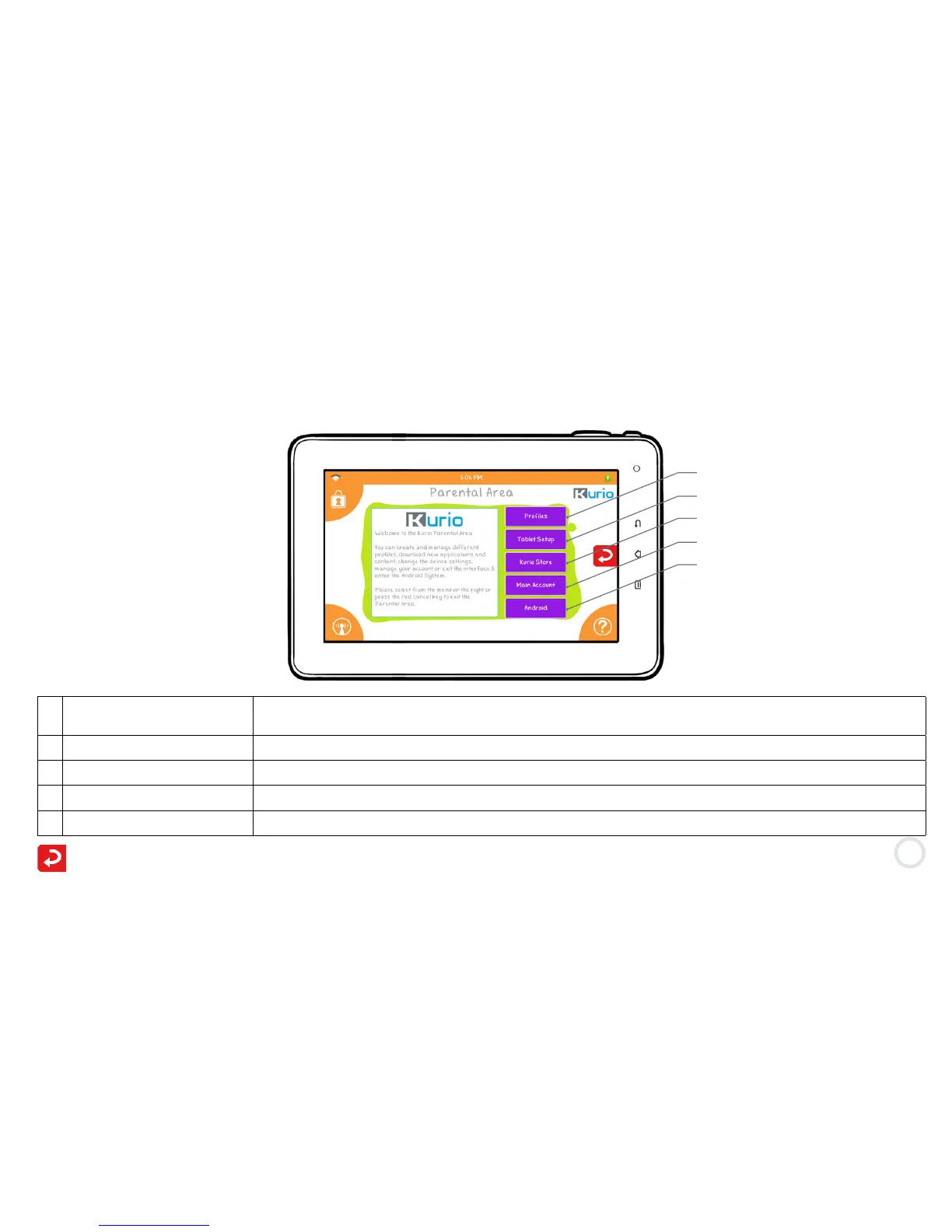
a Proles Add a new prole or change the settings of an existing prole (Time Management, User
Account, Applications, Internet Access, Filtering Settings, Safe List Settings, etc.)
b Tablet Setup Change the system settings of the tablet or reset the interface.
c Kurio Store Search, purchase, download, and review any apps for Kurio.
d Main Account Change your email or password, and link to customer service information.
e Android Exit the Kurio Interface & switch to the Android Interface.
Press the red arrow to go back to the profile login screen.
From here you can create and manage the different profiles, download new applications and content, change the
device settings, manage your account or exit the Kurio interface to access the Android interface.
Select what you would like to do from the menu on the right or press the red arrow to exit the Parental Area.


 To Next Page