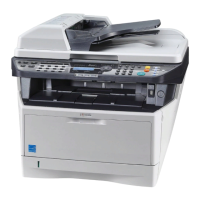
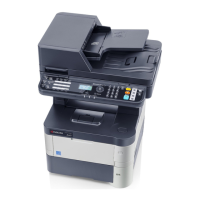
2LV/2L1/2L2/2MS/2MT
CONTENTS
1-1 Specifications
1-1-1 Specifications ........................................................................................................................ 1-1-1
1-1-2 Parts names .......................................................................................................................... 1-1-4
(1) Machine (front side).......................................................................................................... 1-1-4
(2) Machine (rear side)........................................................................................................... 1-1-6
(3) Operation section ............................................................................................................. 1-1-7
1-1-3 Machine cross section ........................................................................................................... 1-1-8
(1) 60/50/45 ppm model......................................................................................................... 1-1-8
(2) 40 ppm model................................................................................................................... 1-1-9
1-2 Installation
1-2-1 Installation environment......................................................................................................... 1-2-1
1-2-2 Unpacking and installation..................................................................................................... 1-2-2
1-2-3 Install the expansion memory (option)................................................................................. 1-2-12
1-2-4 Install the memory card (SD card) (option).......................................................................... 1-2-13
1-2-5 Option composition.............................................................................................................. 1-2-14
1-3 Maintenance Mode
1-3-1 Service mode......................................................................................................................... 1-3-1
(1) Executing a service mode ................................................................................................ 1-3-1
(2) Description of service mode ............................................................................................. 1-3-2
(3) Printing an event log....................................................................................................... 1-3-15
1-4 Troubleshooting
1-4-1 Paper misfeed detection ........................................................................................................ 1-4-1
(1) Paper misfeed indication .................................................................................................. 1-4-1
(2) Paper misfeed detection condition ................................................................................... 1-4-1
(2-1) PF-320 (500 sheets Paper feeder)......................................................................... 1-4-1
(2-2) PF-315+ (Bulk Paper Feeder) ................................................................................ 1-4-2
1-4-2 Self-diagnostic function ......................................................................................................... 1-4-8
(1) Self-diagnostic function .................................................................................................... 1-4-8
(2) Self diagnostic codes........................................................................................................ 1-4-8
1-4-3 Image formation problems ................................................................................................... 1-4-24
(1) No image appears (entirely white).................................................................................. 1-4-25
(2) No image appears (entirely black).................................................................................. 1-4-25
(3) Image is too light. ........................................................................................................... 1-4-26
(4) The background is colored. ............................................................................................ 1-4-27
(5) White streaks are printed vertically................................................................................. 1-4-27
(6) Black streaks are printed vertically. ................................................................................ 1-4-28
(7) Streaks are printed horizontally. ..................................................................................... 1-4-28
(8) Spots are printed. ...........................................................................................................1-4-28
(9) Image is blurred..............................................................................................................1-4-29
(10) Paper is wrinkled. ........................................................................................................... 1-4-29
(11) Offset occurs. .................................................................................................................1-4-29
(12) Part of image is missing. ................................................................................................ 1-4-29
(13) Fusing is loose................................................................................................................1-4-30
(14) Image is out of focus. ..................................................................................................... 1-4-30
1-4-4 Electric problems ................................................................................................................. 1-4-31
1-4-5 Mechanical problems...........................................................................................................1-4-35



 To Next Page
 Loading...