Publishing
3
Select from Print onto options if you want to print on the covers.
4
In the Media for cover list, select the media type or source cassette for the front
and back covers. When you choose the media type, a source cassette matching
that media type is automatically selected.
5
Click OK to return to the Print dialog box.
6
Click OK to start printing.
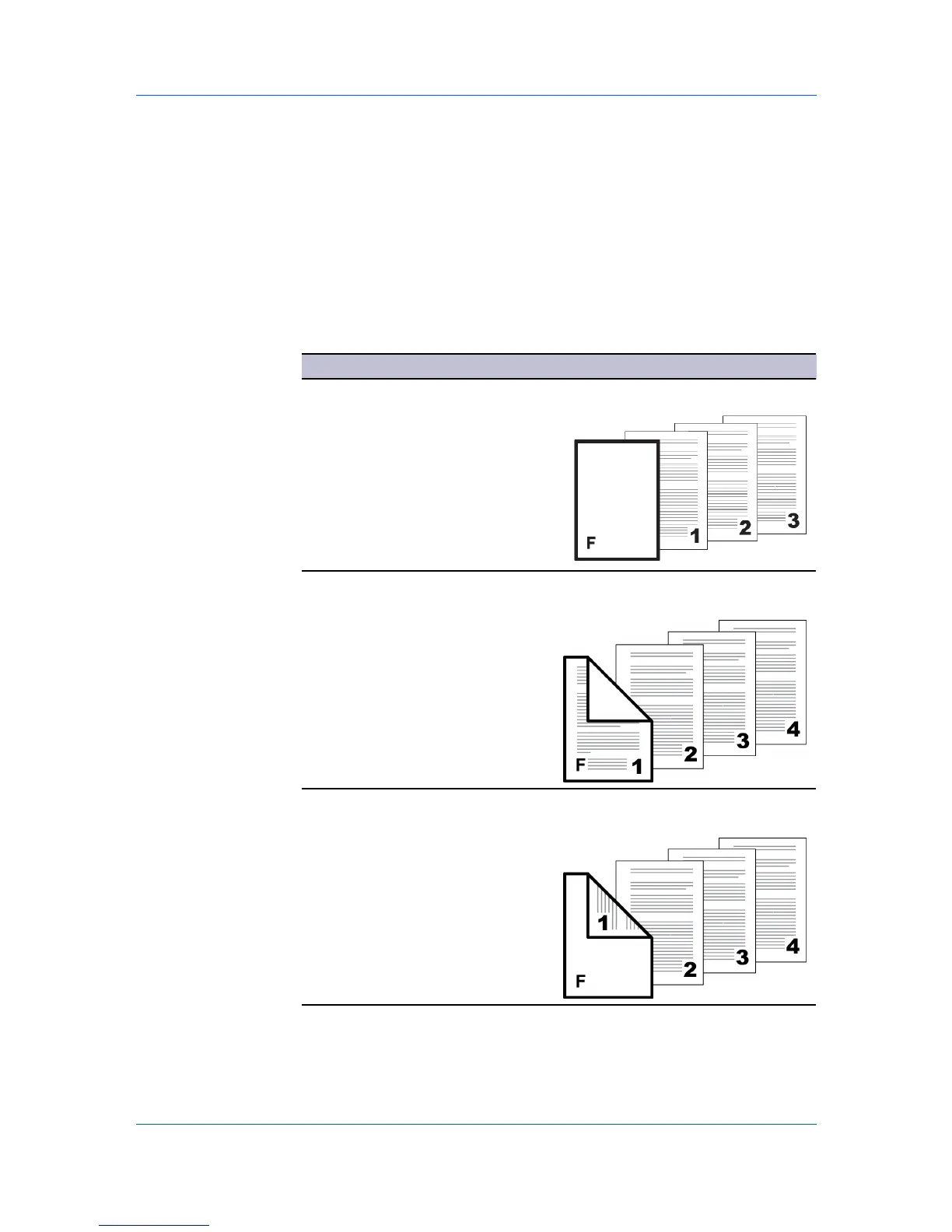
Cover Mode Options
Check Box Selection Cover Insertion Type
Front Inserts a blank front cover.
Front Prints on the outside surface of the
front cover.
Front outside
Front Prints on the inside surface of the front
cover.
Front inside
— continued
Printer Driver 9-2






 To Next Page