10-7
Troubleshooting > Regular Maintenance
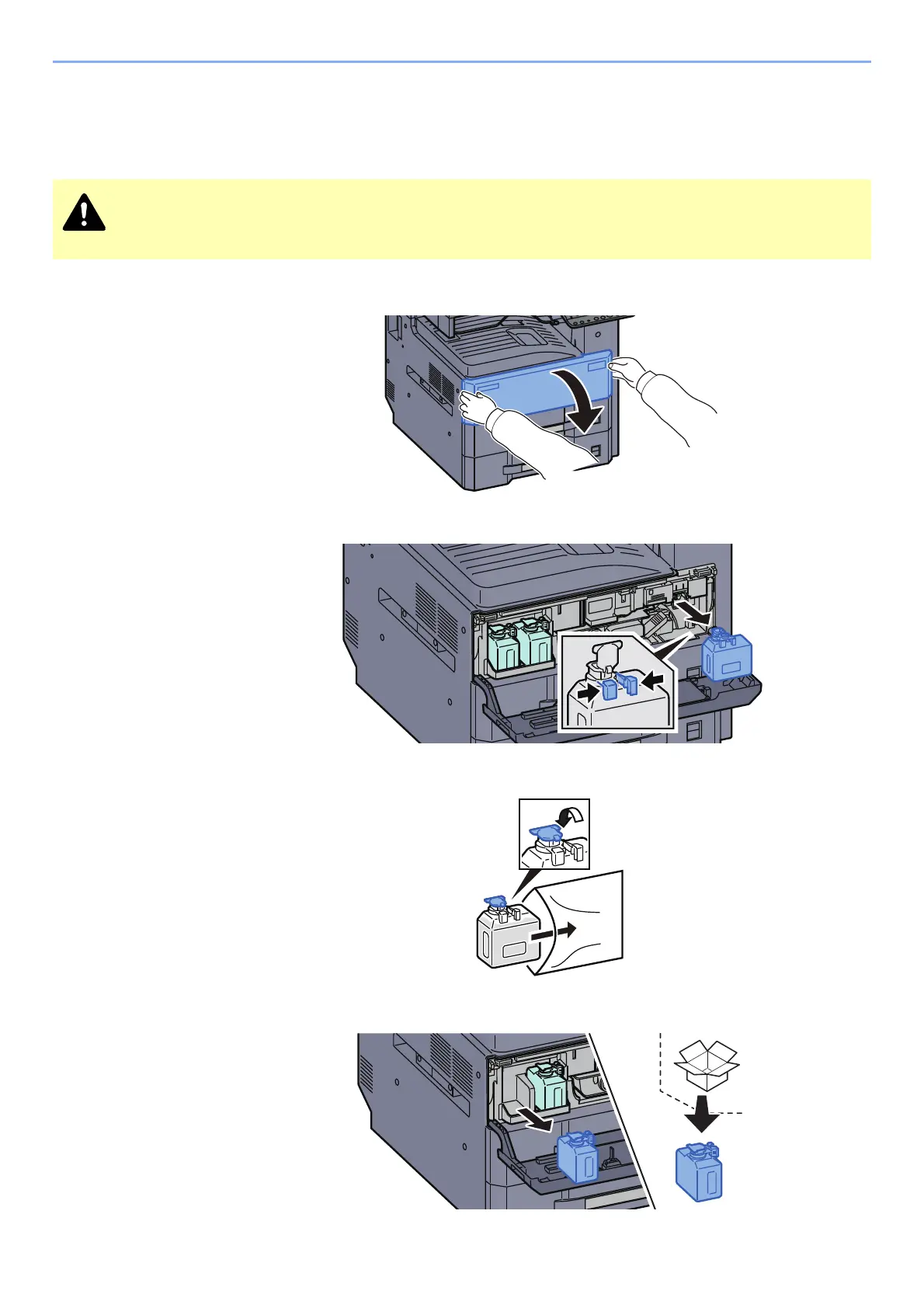
Replace the Waste Toner Box
When the waste toner box is full, the following message will be displayed. Immediately replace the waste toner box.
"Check waste toner box."
1
Open the front cover.
2
Remove the Waste Toner Box.
3
Put used Waste Toner Box into the plastic waste bag.
4
Remove the new Waste Toner Box.
Do not attempt to incinerate parts which contain toner. Dangerous sparks may cause burns.










 To Next Page