EasyManua.ls Logo

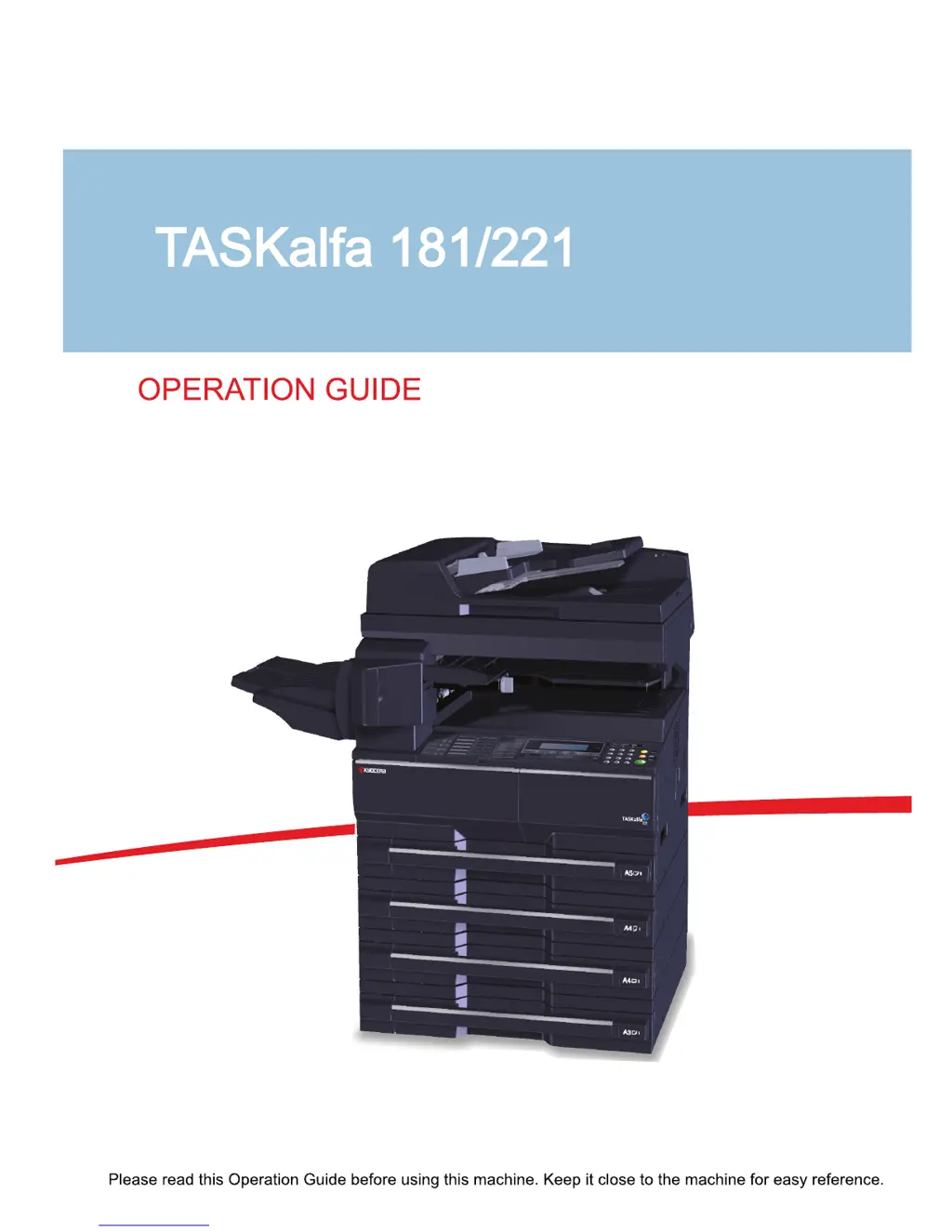
Kyocera TASKalfa 181 - User Manual

Kyocera TASKalfa 181
276 pages
Print Icon
To Next Page IconTo Next Page
Loading...

Table of Contents

Other manuals for Kyocera TASKalfa 181

Questions and Answers

  • P
    Patrick WalshSep 6, 2025
    What to do if Kyocera TASKalfa 181 says 'Remove paper from Finisher. Press START key.'?
    • T
      Tiffany ClaytonSep 6, 2025
      If your Kyocera All in One Printer displays 'Remove paper from Finisher. Press START key.', there are already 250 sheets of paper stored in the optional finisher during copying. Remove the paper.
  • Z
    Zachary RodriguezAug 25, 2025
    What to do if my Kyocera TASKalfa 181 displays 'Paper Misfeed'?
    • D
      Dawn PatrickAug 25, 2025
      If your Kyocera All in One Printer displays 'Paper Misfeed', you should remove the jammed paper from the fax machine, ensuring no loose scraps are left behind.
  • A
    adamstroyAug 25, 2025
    What does 'Load XX paper in cass.' mean on my Kyocera All in One Printer?
    • C
      Carla CooperAug 26, 2025
      The 'Load XX paper in cass.' message on your Kyocera All in One Printer means that you need to load paper of the size indicated in the message display. This can occur because the Fixed Size mode is selected in the Paper Feed Selection setting or because the sizes of the received documents and the paper in the selected drawer are not compatible for printing. Load paper of the same size as that of the received documents.
  • J
    Justin AndersonSep 14, 2025
    What does 'Format error Memory card' mean on Kyocera TASKalfa 181?
    • G
      Gary GilesSep 14, 2025
      If your Kyocera All in One Printer displays 'Format error Memory card', the memory card inserted in the machine must be formatted. Format the memory card.
  • T
    tlongSep 23, 2025
    What does 'RAM disk error Press GO' mean on Kyocera TASKalfa 181?
    • J
      Jennifer WoodSep 23, 2025
      If your Kyocera All in One Printer displays 'RAM disk error Press GO', an error has occurred in writing to or reading from the RAM disk. Press the Print key, select GO, and then press the Enter key. The error will be cleared.
  • T
    Tara ReeseSep 10, 2025
    What does 'Set Toner Container' mean on Kyocera TASKalfa 181?
    • M
      Matthew WilliamsSep 10, 2025
      The 'Set Toner Container' message on your Kyocera All in One Printer means that the toner container is either not set or is not set properly.
  • Q
    qgonzalezSep 1, 2025
    What to do if Kyocera All in One Printer operation panel doesn't respond?
    • J
      Jeffrey EspinozaSep 1, 2025
      If the operation panel of your Kyocera All in One Printer does not respond when the main power switch is turned on, plug the power cord into an AC outlet.
  • K
    Kathryn JohnsonSep 2, 2025
    What does 'Misfeed in DP' mean on my Kyocera TASKalfa 181?
    • J
      Justin JohnsonSep 2, 2025
      The message 'Misfeed in DP' on your Kyocera All in One Printer indicates that originals have jammed in the optional document processor. Leave the main power switch on and follow the appropriate procedure to remove the jammed originals.
  • R
    Ryan PowellSep 18, 2025
    What does 'Shake the toner container' mean on Kyocera TASKalfa 181 All in One Printer?
    • M
      Mario SheaSep 18, 2025
      If your Kyocera All in One Printer displays 'Shake the toner container', the toner container is not tapped or shaked properly. Tap and shake the new toner container without spilling the toner, and install it again.
  • C
    Christina AndersonAug 28, 2025
    What to do if my Kyocera TASKalfa 181 All in One Printer says 'Add paper in cassette'?
    • C
      Cameron Phillips DVMAug 29, 2025
      If your Kyocera All in One Printer displays 'Add paper in cassette', it means the print data does not match the size or type of paper in the cassette. To resolve this, press the Paper Selection key to select the desired paper source, and then press the Enter key.

Summary

Preparation before Use

Loading Paper

Instructions for loading various paper types into cassettes and MP tray.

Loading Originals

Procedures for placing originals on the platen or in the document processor.

Basic Operation

Printing from Applications

Guide to printing documents from computer applications.

Copying Functions

Printing Functions

Using This Machine as a Network Printer

Steps for setting up the machine for network printing.

Job Accounting

Maintenance

Toner Container and Waste Toner Box Replacement

Step-by-step guide for replacing toner and waste toner.

Troubleshooting

Solving Malfunctions

A table listing common symptoms, checkpoints, and corrective actions.

Responding to Error Messages

Guidance on interpreting and resolving displayed error messages.

Clearing Paper Jams

Detailed instructions for clearing paper jams in various machine locations.

Kyocera TASKalfa 181 Specifications

General IconGeneral
Print TechnologyLaser
TypeMonochrome
Print Resolution600 x 600 dpi
Copy Resolution600 x 600 dpi
Scan Resolution600 x 600 dpi
Duplex PrintingManual
Memory64 MB
FunctionsPrint, Copy, Scan
Print Speed18 ppm
Copy Speed18 cpm
Paper Capacity250 sheets
ConnectivityUSB 2.0
Supported Operating SystemsLinux

Related product manuals