3-32
Preparation before Use > Preparation for Sending a Document to a Shared Folder in a PC
2
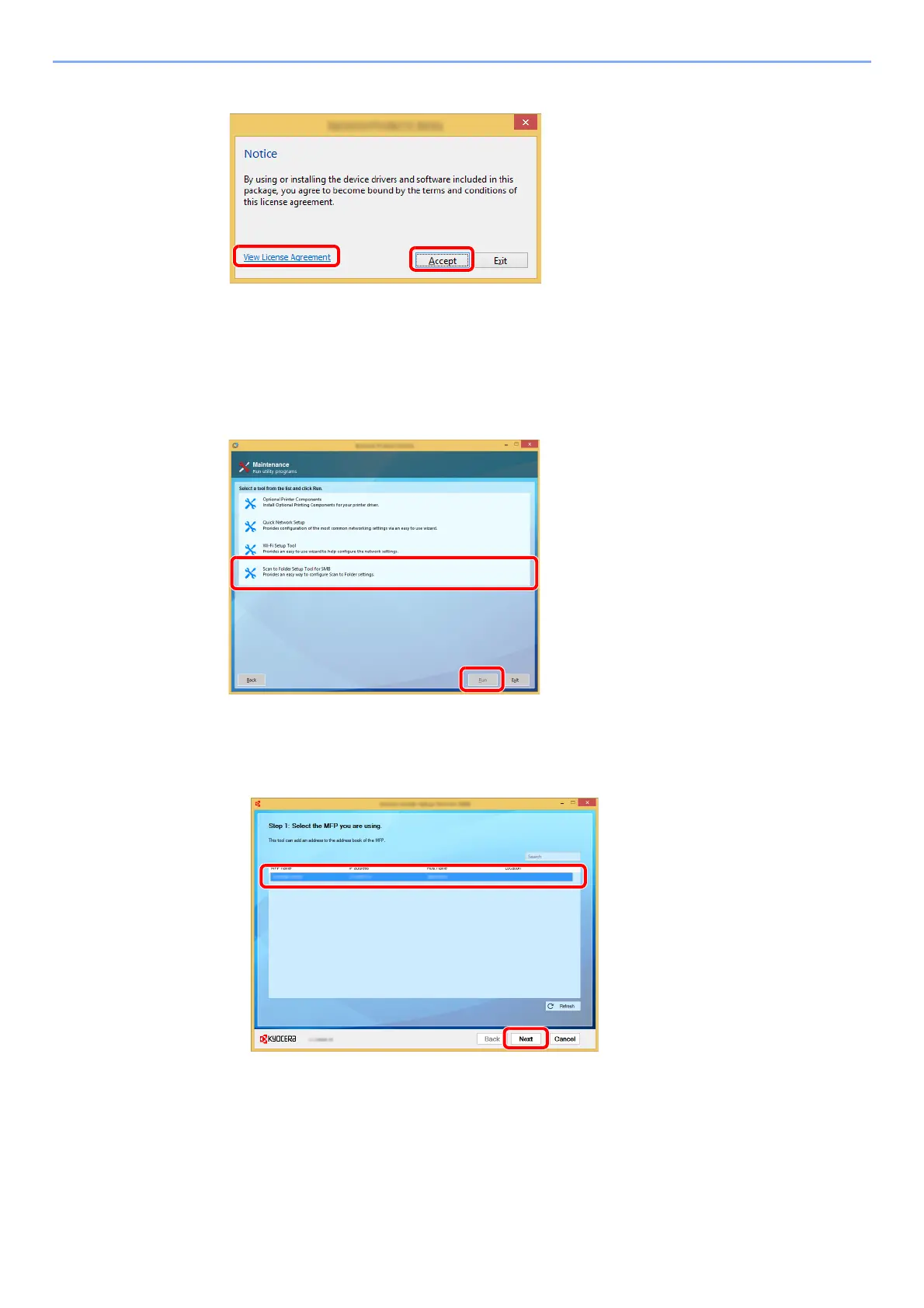
Display the screen.
After clicking [Accept] in the license dialog box, depending on your region, a message about
resource and energy conservation may appear. Read the message and click [OK].
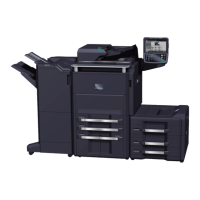
3
Select [Maintenance].
4
[Scan to Folder Setup Tool for SMB] > [Run].
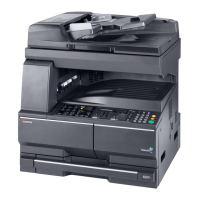
5
Configure the settings.
1 Select the device to use and click [Next].
1Click [View License Agreement]
and read the License Agreement.
2Click [Accept].
1
2






 To Next Page