DVR Settings
Entering/Changing the Wireless Security Settings
Flashback3 & Flashback HD User’s Guide
Page 190 L3 Mobile-Vision 6.23.2017
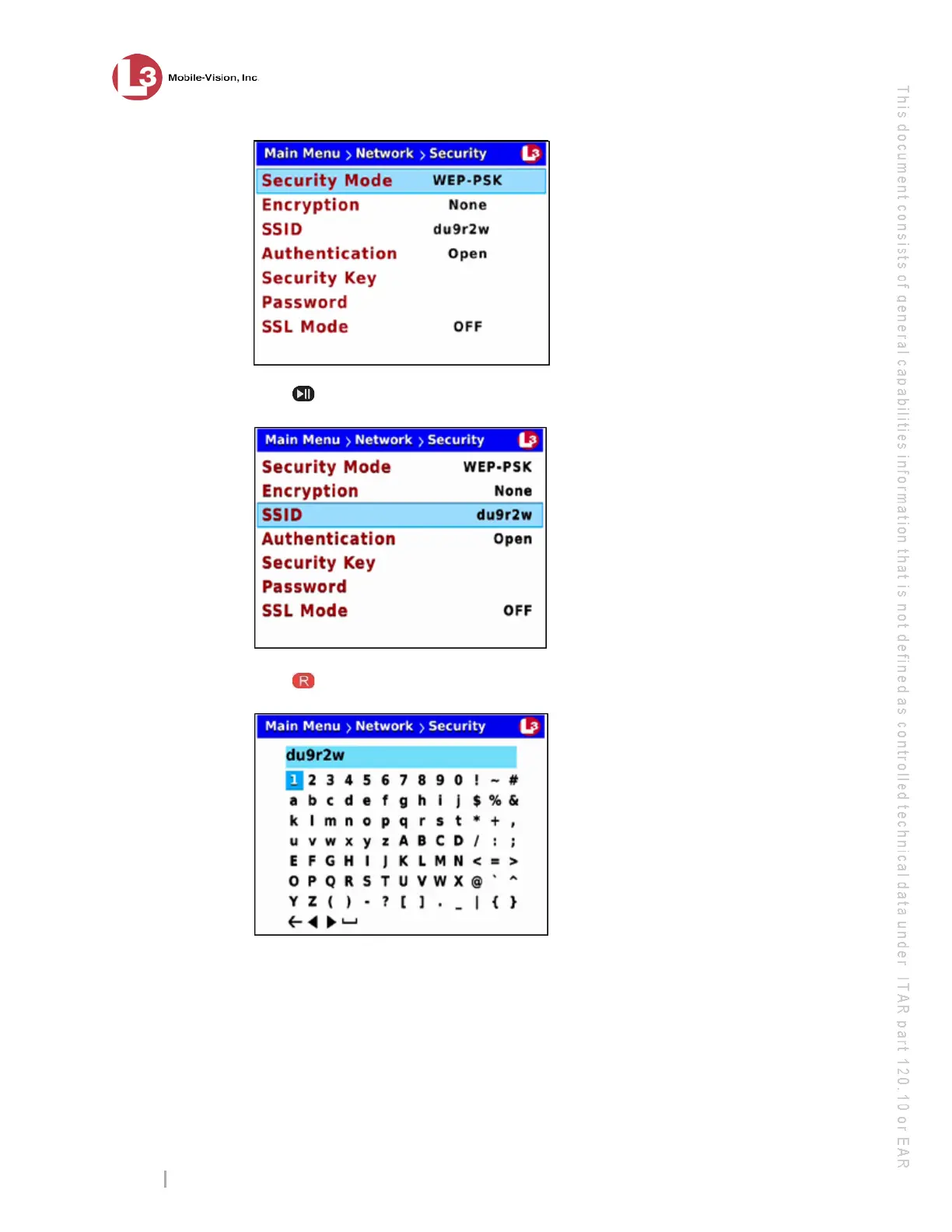
7 Press
twice to advance to the SSID field.
8 Press
to select the SSID field. A data entry keyboard displays.
You will be using this keyboard to spell out your wireless network name.
9 If there is an existing network name displayed at the top of this screen, you have to
delete that name first before you can enter a new one. Proceed to the next step for
instructions.
– OR –
If there is no text displayed at the top of this screen, skip to step 12.



 To Next Page