DVR Settings
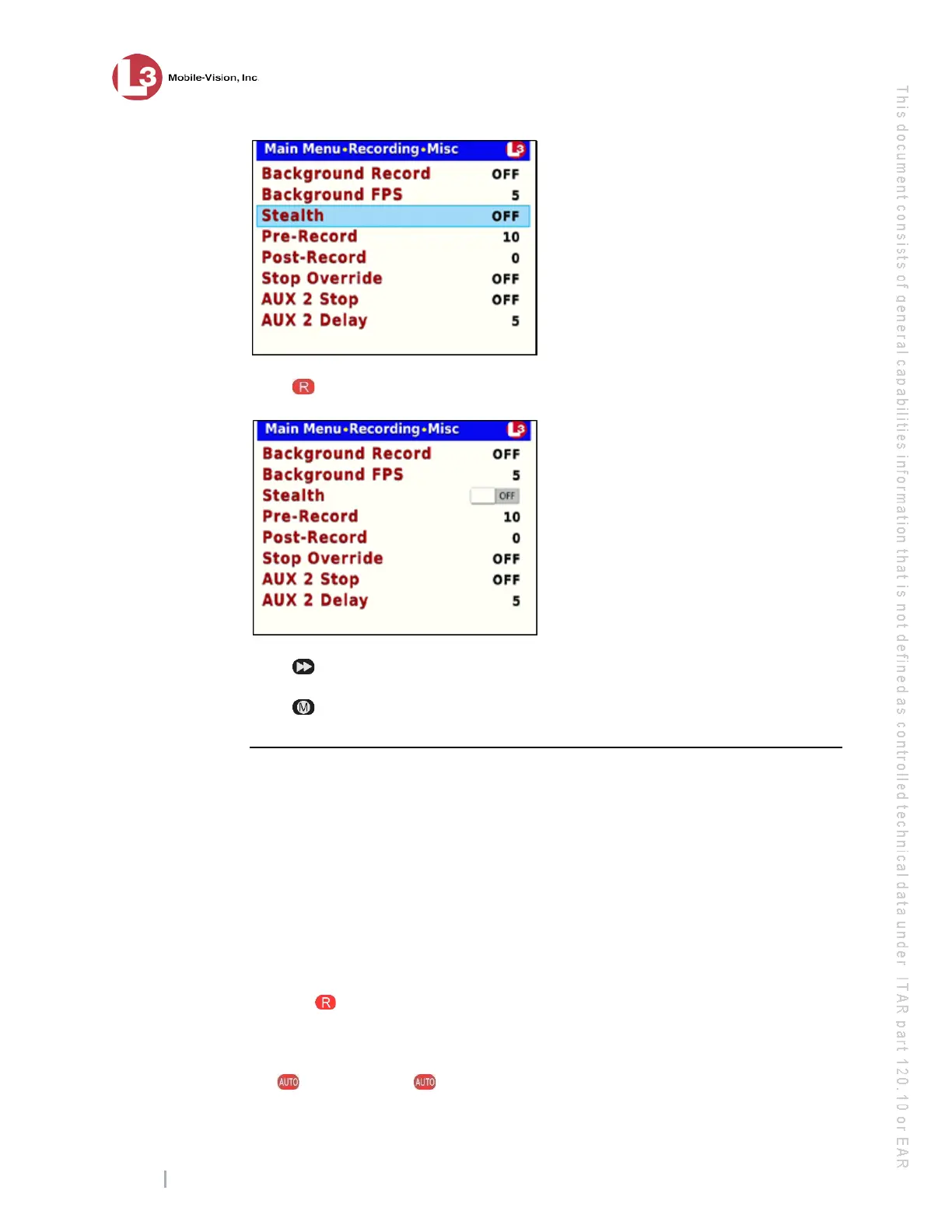
Changing the Record Settings
Flashback3 & Flashback HD User’s Guide
Page 60 L3 Mobile-Vision 6.23.2017
8 Pr
ess to select the Stealth field.
9 Pr
ess to toggle the field value to ON or OFF.
10 Pr
ess four times to save your changes and exit this option.
Changing the Pre/Post Record Settings
If desired, you may capture up to 60 seconds of video before a recording session
begins and/or after a recording session ends. Many agencies are interested in seeing
what happened x number of seconds before a recording was triggered by either a
manual or automatic trigger. For example, if you are using the Crash Sensor as the
Aux 1 trigger, you may wish to view the events that preceded a motor vehicle
accident.
The reason that the Flashback is able to capture video before a recording session even
begins is because the DVR is, in fact, recording all the time—it just doesn’t save all
that data to the SD card unless you choose to do so. You might compare pre-record-
ings to the short-term memory on a computer. Before you ever click Save (or in this
case, the button), there is still some data stored in the computer’s short-term
memory.
1 Ma
ke sure the door to your DVR is open and Auto mode is off. (If necessary, press
the button until the light turns off.)



 To Next Page