DVR Settings
Changing the Record Settings
Flashback3 & Flashback HD User’s Guide
L3 Mobile-Vision 6.23.2017 Page 45
Changing the Video Quality Setting
This section describes how to change the quality setting for videos recorded from
Channel 1 (Forward-facing zoom camera) or Channel 2 (all other cameras). This
setting denotes the video’s bitrates in either megabits-per-second (mbps) or kilobits-
per-second (kbps).
Camera Channel 1 Camera Channel 2
Quality Setting Bitrates Quality Setting Bitrates
1.5 mbps
2 (FB3) 2.0 mbps 2 500 kbps
3 (FB3) 2.5 mbps 3 750 kbps
4 (FBHD) 3.0 mbps 4 1.0 mbps
6 (FBHD) 4.0 mbps 5 1.25 mbps
8 (FBHD) 5.0 mbps
The
higher the quality setting, the better the video quality and the larger the video’s
file size.
1 Ma
ke sure the door to your DVR is open and Auto mode is off. (If necessary, press
the button until the light turns off.)
2 Pr
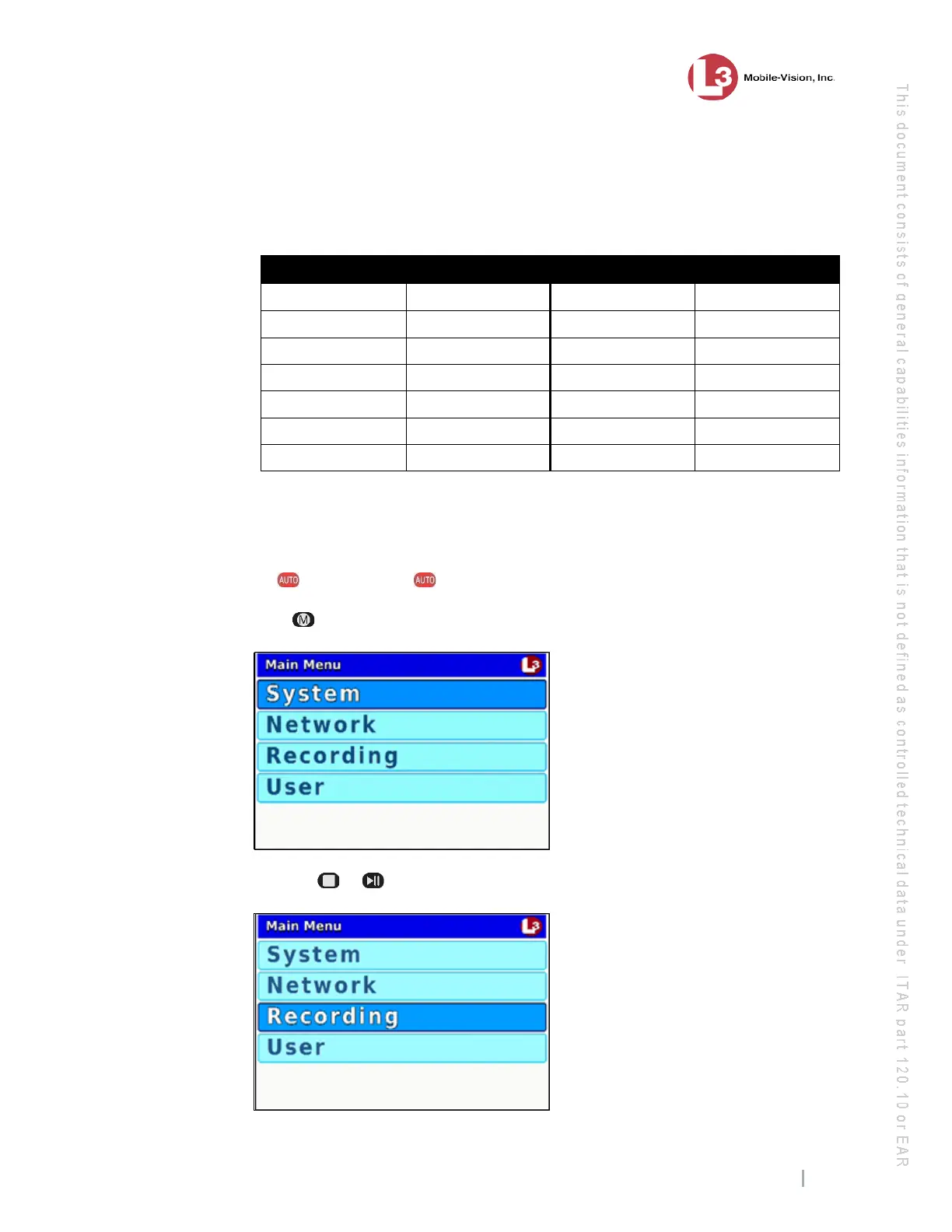
ess . The Main Menu displays.
3 Press the or
button until Recording is highlighted.



 To Next Page