DVR Settings
Entering the Officer Name
Flashback3 & Flashback HD User’s Guide
L3 Mobile-Vision 6.23.2017 Page 209
4 P
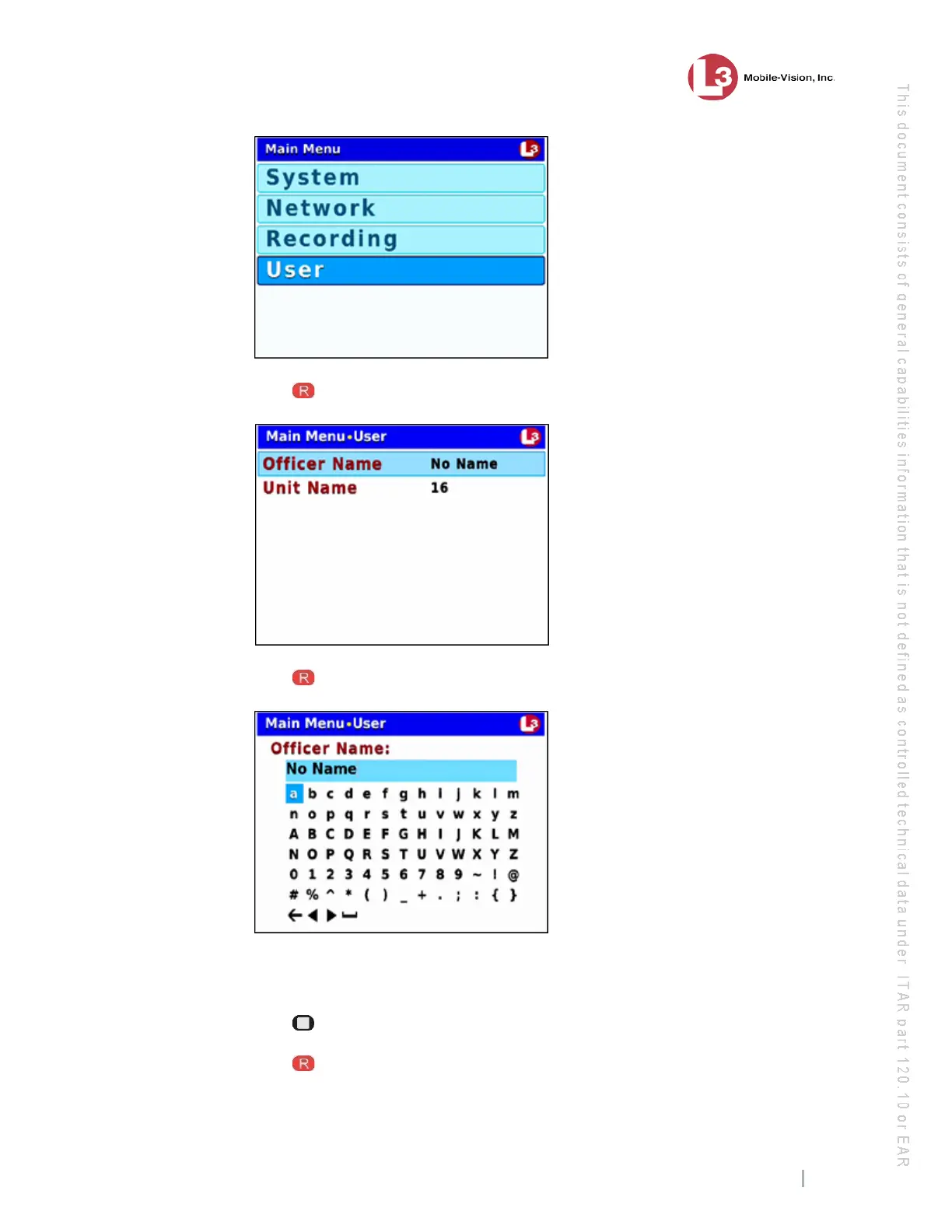
ress to select the User option. The User screen displays.
5 P
ress to select the Officer Name field. A data entry keyboard displays.
Y
ou will be using this keyboard to spell out the officer’s name. Begin by deleting the
old name, as described in steps 6 and 7.
6 P
ress to highlight the icon.
7 Press several times until the existing officer name is deleted.



 To Next Page