2
General Safety
• This product is for indoor use only, do not expose to rain, moisture, very high and low
temperatures, strong magnetic fields and dusty environments
• Disconnect power to the units before cleaning. Do not use abrasives or solvents to clean the
surface of the unit, wipe with a clean soft cloth
• Do not disassemble any of the units in this kit they contain no user serviceable parts.
Refer servicing to qualified personnel only
• This device should be operated using only the AC/DC adaptor supplied with it.
Unplug the adaptor from the mains if the unit is not going to be used for a while
• Install the units in locations with adequate ventilation.
• This product contains sensitive electrical components that may be damaged by electrical
spikes, surges, electric shock, lightning
strikes, etc. Use of surge protection systems is highly
recommended
in order to protect and extend the life of your equipment.
Advice on Recording USB Media
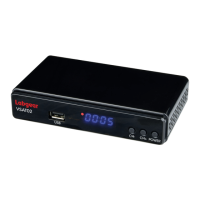
The LCOM1 supports recording and playback on external hard disk drives (HDDs) and flash memories (Pen
drives). In all instances, the correct operation of the recording function depends on the type of memory
connected. Please read the following advice and limitations.
1. All USB memory media connected must support the USB 2.0 standard.
To ensure stable recording and playback, always use high speed drives recommended for recording
HD video. Slower hard drives and flash memory sticks may not function properly, and have problems with
recording (image jitters), or just not function at all.
2. Drives must be formatted with one basic NTFS or FAT32 partition to function properly (we recommend using
the NTFS format). If you do not have such a format, prepare the disk on your computer before connecting it
to the receiver.
3. Highly fragmented or used memories may also not operate smoothly or correctly.
4. External hard disk drives should be connected to a suitable power supply, since the built-in USB ports are
unable to provide sufficient power.
Warning
1. Do not disconnect the USB device from the receiver during recording or playback. As this can
cause damage to the receiver and/or memory, and to the recorded data.
2. To prevent the risk of an electric shock and permanent damage to the receiver!
Do not touch the working device (and in particular the USB connector) with wet hands.
Features
• Receives High-Definition satellite and terrestrial TV
• PAL upscaling up to 720p or 1080p resolution
• Supports teletext & multilingual subtitles
• Simultaneously watch Terrestrial while recording Satellite content or watch Satellite while recording Terrestrial
• Full compliance with DVB-S/S2X and DVB-T/T2 digital TV reception standards
• Support for HDTV/SDTV: MPEG-2/MPEG-4/H.265 decoding
• Support for 480i/480p/576i/576p/720p/1080i/1080p
• User friendly auto search function
• Storage capacity for storing up to 2000 transponders and 4000 channels
• Input frequency: Terrestrial 470 – 860MHz, Satellite 950MHz - 2150MHz
• Reception for SCPC/MCPC.C/Kuband LNBs.
• Supports DiSEqC 1.0, 1.1, 1.2 USALS motorised dish systems
• 7 Day EPG for terrestrial channels and a “now and next” for satellite channels
• Favourite channel store, edit and parental lock functions
• Adjustable aspect ratio 4:3 Pan & Scan or 16:9 Widescreen modes
• Twin USB 2.0 ports for: PVR and Timeshift recordings from satellite and terrestrial inputs / Multimedia video,
audio, image file playback & storage / Database backup


 To Next Page