ENG
21
Operation
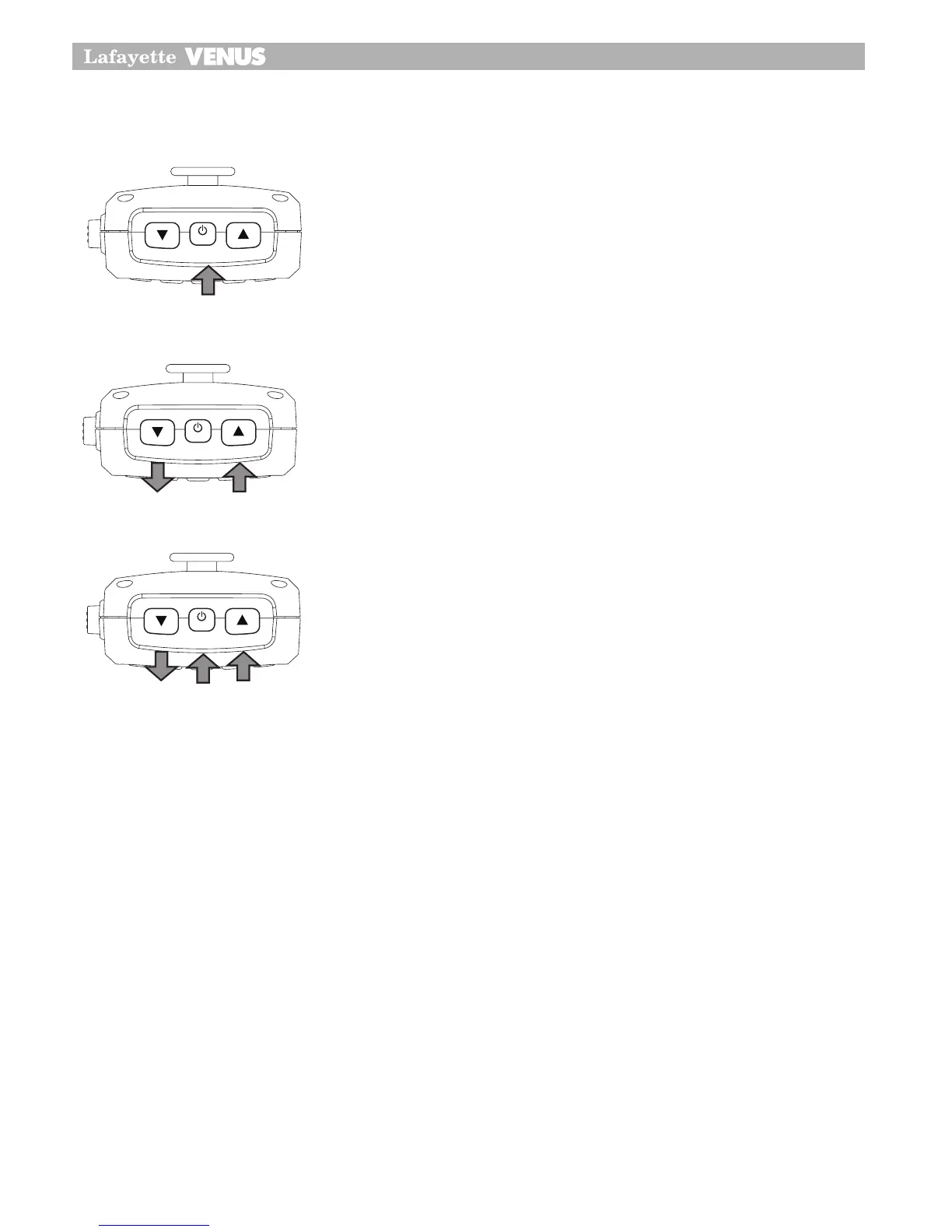
Power On/Off
Press and hold PWR button for 2 seconds.
Volume control
The Venus CB has Volume Up and Volume Down buttons on the
microphone. Adjust to the preferred volume level.
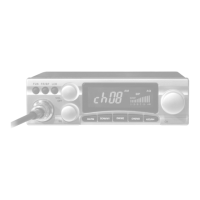
Channel Selection
Briefly press the PWR button. Select the channel by rotating the
channel knob clock-wise or adjust the channel selection by press-
ing the Channel Up or Channel Down buttons on the microphone
from 1 to 40.
The Venus CB has Channel Up or Channel Down buttons on the
microphone Briefly press the PWR button, this will allow you to
select the preferred channel.
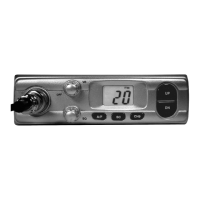
SQ Control
This control is used to cut off or eliminate the background noise in the absence of incoming
signals.
Twice press power On/off button for Squelch adjust mode.
Venus CB has 15 preset squelch levels:
OFF - SQ OFF (monitor on condition)
1 - Max sensitivity (min squelch)
15 - min sensitivity (max/tight squelch)
•
•
•
•
•
•
14
Operation
Power On/Off
•
Press and hold PWR button on the CB100 Remote Head or the CB200
microphone PWR button for 2 seconds.
Volume control
•
The CB100 has a rotary electric volume control. Adjust the volume by
rotating The channel knob clock-wise or adjust the volume control by
pressing the
Volume Up
or
Volume Down
button on the microphone.
•
The CB200 has
Volume Up
and
Volume Down
buttons on the
microphone.
Adjust to the preferred volume level.
14
Operation
Power On/Off
•
Press and hold PWR button on the CB100 Remote Head or the CB200
microphone PWR button for 2 seconds.
Volume control
•
The CB100 has a rotary electric volume control. Adjust the volume by
rotating The channel knob clock-wise or adjust the volume control by
pressing the
Volume Up
or
Volume Down
button on the microphone.
•
The CB200 has
Volume Up
and
Volume Down
buttons on the
microphone.
Adjust to the preferred volume level.
15
Operation
Channel Selection
•
Briefly press the
PWR
button. Select the channel by rotating the
channel knob clock-wise or adjust the channel selection by pressing
the
Channel Up
or
Channel Down
buttons on the microphone from 1
to 40.
•
The CB200 has
Channel Up
OR
Channel Down
buttons on the
microphone Briefly press the
PWR
button, this will allow you to select
the preferred channel.
SQ Control
•
This control is used to cut off or eliminate the background noise in the
absence of incoming signals.
•
Twice press power On/off button for Squelch adjust mode.
The CB100/CB200 has 15 preset squelch levels:
off - SQ off (monitor on condition)
1 - Max sensitivity (min squelch)
15 - min sensitivity (max/tight squelch)


 To Next Page