ENG
28
Menu Function
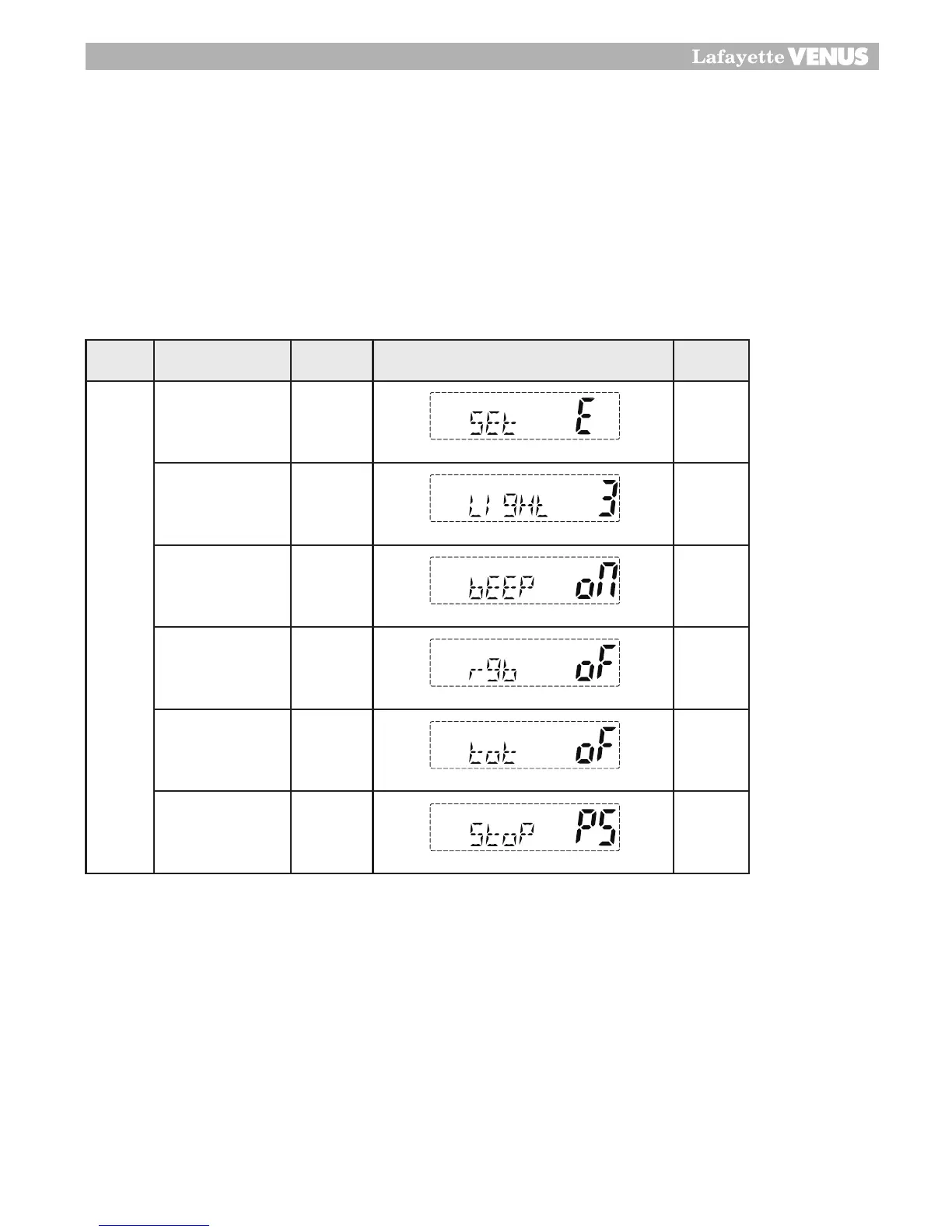
This MENU button can control six Sub menu functions in sequence.
• Power off
• You must press hold the MR/DX button and than power On.
• The display will show “ Set E” on the display.
• Now press F/AF button, there will be a change of SUB MENU like below.
• If you change SUB menu setting by Up and down button or rotary channel selector.
Light
You can select from three color options for the LCD backlight. The three options are amber, red
and green.
Key Beep On/Off
The Beep tone emits a tone when you press any of the buttons on the Microphone (except PTT switch)
Roger Beep
This function emits a beep on the communication party to in from the transmission is finished.
26
Third Function
MENU Function
This MENU button can control six SUB MENU functions in sequence.
•
Power off
•
You must press hold the MR/DX button and than power On.
•
The display will show “ Set E” on the display.
•
Now press FC button will be change of SUB MENU like below.
•
If you change SUB menu setting by Up and down button or rotary channel
selector.
Control Functions STEP Display Default
MEMU
CE-MULTI SET E
LIGHT Off,1,2,3 3
BEEP On On
Roger beep On Off
TOT
1,2,3,4
min
Off
SCAN stop time
control
5,10,15
min sec
PS


 To Next Page