ITA
5
Operazioni
Power ON/OFF
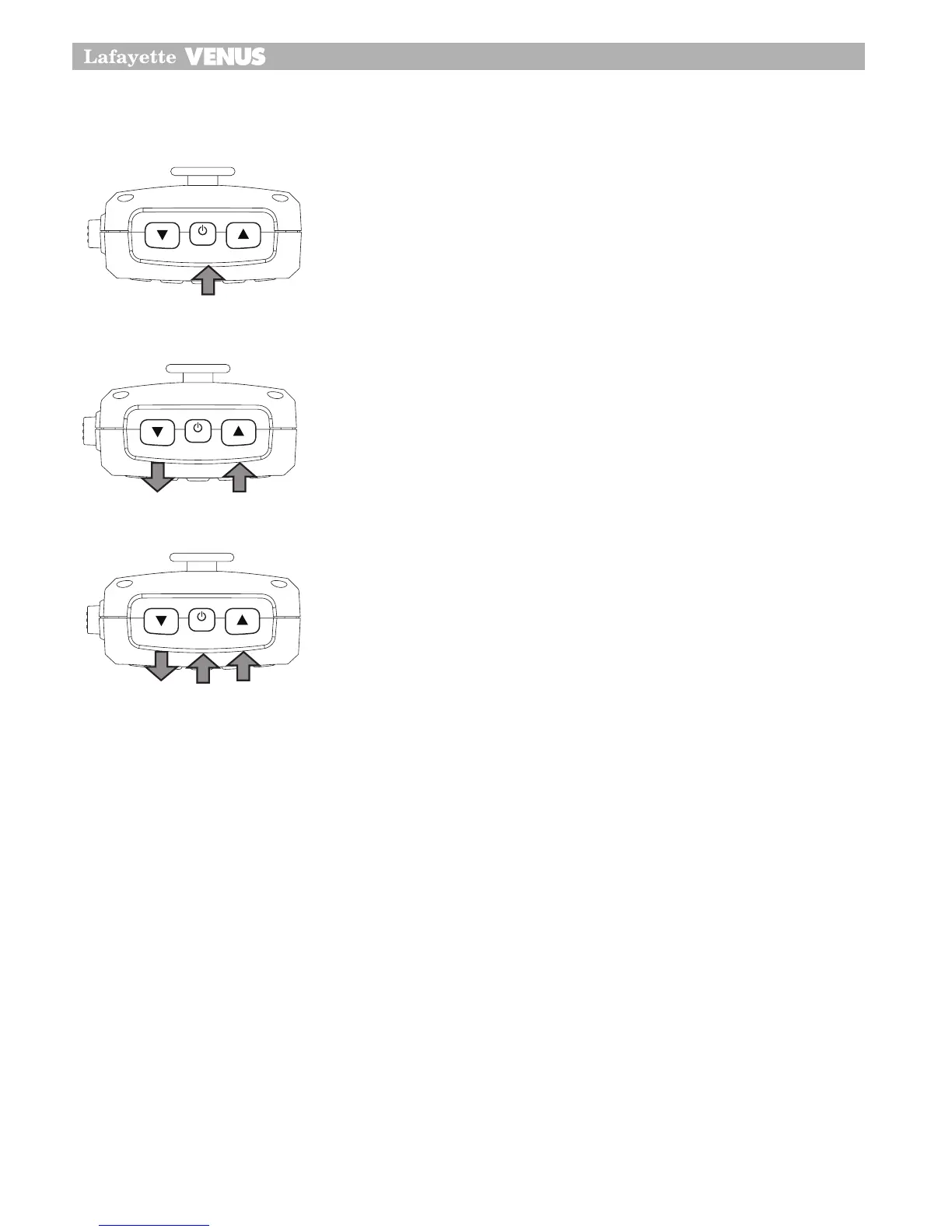
Per accendere l’apparato, premere e tenere premuto il pulsante
PWR per 2 secondi.
Regolazione volume
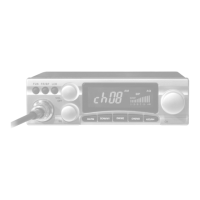
Per la regolazione del livello audio del ricetrasmettitore, agire sui
due pulsanti UP e DOWN che si trovano nella parte superiore
del microfono/controller.
Selezione dei canali
Controllo squelch SQ
Questo controllo viene utilizzato per ridurre od eliminare il rumore di fondo durante la fase di
ascolto su di un canale in assenza di segnale modulato.
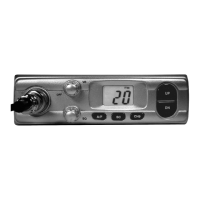
Per attivare la funzione di controllo squelch, premere due volte il pulsante On/Off, quindi impo-
stare la soglia dello squelch agendo sui due pulsanti UP e DOWN.
L’apparato Lafayette VENUS presenta 15 livelli di squelch reimpostati:
OFF - SQOFF (Condizione di monitor)
1 – Massima sensibilità (soglia minima dello squelch)
15 – Minima sensibilità (Squelch completamente chiuso)
14
Operation
Power On/Off
•
Press and hold PWR button on the CB100 Remote Head or the CB200
microphone PWR button for 2 seconds.
Volume control
•
The CB100 has a rotary electric volume control. Adjust the volume by
rotating The channel knob clock-wise or adjust the volume control by
pressing the
Volume Up
or
Volume Down
button on the microphone.
•
The CB200 has
Volume Up
and
Volume Down
buttons on the
microphone.
Adjust to the preferred volume level.
14
Operation
Power On/Off
•
Press and hold PWR button on the CB100 Remote Head or the CB200
microphone PWR button for 2 seconds.
Volume control
•
The CB100 has a rotary electric volume control. Adjust the volume by
rotating The channel knob clock-wise or adjust the volume control by
pressing the
Volume Up
or
Volume Down
button on the microphone.
•
The CB200 has
Volume Up
and
Volume Down
buttons on the
microphone.
Adjust to the preferred volume level.
15
Operation
Channel Selection
•
Briefly press the
PWR
button. Select the channel by rotating the
channel knob clock-wise or adjust the channel selection by pressing
the
Channel Up
or
Channel Down
buttons on the microphone from 1
to 40.
•
The CB200 has
Channel Up
OR
Channel Down
buttons on the
microphone Briefly press the
PWR
button, this will allow you to select
the preferred channel.
SQ Control
•
This control is used to cut off or eliminate the background noise in the
absence of incoming signals.
•
Twice press power On/off button for Squelch adjust mode.
The CB100/CB200 has 15 preset squelch levels:
off - SQ off (monitor on condition)
1 - Max sensitivity (min squelch)
15 - min sensitivity (max/tight squelch)


 To Next Page