ITA
7
Funzione primaria
Pulsanti Tri-Function
Per utilizzare la funzione primaria (F, SC, 9, ASQ, MR) premere il relativo pulsante. Per utiliz-
zare la funzione secondaria (A/F, MO, SHT, CT, DX) premere e tenere premuto il pulsante per
2 secondi.
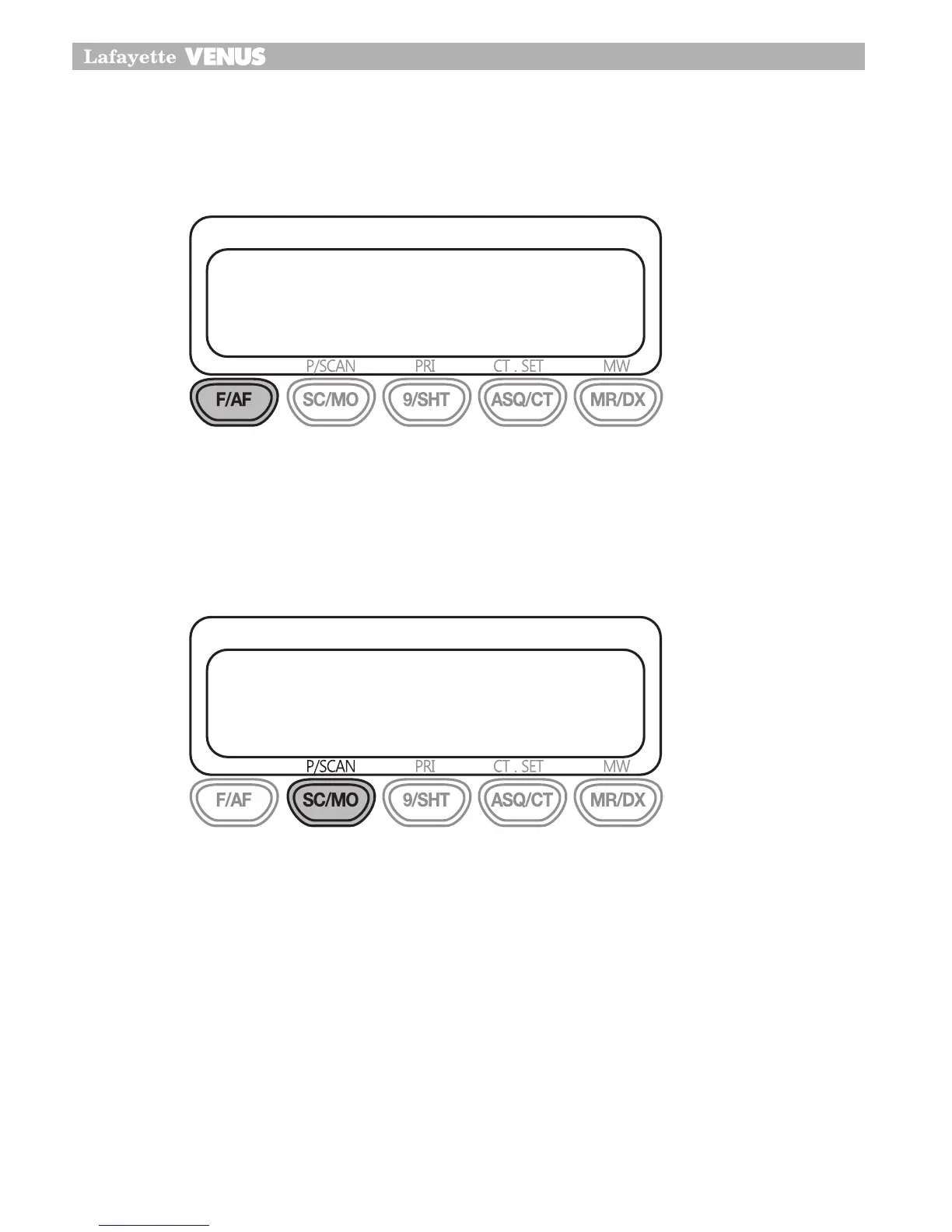
Per utilizzare la terza funzione (P/SCAN, PRI, CT.SET, MW), premere il pulsante F/AF e pre-
mere il pulsante richiesto.
SCAN
Il ricetrasmettitore è dotato della funzione di scansione diretta sui 40 (80) canali disponibili,
non appena viene rilevato un segnale modulato su di un canale, la scansione si blocca consen-
tendo l’ascolto della trasmissione, quando il segnale cessa, la scansione riprende in maniera
automatica dopo 5 secondi.
Per attivare la funzione di scansione, accendere l’apparato e regolare il livello del volume
audio e dello squelch.
Premere il pulsante SC/MO per avviare la scansione. Sul display LCD durante la fase di
scansione appare l’indicazione “OS”.
A questo punto inizia la fase di scansione.
Per fermare la scansione, premere nuovamente il pulsante SC/MO oppure premere il pul-
sante PTT sul microfono, in questo modo la scansione viene fermata e viene effettuata la
trasmissione sul canale operativo.
1�
2�
3�
4�
18
Primary function
Tri Function buttons
To use the primary function (F,SC,9,ASQ,MR) press the required button
To use the secondary function(A/F,MO,SHT,CT,DX) press and hold the button
for 2 seconds.
To use the third function (P/SCAN,PRI,CT.SET,MW), press F/AF and press the
required button.
SCAN
Your CB100/200 incorporates a scanning feature. The radio will scan through
all 40 (80) channels and will stop at BUSY channel. It will stay on that
channel until menu setting mode of scan stop.
The default stay time is 5 seconds after conversation has stopped and then
it will resume scanning.
18
Primary function
Tri Function buttons
To use the primary function (F,SC,9,ASQ,MR) press the required button
To use the secondary function(A/F,MO,SHT,CT,DX) press and hold the button
for 2 seconds.
To use the third function (P/SCAN,PRI,CT.SET,MW), press F/AF and press the
required button.
SCAN
Your CB100/200 incorporates a scanning feature. The radio will scan through
all 40 (80) channels and will stop at BUSY channel. It will stay on that
channel until menu setting mode of scan stop.
The default stay time is 5 seconds after conversation has stopped and then
it will resume scanning.


 To Next Page