EasyManua.ls Logo

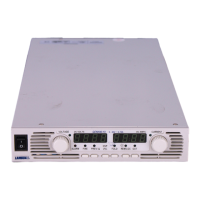
Lambda Genesys GENH 750W - User Manual

Lambda Genesys GENH 750W
81 pages
Print Icon
To Next Page IconTo Next Page
Loading...
TECHNICAL MANUAL FOR
GENESYS
TM
750W HALF RACK
Programmable DC Power Supplies
Document: 83-507-5002 Rev A
LAMBDA AMERICAS
405 Essex Road, Neptune, NJ 07753
Tel: (732) 922-9300
Fax: (732) 922-9334
Web: www.lambda-emi.com

Table of Contents

Questions and Answers

  • J
    Jason ChavezAug 16, 2025
    What to do if Lambda Power Supply shows no output and display indicates “OUP”?
    • E
      Edward CooperAug 16, 2025
      If the Lambda Power Supply shows no output and the display indicates “OUP”, it means the Overvoltage Protection circuit has tripped. To resolve this, turn off the AC power switch and inspect the load connections. If Analog Programming is in use, verify that the OVP setting is not lower than the output.
  • M
    mitchelljamesAug 18, 2025
    How to troubleshoot Lambda Genesys GENH 750W with no output and blank displays?
    • J
      Jason RamseyAug 19, 2025
      If the Lambda Power Supply has no output and all displays and indicators are blank, check the AC power cord for continuity and replace it if it's defective. Also, ensure that the AC input voltage is within the specified range and connect to an appropriate voltage source if necessary.
  • M
    Matthew OliverAug 22, 2025
    What to do if the front panel controls on Lambda Genesys GENH 750W are non-functional?
    • S
      Susan MayAug 22, 2025
      If the Lambda Power Supply's front panel controls are non-functional, it might be in Local-Lockout mode. To resolve this, turn off the AC power and wait until the display turns off. Then, turn the AC power back on and press the front panel REM/LOC button.
  • A
    Alex MooreAug 25, 2025
    Why Lambda Genesys GENH 750W output shuts off quickly and displays “AC”?
    • T
      Todd SkinnerAug 26, 2025
      If the Lambda Power Supply output is present momentarily but shuts off quickly and the display indicates “AC”, it suggests the AC source voltage sags when a load is applied. Check the AC input voltage and connect to an appropriate voltage source.
  • R
    Robert Castro MDAug 28, 2025
    Why Lambda Genesys GENH 750W Power Supply output shuts off quickly and displays “OUP”?
    • N
      Nicole MossAug 28, 2025
      If the Lambda Power Supply output is present momentarily but shuts off quickly, and the display indicates “OUP”, check if the power supply is configured to Remote sense. Inspect the positive or negative load wire to ensure it is not loose.
  • R
    Robert YoungAug 31, 2025
    How to fix Lambda Genesys GENH 750W Power Supply when output voltage won't adjust and CC LED is on?
    • T
      Tony KleinAug 31, 2025
      If the Lambda Power Supply output voltage will not adjust and the front panel CC LED is on, the unit might be in constant current mode. Check the Output Current setting and the load current.
  • D
    david07Sep 2, 2025
    What to do if Lambda Genesys GENH 750W Power Supply output current won't adjust and CV LED is on?
    • C
      Christine SnyderSep 2, 2025
      If the Lambda Power Supply output current will not adjust and the front panel CV LED is on, the unit is likely in constant voltage mode. Check the Output Current and voltage settings.
  • B
    bruce89Sep 6, 2025
    Why is there large ripple present in Lambda Power Supply output?
    • K
      Kyle LewisSep 6, 2025
      If there's large ripple present in the Lambda Power Supply output, and the power supply is in remote sense, or the voltage drop on the load wire is high, check the load and sense wire connections for noise and impedance effects and minimize the voltage drop on the load wires.
  • B
    Brian CampbellSep 8, 2025
    How to fix Lambda Power Supply when output voltage won't adjust and CV LED is on?
    • J
      John MarshallSep 8, 2025
      If the Lambda Power Supply output voltage will not adjust and the Front panel CV Led is On, check if the output voltage is adjusted above the OVP (Over Voltage Protection) setting or below the UVL (Under Voltage Limit) setting. Set OVP or UVL so they do not limit the output.
  • C
    Christine RyanSep 12, 2025
    Why is load regulation poor on Lambda Genesys GENH 750W Power Supply?
    • S
      Stacy FieldsSep 12, 2025
      If you are experiencing poor load regulation with your Lambda Power Supply and the front panel CV LED is on, ensure the sensing wires are connected properly. Connect the sense wires according to the User’s Manual instructions.

Summary

Safety Instructions

General Safety Precautions

Essential safety guidelines covering operation, installation, grounding, components, and modifications.

Specifications

Output Ratings and Input Characteristics

Details rated output voltage, current, power, and input characteristics.

Operating Modes Specifications

Specifies parameters for Constant Voltage and Constant Current modes, including regulation and ripple.

Installation Procedures

Preparation for Power Supply Installation

Outlines steps for inspection, preparation, and connecting the AC source.

AC Input Power Connection

Details requirements and procedures for connecting the AC power supply.

Turn-On Checkout Procedure

Step-by-step guide to verify power supply operation after installation.

Connecting the Load

Covers wire selection, termination, noise effects, and connection methods for loads.

Local and Remote Sensing Configuration

Explains how to configure and wire for local and remote voltage sensing.

Front and Rear Panel Controls

Front Panel Controls and Indicators

Identifies and explains the functions of front panel buttons, displays, and LEDs.

Local Operation Modes

Over Voltage and Under Voltage Protection

Details setting and resetting OVP and UVL protection levels for load safety.

Foldback Protection Operation

Explains foldback protection, its activation, and reset procedures for overcurrent conditions.

Serial Communication (RS232;RS485)

Maintenance and Troubleshooting

Troubleshooting Guide

A guide to diagnose and resolve common power supply issues based on symptoms.

Lambda Genesys GENH 750W Specifications

General IconGeneral
ModelGENH 750W
CategoryPower Supply
Output Power750W
Input Frequency47-63Hz
Output Current0-1.25A
Input Voltage85-265VAC (Universal Input)
ProtectionsOver Voltage, Over Current, Over Temperature
Operating Temperature0°C to +50°C
Storage Temperature-20°C to +85°C
Humidity20% to 90% non-condensing
Output Voltage0-600V
CoolingFan Cooled

Related product manuals