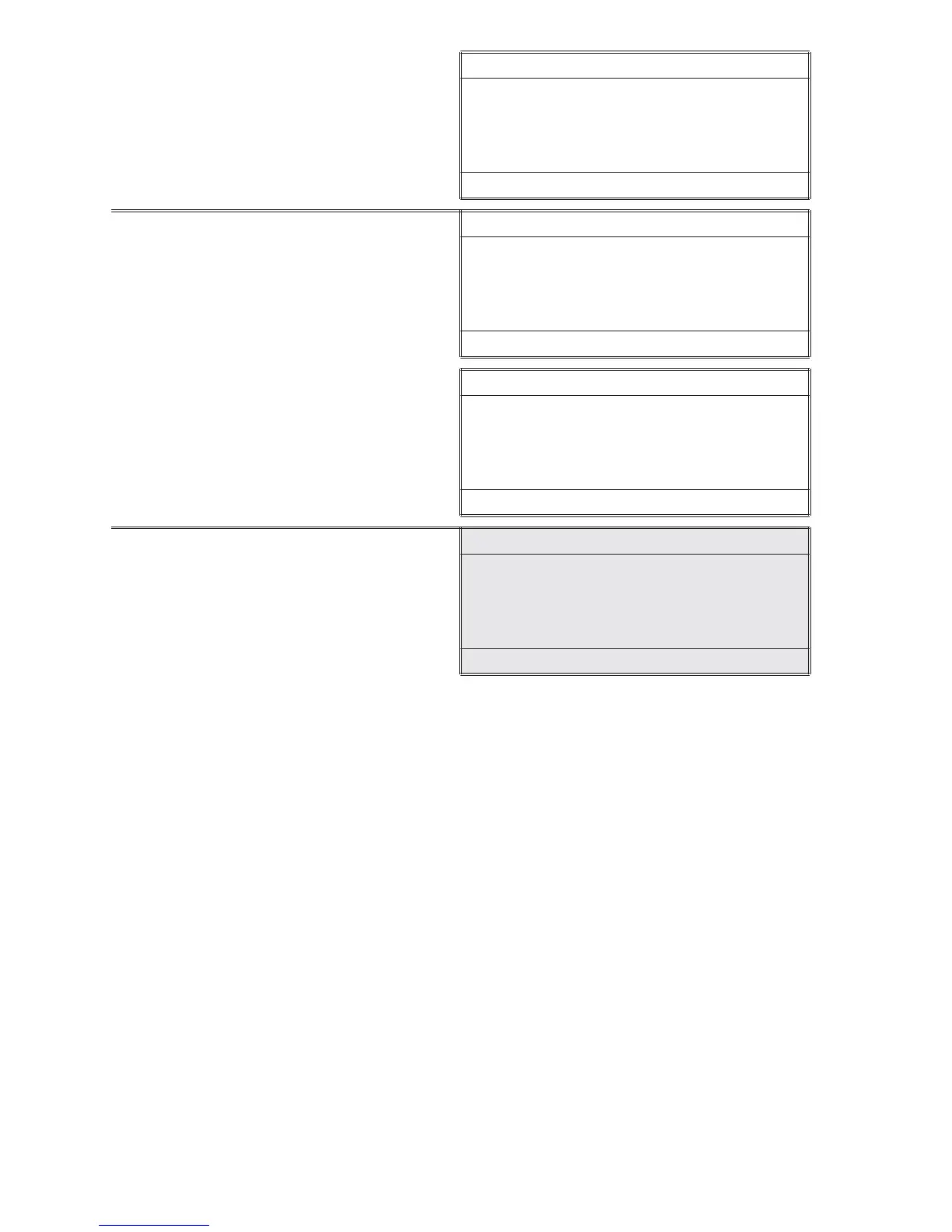
Calibrate
00.50
q , Q , p
16:02:19 01/04/05
16. When the value on the display
matches the concentration of the
turbidity standard, press the *IOK
to select Set.
Calibrate
00.50
*Set q
16:02:19 01/04/05
Or press press *IOK to return
the meter to the default setting.
Calibrate
01.15
* Default p
16:02:19 01/04/05
17. Press *IOK to proceed to Turbidity
analysis. Press OFF to turn the meter
off or press to exit to a previous
menu or make another menu
selection.
Note: The meter will remember the last scanned blank reading. It is not necessary to
scan a blank each time the test is performed. To use the previous blank reading,
instead of scanning a new one, scroll to Scan Sample and proceed. For the most
accurate results, the meter should be blanked before each test and the same tube with
tubepositioningringshouldbeusedfortheblankandthereactedsample.
28 ANALYSIS & CALIBRATION
continue next page...













 To Next Page