CHAPTER 3
WASHING CYCLE LAUNCHING
NU_810-815_LX_ANG_1306
43
4.5 THE CHOICE OF MACHINE NAME
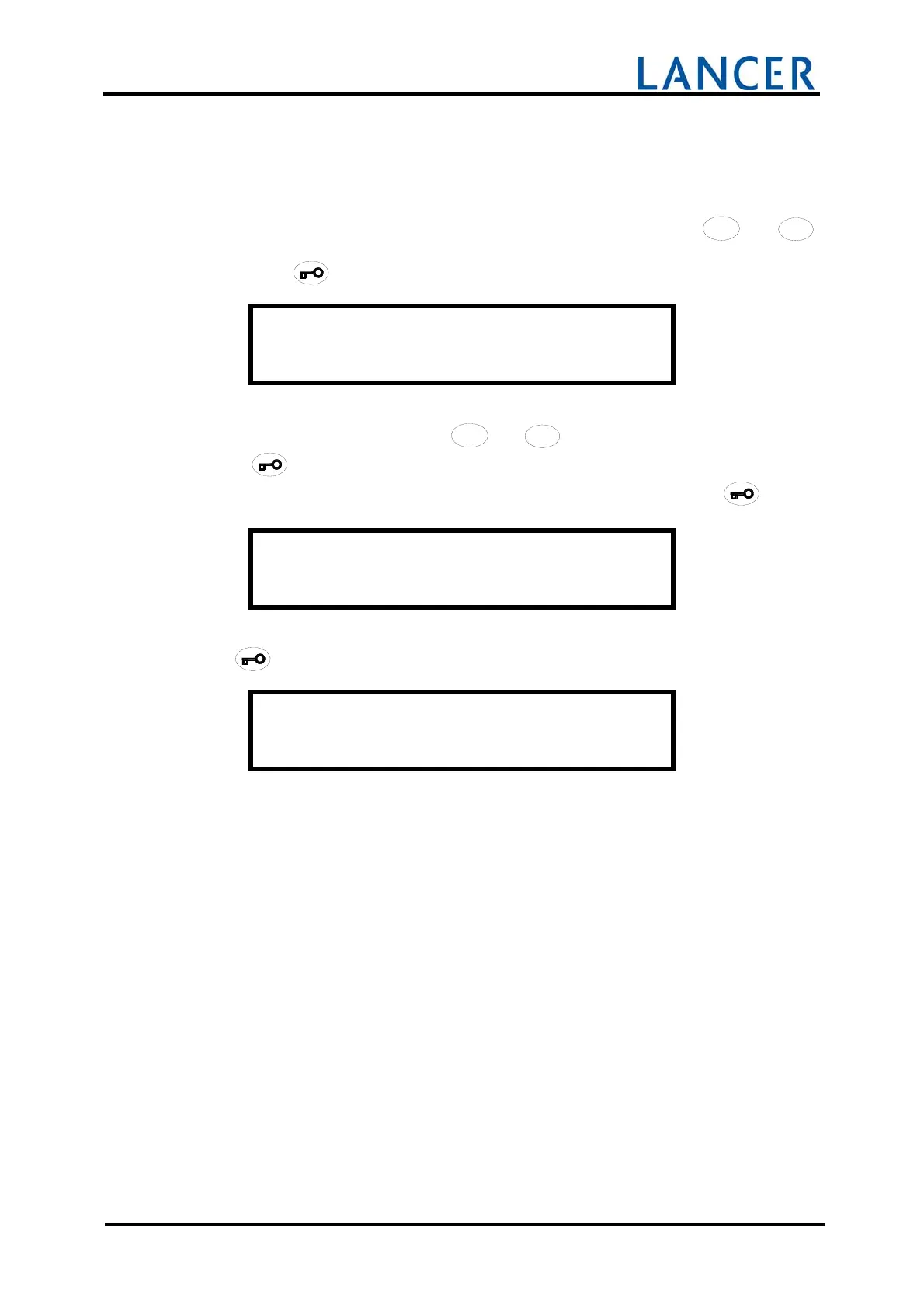
After accessing to user menu, you must choose MACHINE NAME with
/
/
/
/
/
//
//
/
//
///
/
4
4
4
44
4
4
44
4
4
44
4
4
4
+
+++
++
+
++
++
+
+
+
+
+
and
/
/
/
//
/
/
//
/
/
//
/
/
/
3
3
3
33
3
3
33
3
3
33
3
3
3
-
--
-
-
-
--
--
--
-
-
-
-
buttons to define the name of the machine.
Accept with
button.
O P E R A T O R M E N U
M a c h i n e n a m e
The characters selection is got with
/
/
/
/
/
//
//
/
//
///
/
4
4
4
44
4
4
44
4
4
44
4
4
4
+
+++
++
+
++
++
+
+
+
+
+
and
/
/
/
//
/
/
//
/
/
//
/
/
/
3
3
3
33
3
3
33
3
3
33
3
3
3
-
--
-
-
-
--
--
--
-
-
-
-
buttons.
Press
button to accept the chosen character and to pass on next space.
If the chosen name has less of 16 characters fill-in empty blanks by pressing
button.
M a c h i n e n a m e
The program name is recorded in memory after the 16
th
character is entered by pressing
the
button and to return to the user's menu.
E n d o f m e n u


 To Next Page