CHAPTER 3
WASHING CYCLE LAUNCHING
NU_810-815_LX_ANG_1306
45
4.7 PRINTER PARAMETERS (OPTION)
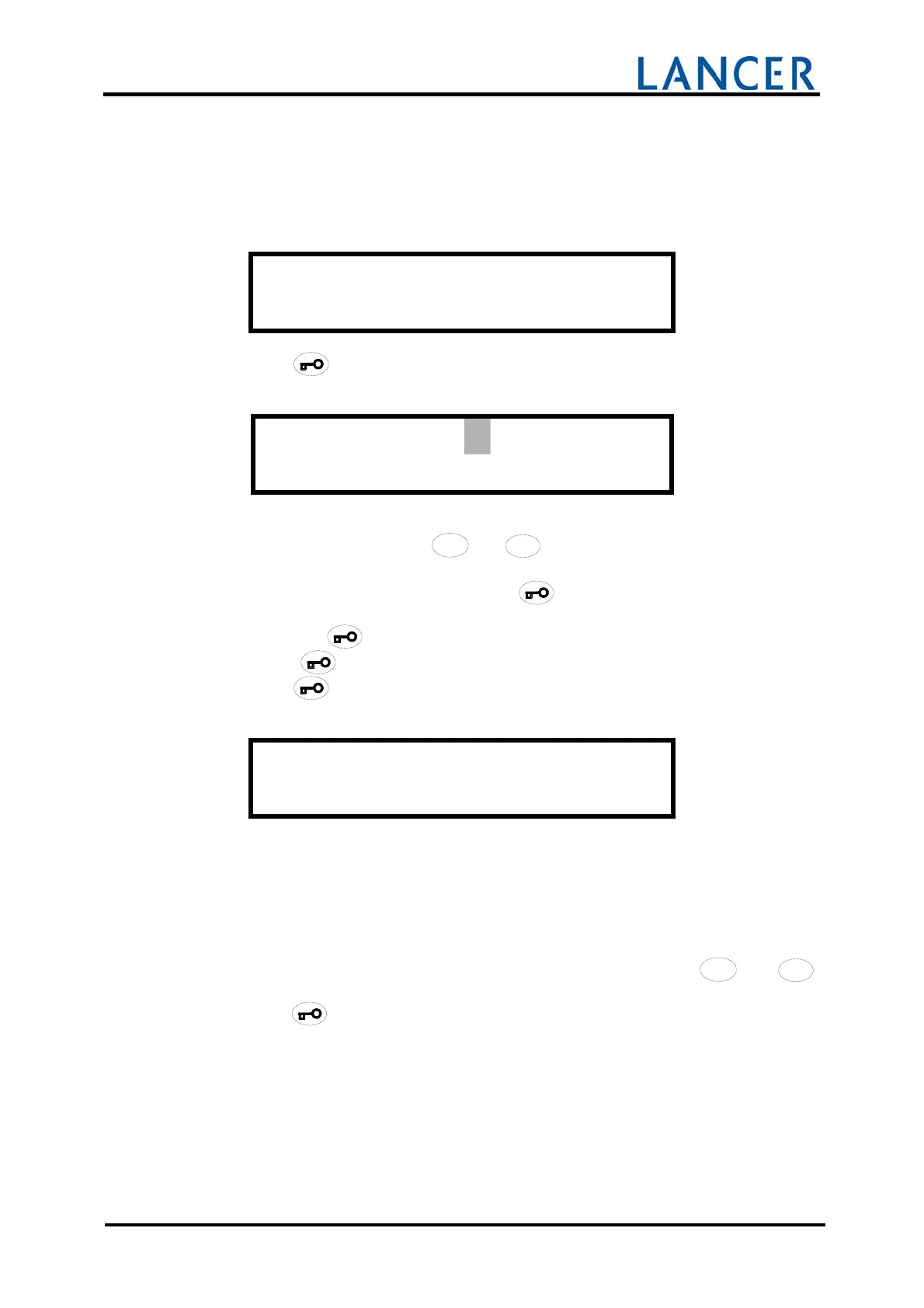
This menu allows to customize 2 heading lines and 3 foot lines on the ticket (if printer
option).
O P E R A T O R M E N U
P r i n t e r p a r a m .
Accept with
button.
H e a d 1 : ent et e d
u t i c k e t l i g n e 1
First character is flashing on top of display.
Characters are selected with the
/
/
/
/
/
//
//
/
//
///
/
4
4
4
44
4
4
44
4
4
44
4
4
4
+
+++
++
+
++
++
+
+
+
+
+
and
/
/
/
//
/
/
//
/
/
//
/
/
/
3
3
3
33
3
3
33
3
3
33
3
3
3
-
--
-
-
-
--
--
--
-
-
-
-
keys or numeric keypad.
Each character must be validated with the key
.
When the ticket line is customized, complete the line of characters with successive
pressings on key
.
Press on key
to go to next heading line then to foot lines.
Accept with
button.
E n d o f m e n u
The display returns to the user’s menu.
4.8 RETURN TO THE INITIAL STATE
To quit the user menu, you must, choose END OF SETTING ? with
/
/
/
/
/
//
//
/
//
///
/
4
4
4
44
4
4
44
4
4
44
4
4
4
+
+++
++
+
++
++
+
+
+
+
+
and
/
/
/
//
/
/
//
/
/
//
/
/
/
3
3
3
33
3
3
33
3
3
33
3
3
3
-
--
-
-
-
--
--
--
-
-
-
-
buttons.
Accept with
button.


 To Next Page