LANCOM GS-1224
쮿 Chapter 4: Operation of Web- based Management
28
EN
General functions
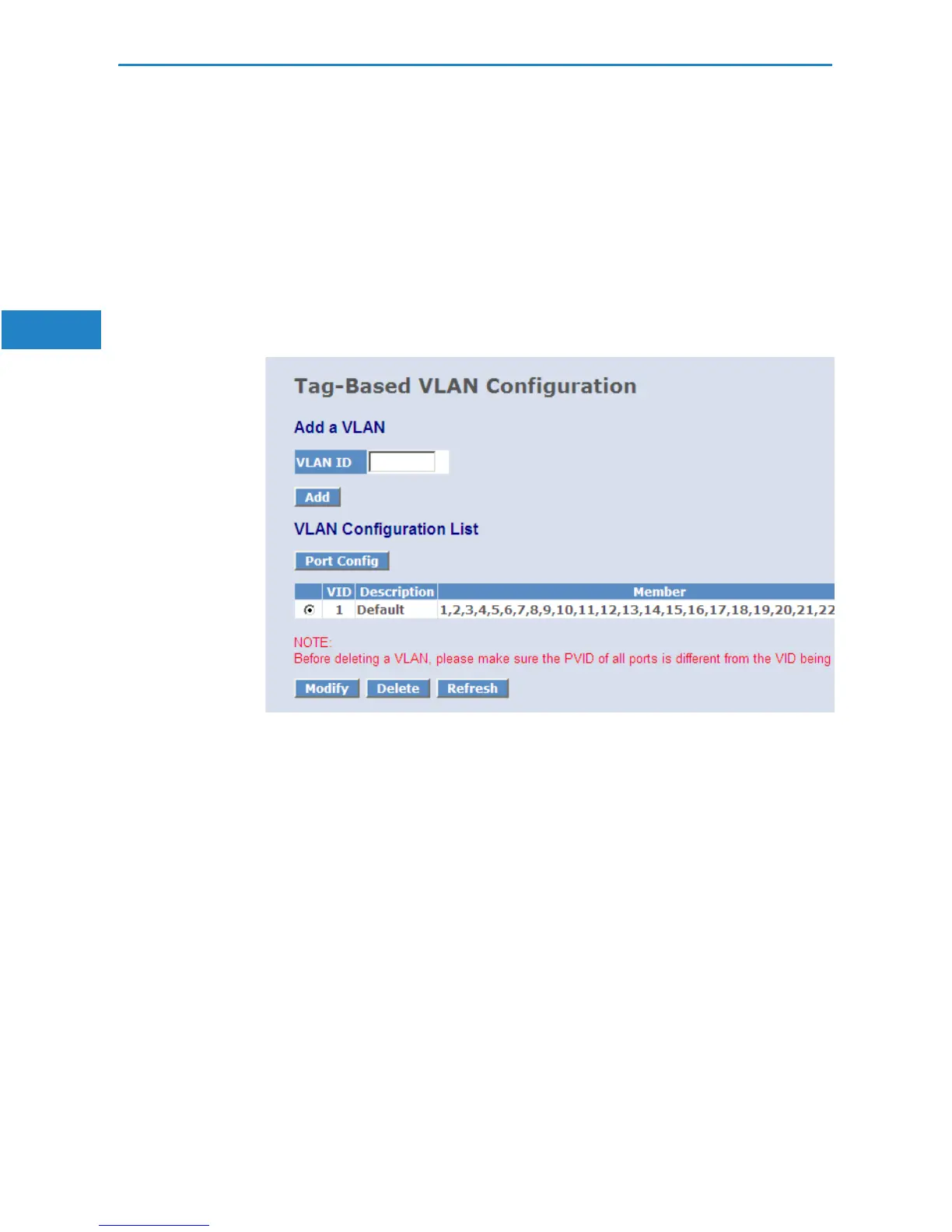
쮿 Add:
Adds a new port-based or tag-based VLAN.
쮿 Modify:
Click on Modify to edit the selected VLAN.
쮿 Delete:
Click on Delete to remove the selected VLAN.
VLAN group configuration
Parameter:
쮿 ID (VLAN ID):
ID of the VLAN group (1 to 4094). The packet forwarding is based on this
ID.
쮿 Member:
Select the member ports of the VLAN group.


 To Next Page