LANCOM GS-1224
쮿 Chapter 4: Operation of Web- based Management
45
EN
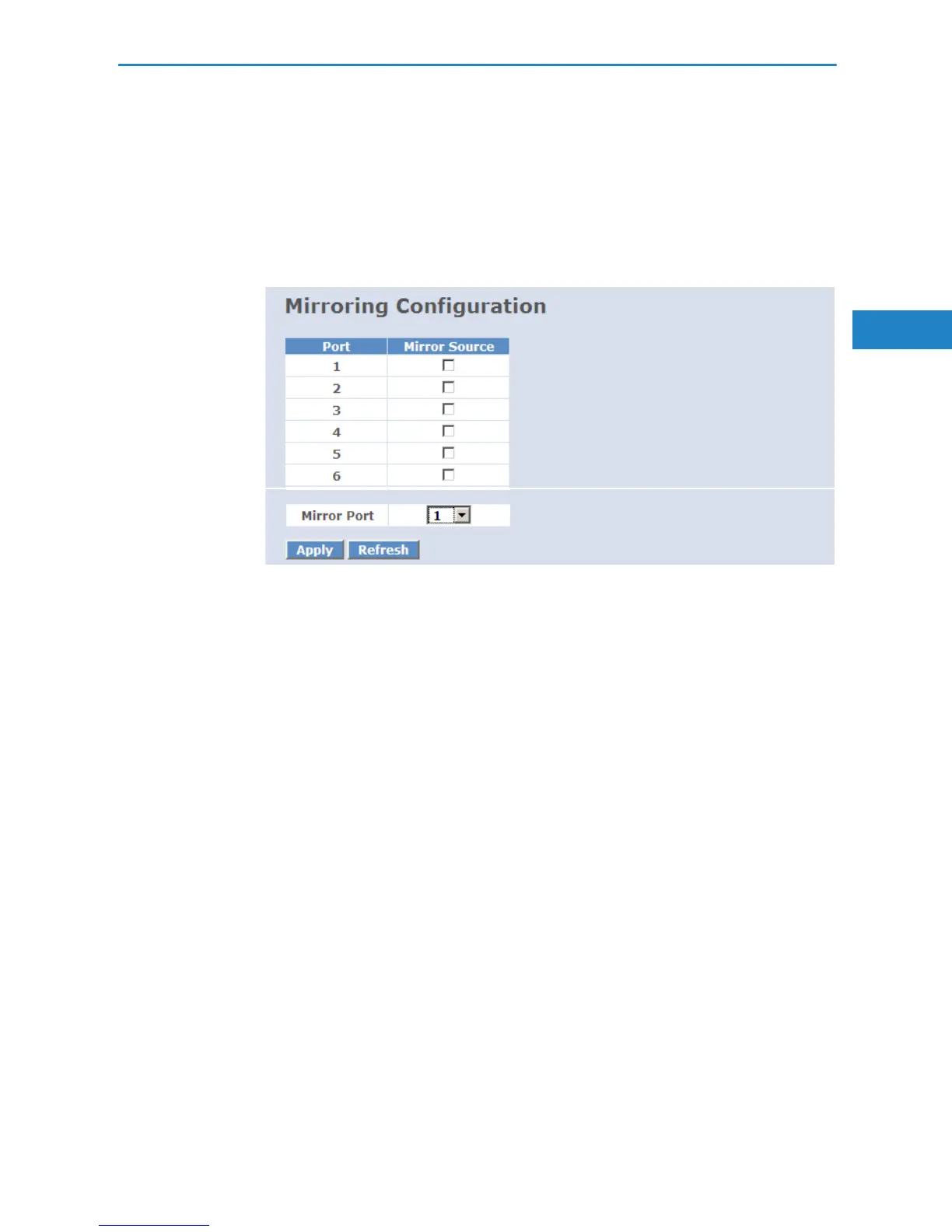
쮿 Source Port:
Set up the port for being monitored. Just tick the check box beside the port
x. Valid ports are port 1-24.
쮿 Mirror Port:
Use the drop-down menu to select a mirror port.
4.2.11 QoS (Quality of Service) Configuration
The switch offers powerful QoS function. This function supports VLAN-tagged
priority that can make precedence of 8 priorities, and DSCP (Differentiated
Services Code Point) on Layer 3 of network framework.
쮿 QoS Configuration
While setting QoS function, please select QoS Mode in drop-down menu
at first. Then you can use 802.1p Priority and DSCP Priority functions. In
this function, you can enable/disable QoS Mode and set Priority Control,
such as: 802.1p and DSCP. The switch only supports Strict Priority. High
priority queue is always passed first.
쮿 802.1p QoS Mode
This function will affect the priority of VLAN tag. Based on priority of VLAN
tag, it can arrange 0~7 priorities, priorities can map to 4 queues of the
switch (low, normal, medium, high) and possess different bandwidth dis-
tribution according to your weight setting.
Parameter:


 To Next Page