38
Memory Module Installation Instructions
Please follow the steps below to install the DIMM memory modules.
1. Power off the system.
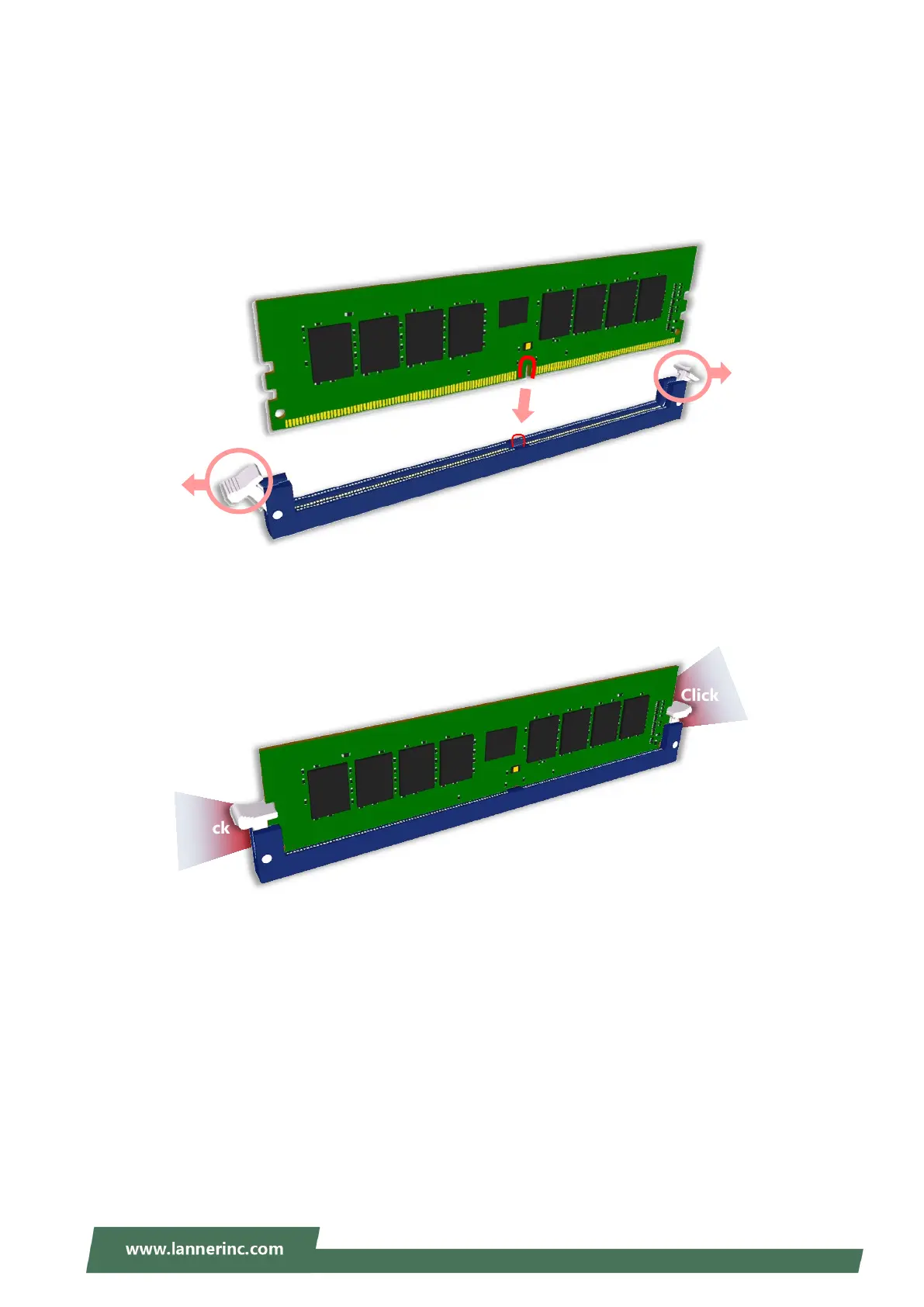
2. Pull open the DIMM slot latches.
3. Align the notch of the module with the socket key in the slot and carefully insert the card into the slot.
4. Push the module down into the slot until it is firmly seated. Press vertically on both corners of the card
until it clicks into place.
Click
Click
Notch



 To Next Page