NCA-4020 User Manual
51
Installing the DC Power Supply
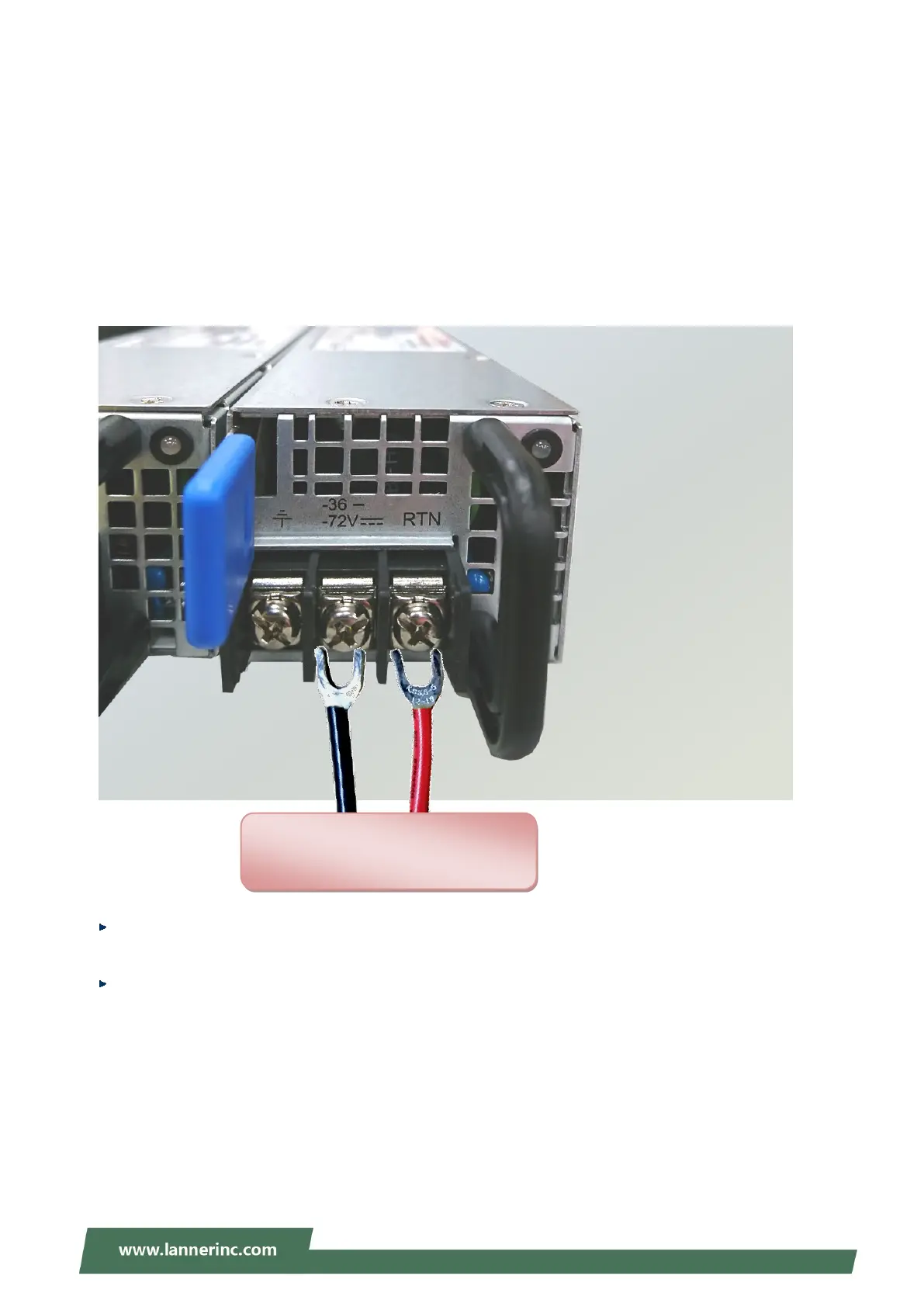
Follow the instructions below to connect the DC power cord to the connector on the PSU.
1. Loosen the two screws indicated in the picture.
2. Respectively attach the two cables to the connectors: the red cable to the right (Positive Pole) and the
black cable to the left (Negative Pole).
3. Fasten the screws.
4. Connect the power cables to the power source.
This product is intended to be supplied by a UL Listed DC power source, rated -36 --72V, 22-11A
minimum (each), Tma = 40 degrees C, and the altitude of operation = 5000m.
The cable should be 12AWG (22A minimum, 72V minimum).
If you need further assistance with purchasing the power source, please contact Lanner Electronics Inc. for
further information.
+一
Power Source



 To Next Page