NCA-4020 User Manual
39
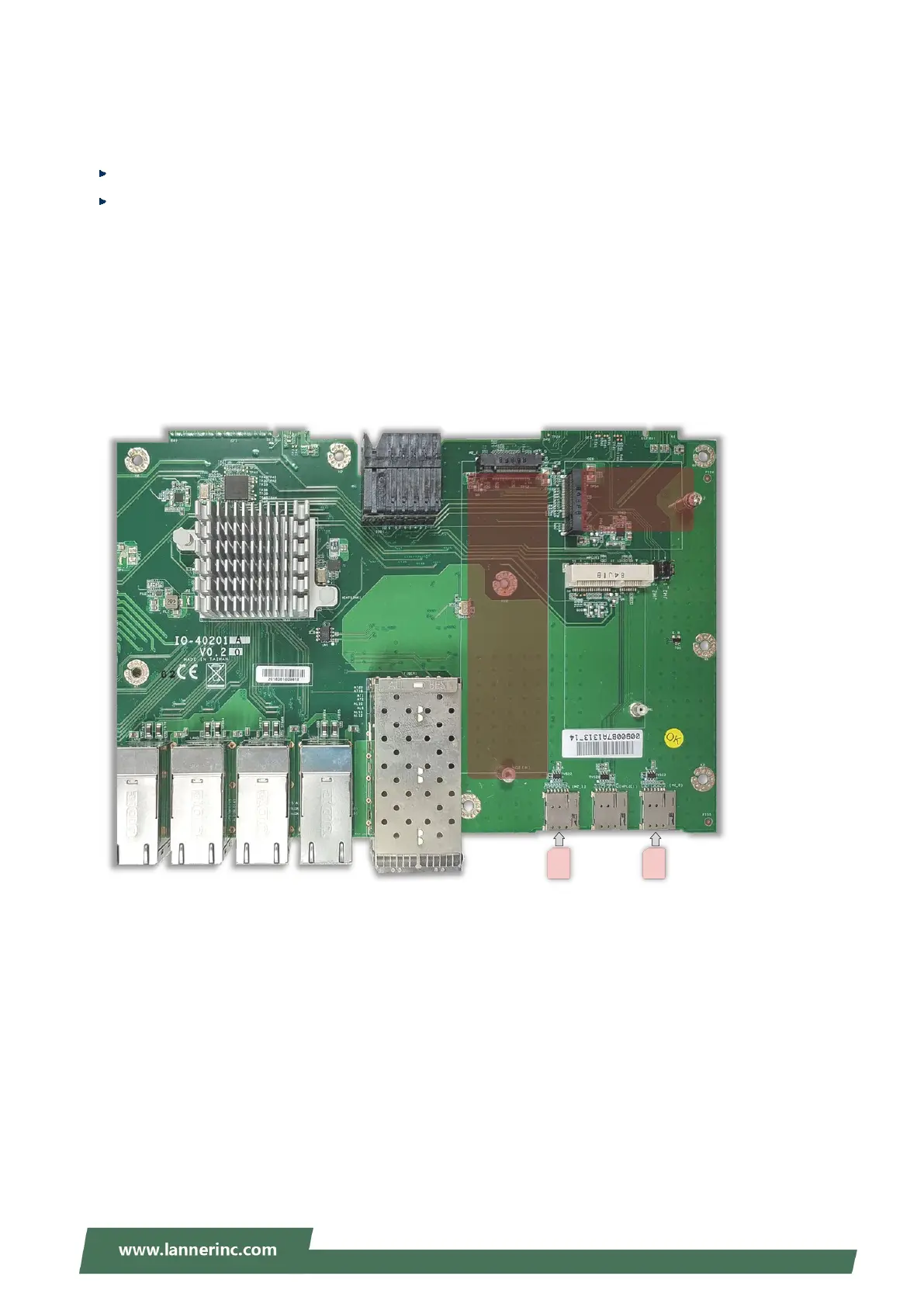
Installing M.2 Modules for Storage or LTE
This system supports two M.2 module slots that can accommodate various module sizes.
1x M.2-3042, B key or B+M Key (Optional) via PCIEx1/USB3.0/SATA3 interface.
1x M.2-3042/3080/30110, B key or B+M key (Optional) via PCIEx1/USB3.0/SATA3 interface
To install the M.2 module
1. Align the notch of the module with the socket key in the slot, and insert it at 30 degrees into the socket
until it is fully seated in the connector.
2. Push down the module and secure it with the screw that comes with it.
For a 4G-LTE module, you also need to insert the nano-SIM card into the corresponding slot.
3042
(B / B+M Key)
3042
3080
30110
(B / B+M
Key)
Nano SIM for M2_2
Nano SIM for M2_1



 To Next Page