NCA-4020 User Manual
69
Installing Operating System
If your system is shipped without an operating system, install the supported operating system using the
following resources.
Via IPMI Interface
1. Download the ISO image and make a bootable DVD from it.
2. Connect a DVD player or other type of readers (floppy disk, or a drive) to a computer.
3. Connect to your target system from this computer. (Refer to Remote Server Management for
instructions on how to access the target system through Web UI).
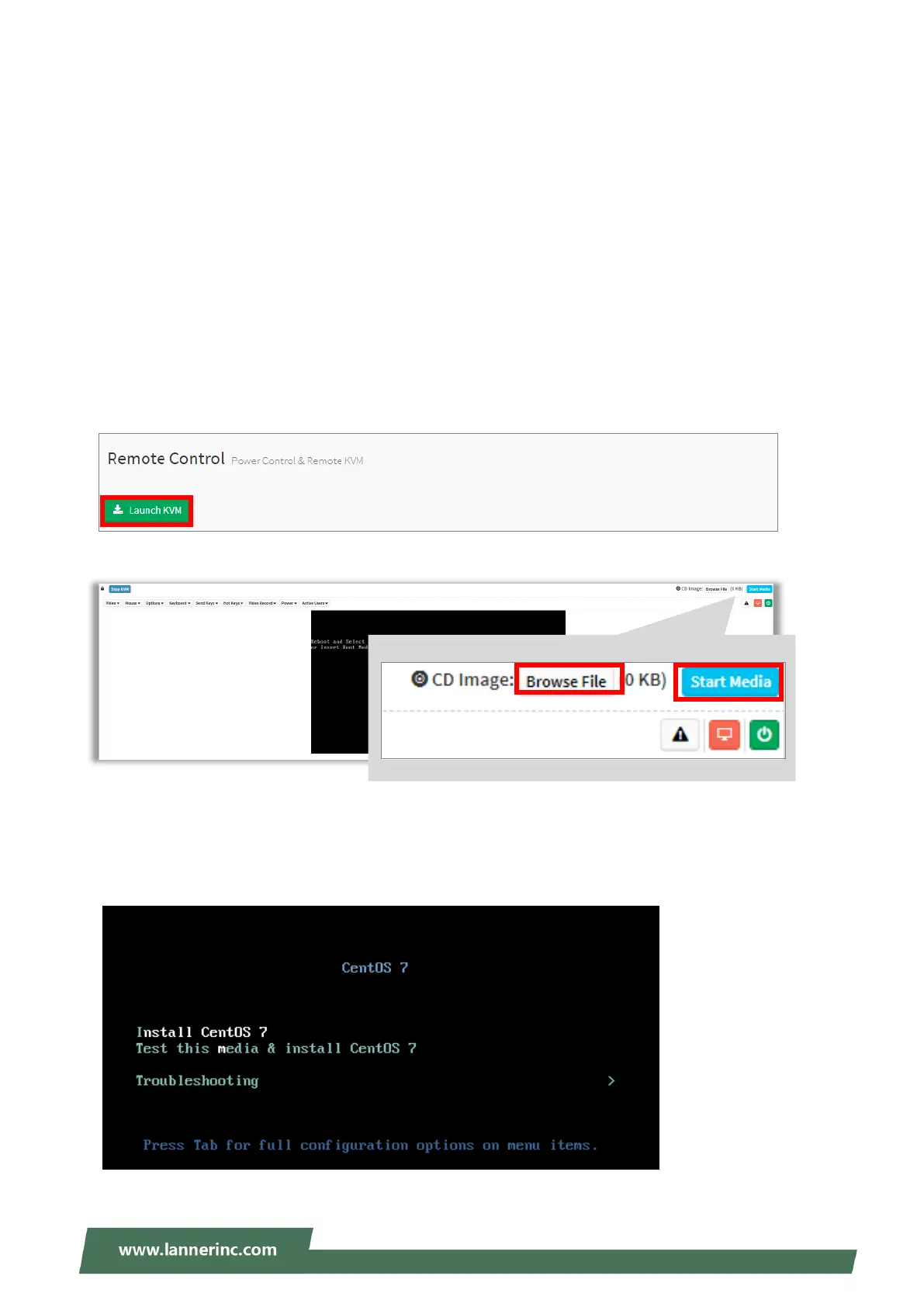
4. After entering the main screen, click “Launch KVM” to open the Remote Control KVM page:
5. Click “Browse File” to select CD Image.
6. Click “Start Media” to redirect the selected CD image file to the Host.
7. The installation process will automatically start. Please follow the onscreen instruction to complete the
rest of the steps and restart the target system manually.



 To Next Page