EasyManua.ls Logo

LaserPro Mercury - Starting an Engraving Job

LaserPro Mercury
71 pages
Print Icon
To Next Page IconTo Next Page
To Previous Page IconTo Previous Page
Loading...
M
M
M
E
E
E
R
R
R
C
C
C
U
U
U
R
R
R
Y
Y
Y
U
U
U
S
S
S
E
E
E
R
R
R
M
M
M
A
A
A
N
N
N
U
U
U
A
A
A
L
L
L
23
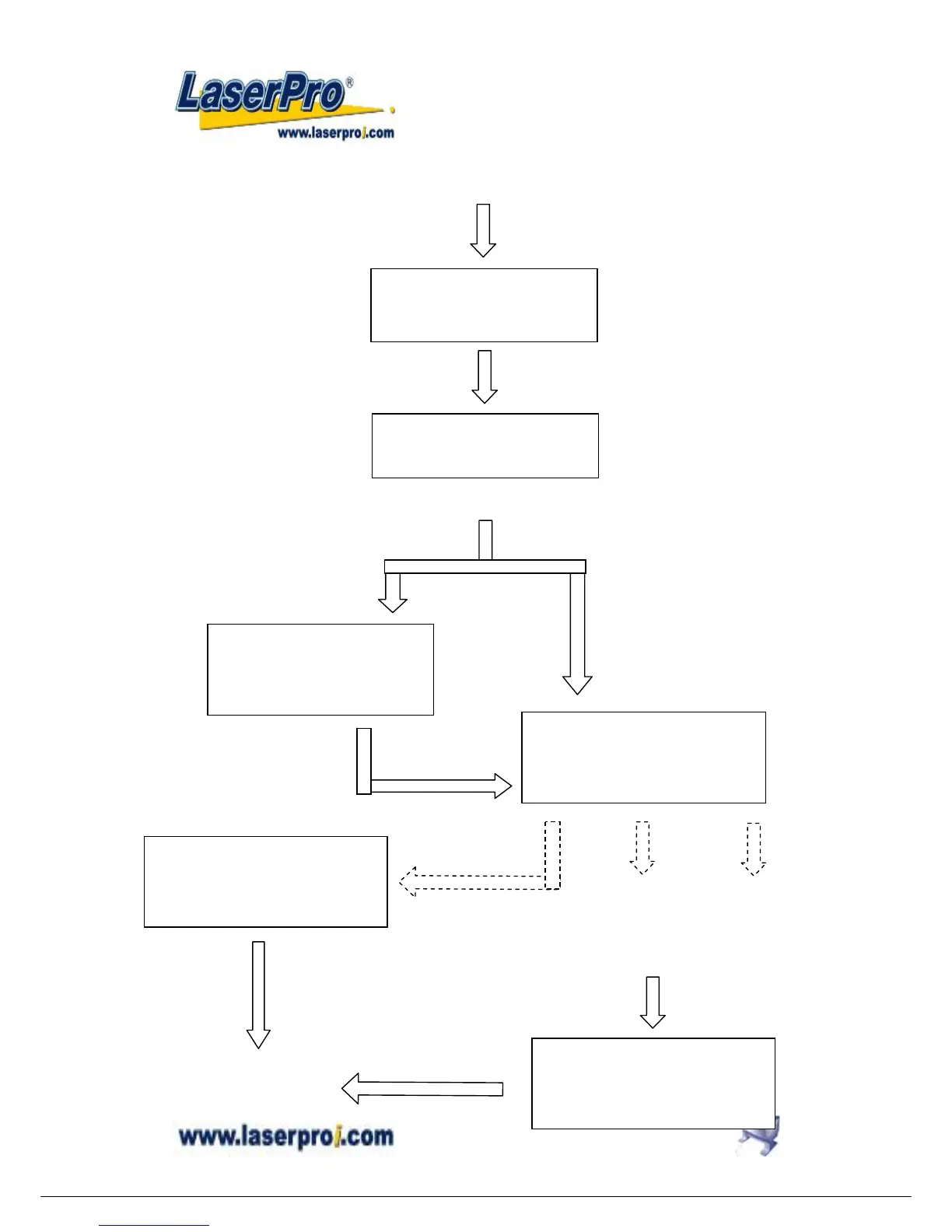
Start to Operate
Press
FUNCTION key
for further setting
selection
Single file status
Under STARTcondition
Upon the receipt of files, start to
engrave/cut
LaserPro MERCURY
Firmware V x. xx
Copyright 200x
Initializing
Please wait
Table moves down about 50mm automatically
File:
Speed: %
Power: %
DPI: Copies
File:
Speed: % 00:00
Power: % STOP
DPI:
Multiple file status
Under STOP
condition
Press START/STOP, turn to
STOP condition
File: # x file name
Speed: xx.x % 00:00
Power: xx % PPI: xxxx
DPI: xxx xxx K
Send a new file
from host computer
then press
NEXT FILE
to show the file name on
LCD.
.
Press
NEXT FILE
to get a desired
file
Press
START/STOP
to engrave/cut
File: # x file name
Speed: xx.x % 00:00
Power: xx % PPI: xxxx
DPI: xxx xxx K
Power ON

Other manuals for LaserPro Mercury

Related product manuals