EasyManua.ls Logo

LaserPro Mercury - VII. TROUBLE SHOOTING; Quality Problems; Non-operational Problems

LaserPro Mercury
71 pages
Print Icon
To Next Page IconTo Next Page
To Previous Page IconTo Previous Page
Loading...
M
M
M
E
E
E
R
R
R
C
C
C
U
U
U
R
R
R
Y
Y
Y
U
U
U
S
S
S
E
E
E
R
R
R
M
M
M
A
A
A
N
N
N
U
U
U
A
A
A
L
L
L
63
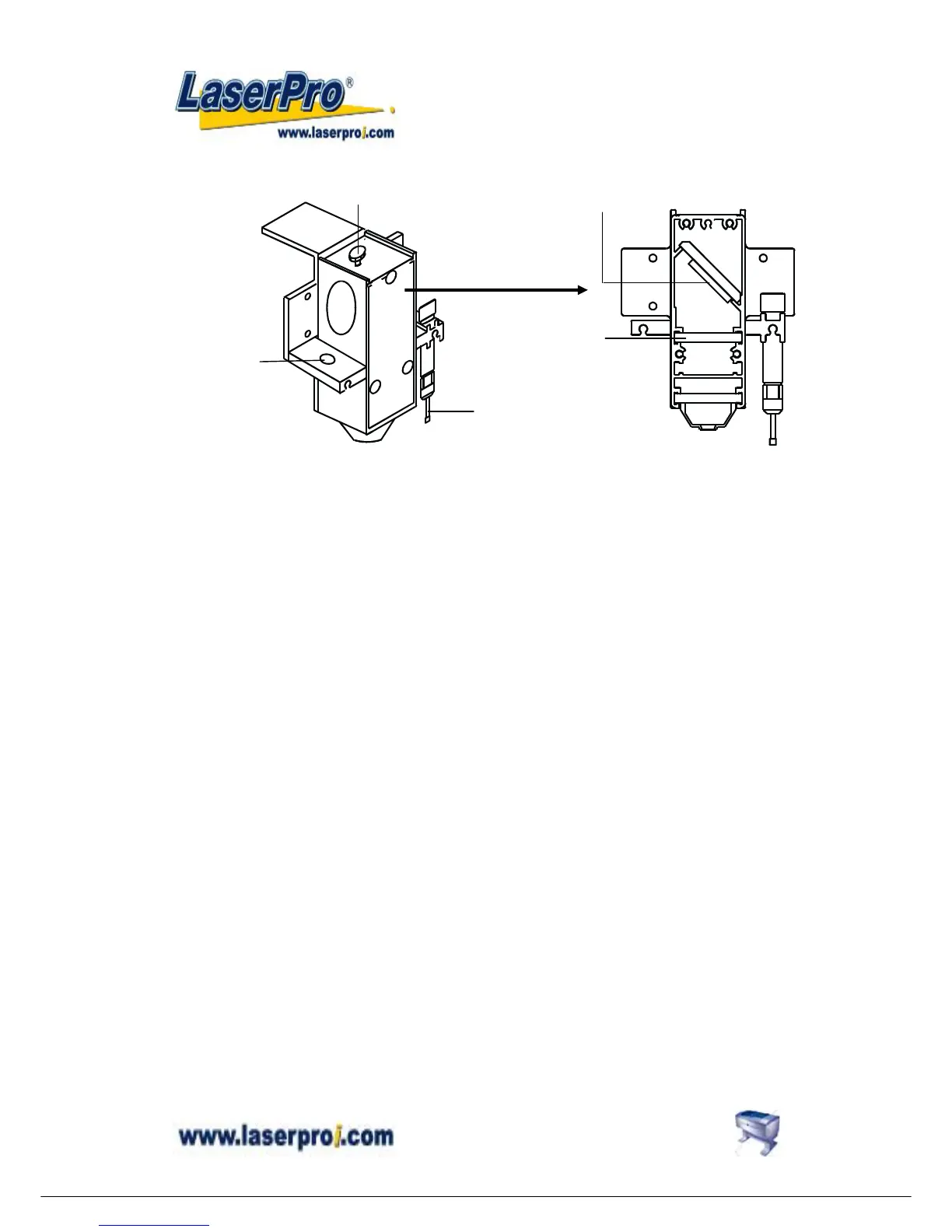
Clean the focus lens –
1. Unscrew and remove the front cover of the focus carriage. Pull out focus
lens carefully.
2. Flood the focus lens with lens cleanser on both sides then using a cotton
swab or lens tissue to dry off the remaining solution gently.
3. Do not touch the lens surface with your bare hands or press down hard with
any cleaning material.
Remove Front
Cover
Mirror
L
Loading hole for
manual focal tool
Auto-focus gauge
Focal-Sharp™
Top Screw

Other manuals for LaserPro Mercury

Related product manuals